Email editor 2.0 Invalid Module | Community
Skip to main content
Duane_Kennerson
Level 4
July 12, 2016
Solved

Email editor 2.0 Invalid Module

  • July 12, 2016
  • 2 replies
  • 4067 views

Well, trying email editor 2.0. Wanted to start playing with creating my own templates. Now I'm fairly skilled with html/css but I'm certainly no expert so I thought I would start learning by doing something really, really basic...

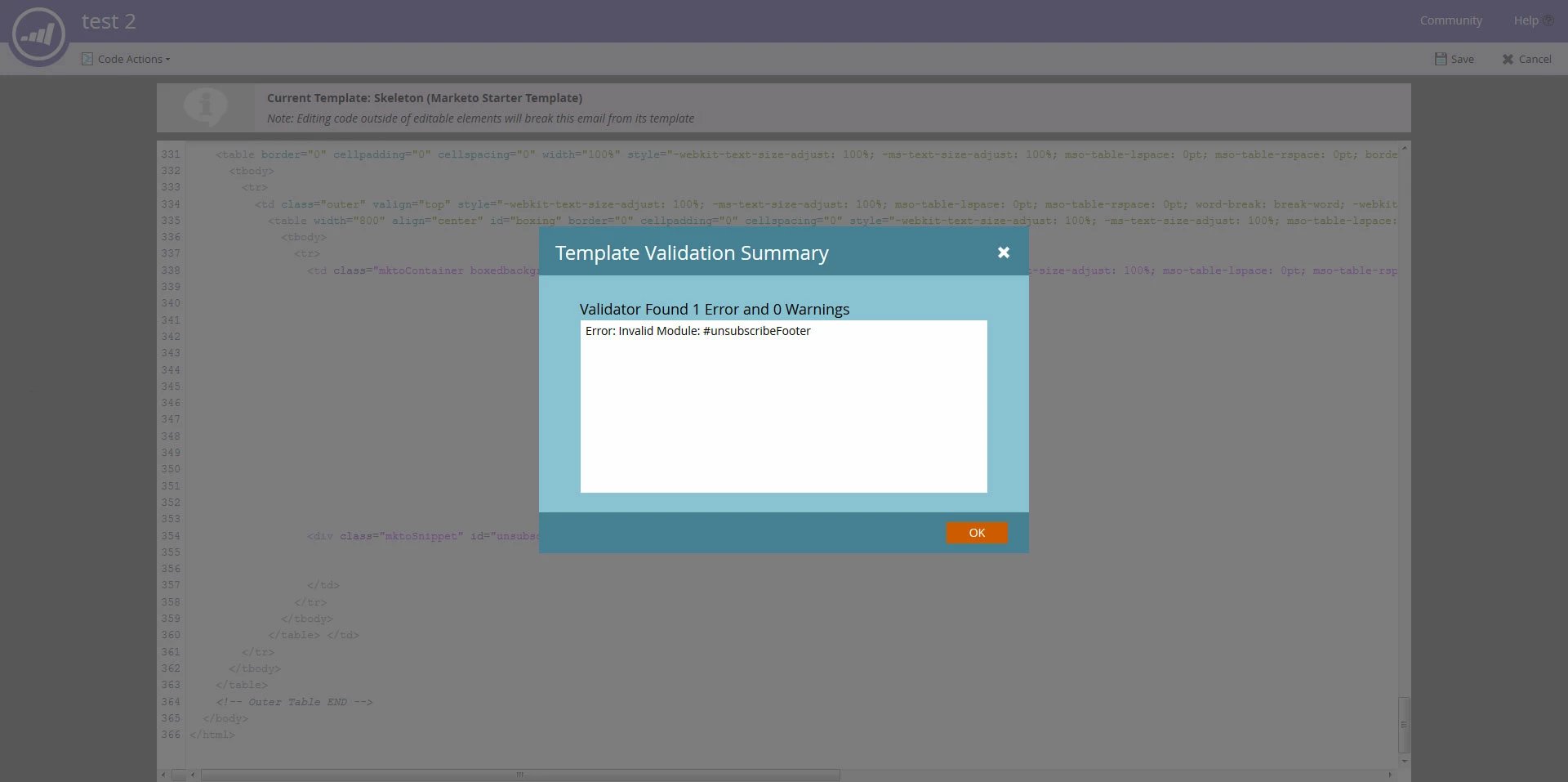
I took the skeleton template, stripped out all the guts (just left the variable definitions, styles and outer wrapper html in place) and simply copied and pasted, verbatim, the example snippet code to see what would happen (<div class="mktoSnippet" id="unsubscribeFooter" mktoName="Unsubscribe Footer"></div>).

What happened? Marketo reports it's an invalid module and won't save the code.

1. Not a very helpful error message. I tried searching for invalid module in help but got only one unrelated result.

2. It's literally copied and pasted from the Marketo documentation, what could I have done wrong? (a lot I'm sure, lol)

3. I don't see anywhere that I would have to declare modules, there are no variables to define, not sure what is wrong...

Any direction? I though this would be so simple.
This post is no longer active and is closed to new replies. Need help? Start a new post to ask your question.
Best answer by Justin_Cooperm2

I can tell you exactly what happened, I can see behind your error message you still have left a "mktoContainer" in your code. An "mktoContainer" may only contain "mktoModules".

Have a look at the docs https://docs.marketo.com/display/DOCS/Email+Template+Syntax

Thanks,

Justin

2 replies

July 12, 2016

No it is not very helpful, i would contact support if I were you

Justin_Cooperm2
Justin_Cooperm2Accepted solution
Level 10
July 12, 2016

I can tell you exactly what happened, I can see behind your error message you still have left a "mktoContainer" in your code. An "mktoContainer" may only contain "mktoModules".

Have a look at the docs https://docs.marketo.com/display/DOCS/Email+Template+Syntax

Thanks,

Justin

Duane_Kennerson
Level 4
July 12, 2016

That is it!

I'm guess I'm still confused though... Is the "snippet" as defined in the documentation a module??? Just like a video or image?

I'm new and since it works, I'm obviously confused.

Thanks for solving this though. I'll get it.

Justin_Cooperm2
Level 10
July 12, 2016

A "Snippet" is a type of editable content element (described in that doc) that can go anywhere in your email. However, if you are using "Modules", you must have a single "Container" defined, and the only thing that may go in that container are Modules. A Module may or may not contain editable content elements. You can also place editable content elements outside of Modules.