Dropdown in Marketo Form is not displaying Default selection | Community
Skip to main content
Level 1
May 4, 2022
Solved

Dropdown in Marketo Form is not displaying Default selection

  • May 4, 2022
  • 3 replies
  • 2475 views

Hi, 


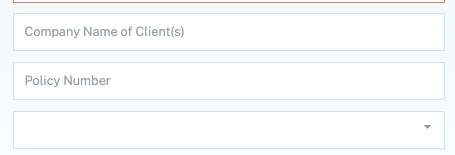
I have a form I am building that is hidden until the user selects a certain answer. However, when the dropdown shows up, the display text is blank even though I have designated that text the default text to read "What is the reason for the contingency?" The field below "Policy Number" in the screenshot should be populating the default text "What is the reason for the contingency?"

Can anyone assist me?
 

This post is no longer active and is closed to new replies. Need help? Start a new post to ask your question.
Best answer by Jo_Pitts1

Have you (in the conditional display stuff) got the same options as your base list?

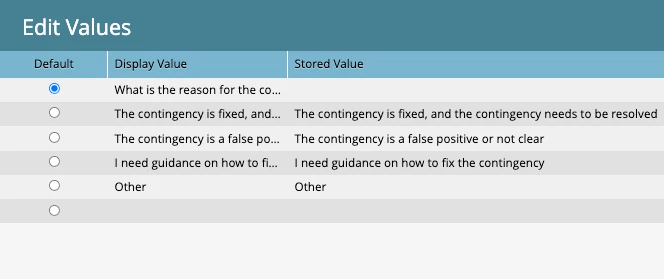
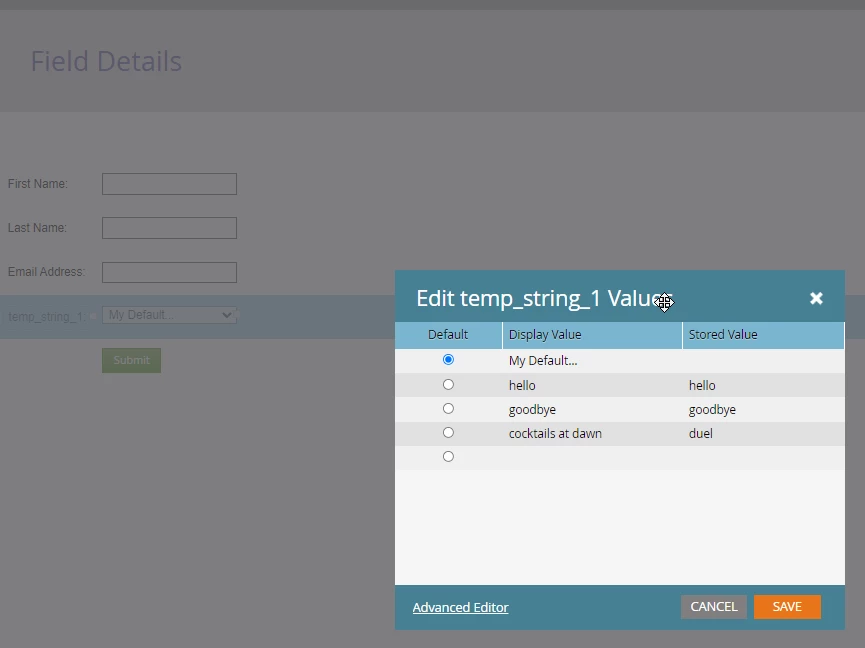
In the list for the field, you've got some values:

Consider this the superset of available options.

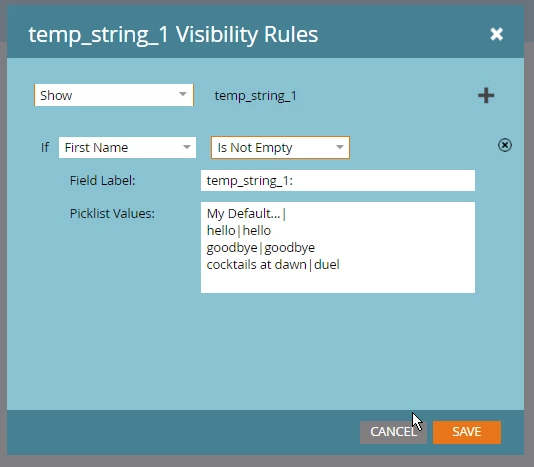
In the visibility rules, if you want all the options to display, you'll need to have them there as well

In Short:

If they exist in the superset, but not in the visibility rules, they don't display.

If they exist in the visibility rules, but not in the superset, they don't display.


Hope that helps


Cheers

Jo


3 replies

Jo_Pitts1
Community Advisor
Jo_Pitts1Community AdvisorAccepted solution
Community Advisor
May 4, 2022

Have you (in the conditional display stuff) got the same options as your base list?

In the list for the field, you've got some values:

Consider this the superset of available options.

In the visibility rules, if you want all the options to display, you'll need to have them there as well

In Short:

If they exist in the superset, but not in the visibility rules, they don't display.

If they exist in the visibility rules, but not in the superset, they don't display.


Hope that helps


Cheers

Jo


JustinGAuthor
Level 1
May 5, 2022

Thank you so much, I had to add the default selection to the picklist. 

SanfordWhiteman
Level 10
May 5, 2022

Please link to your form. This will be a lot more efficient than trying to troubleshoot a screenshot.

Darshil_Shah1
Community Advisor and Adobe Champion
May 5, 2022

I think you should check if the select values in the field and the visibility rule do match as Jo says, if the values are same at both  the places, and still you're not able to see the default text, you can share screenshots of the field configuration in form editor along with the link to form as Sandy notes. 🙂


I'd also check if both the form and the LP are in approved state for the changes/up-to date form configuration to reflect on the webpage.