Don't understand why the person is not running through the (very simple) flow | Community
Skip to main content
Level 2
September 28, 2018
Solved

Don't understand why the person is not running through the (very simple) flow

  • September 28, 2018
  • 1 reply
  • 5644 views

Here is my smart list:

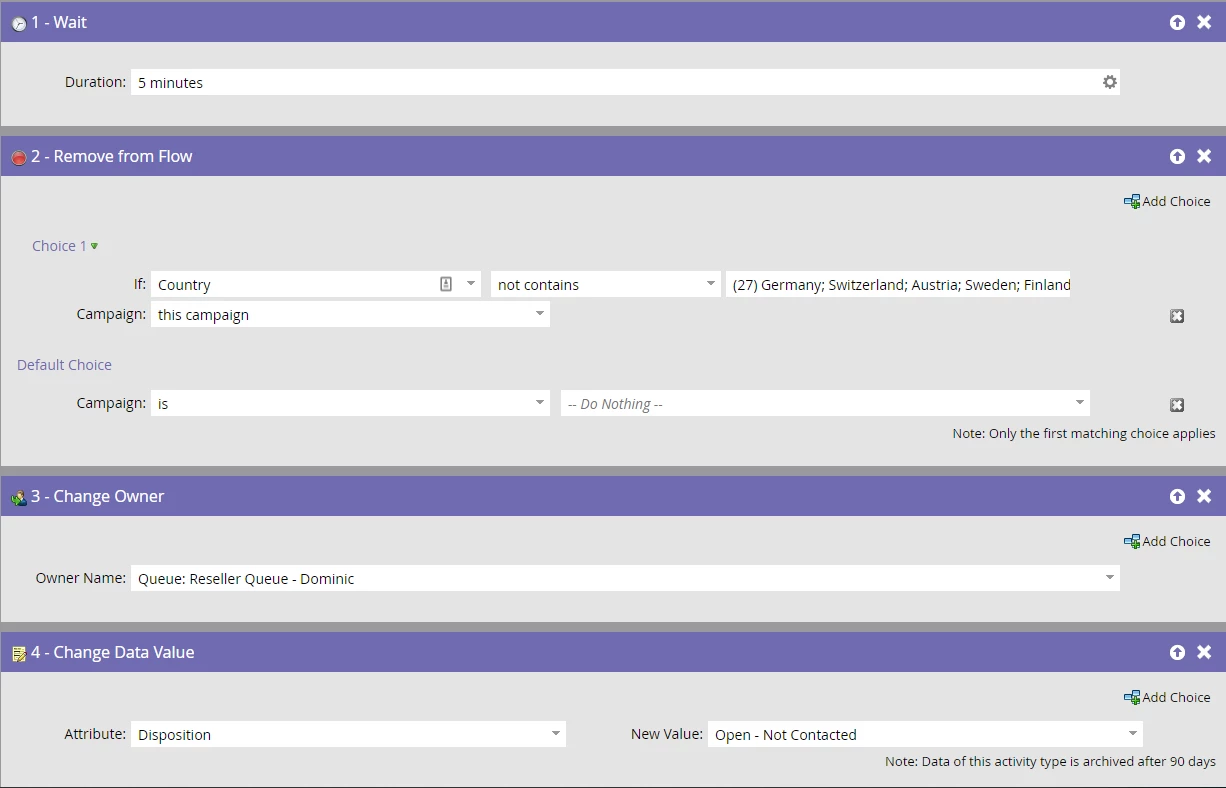
Here is my flow:
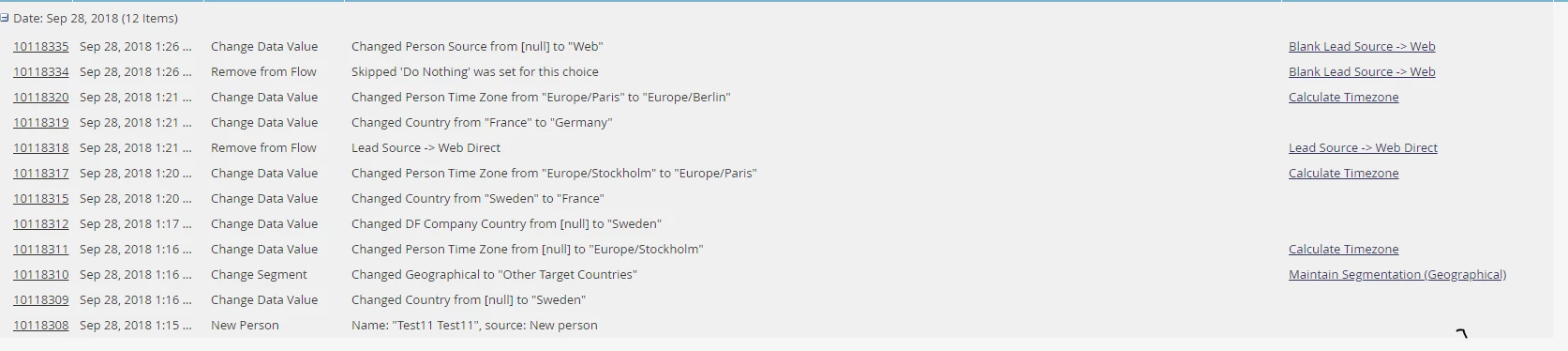
Here is my test:
My questions:

1) Why would "New Person" not trigger the "Person is Created" trigger in the smart list?

2) Why would "Change Data Value - Changed Country from [null] to "Sweden" not trigger the "Changed Data Value" Trigger?

3) How do I fix this?

Thanks,

Andrew

This post is no longer active and is closed to new replies. Need help? Start a new post to ask your question.
Best answer by Dan_Stevens_

The filter in the smart list indicates that in order to qualify for the campaign, the person would have had to have filled out a form in the past day - as long as it wasn't the "email unsubscribe form".  Looking at the activity log, I see no form submit - and therefore the person didn't qualify.

Try this filter instead:

1 reply

Chris_Wilcox
Level 8
September 28, 2018

Hi Andrew,

Can you post the screenshot of the Smart List? I don't see it populating in your post, that'll help diagnose the issue.

Thanks!

Level 2
September 28, 2018

Oh no, sorry! I don't know why it didn't post. Here's the smart list:

Chris_Wilcox
Level 8
September 28, 2018

Here are my thoughts:

  1. I'm not entirely sure why Person is Created isn't firing your trigger.
  2. The "Change Data Value" flow step is changing the "DF Company Country" attribute from [null] to "Sweden", NOT the "Country" attribute; so that's the issue on that one.

Do you have any other filters on your Smart list? Looking at your file names, it seems like this smart list is once a known lead source is populated in the Database (Lead Source -> Web Direct and Blank Lead Source -> Web)?  So, I see there's a change data value of the "Country" attribute as a flow step in that first program, and THAT activity is triggering your smart campaign listed here. You can tell because there's a 5 minute delay before the remove from flow step of the second campaign is executed. 1:21 - Change Data Value of Country to a valid trigger value, 1:26 - Remove from Flow (because your flow step choice is "Not Contains")

Any more info you can provide on how this program fits into the others, or if there are other filters on the smart campaign?