


Design non-english language conversations in Dynamic Chat

Hello Nation,
As some of you know, we have launched Dynamic Chat - a new chat capability of Marketo Engage in Feb of this year. Presenting a conversation/content in the visitor's preferred language is one of the important aspects to provide a personalized and engaging experience for a web visitor.
In Dynamic Chat, marketers can easily create any dialogue in a language of choice. With a simple clone, marketers can even create the same dialogue for different language web visitors.
For example, if you want to create a conversation in Japanese:
Step1: Create a new dialogue
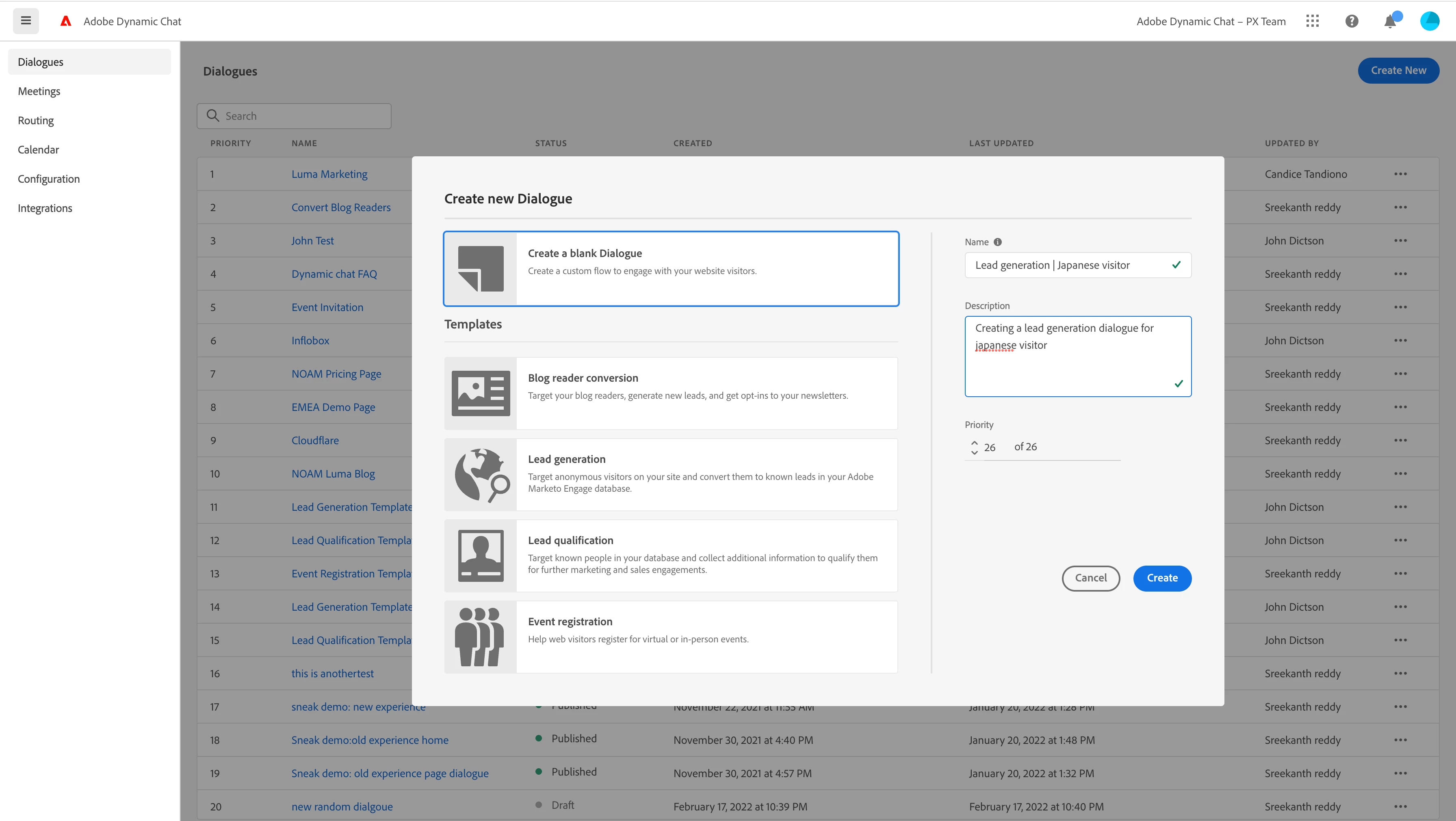
Step 2: Set your audience criteria (of course you can add more attributes to improve your targeting)
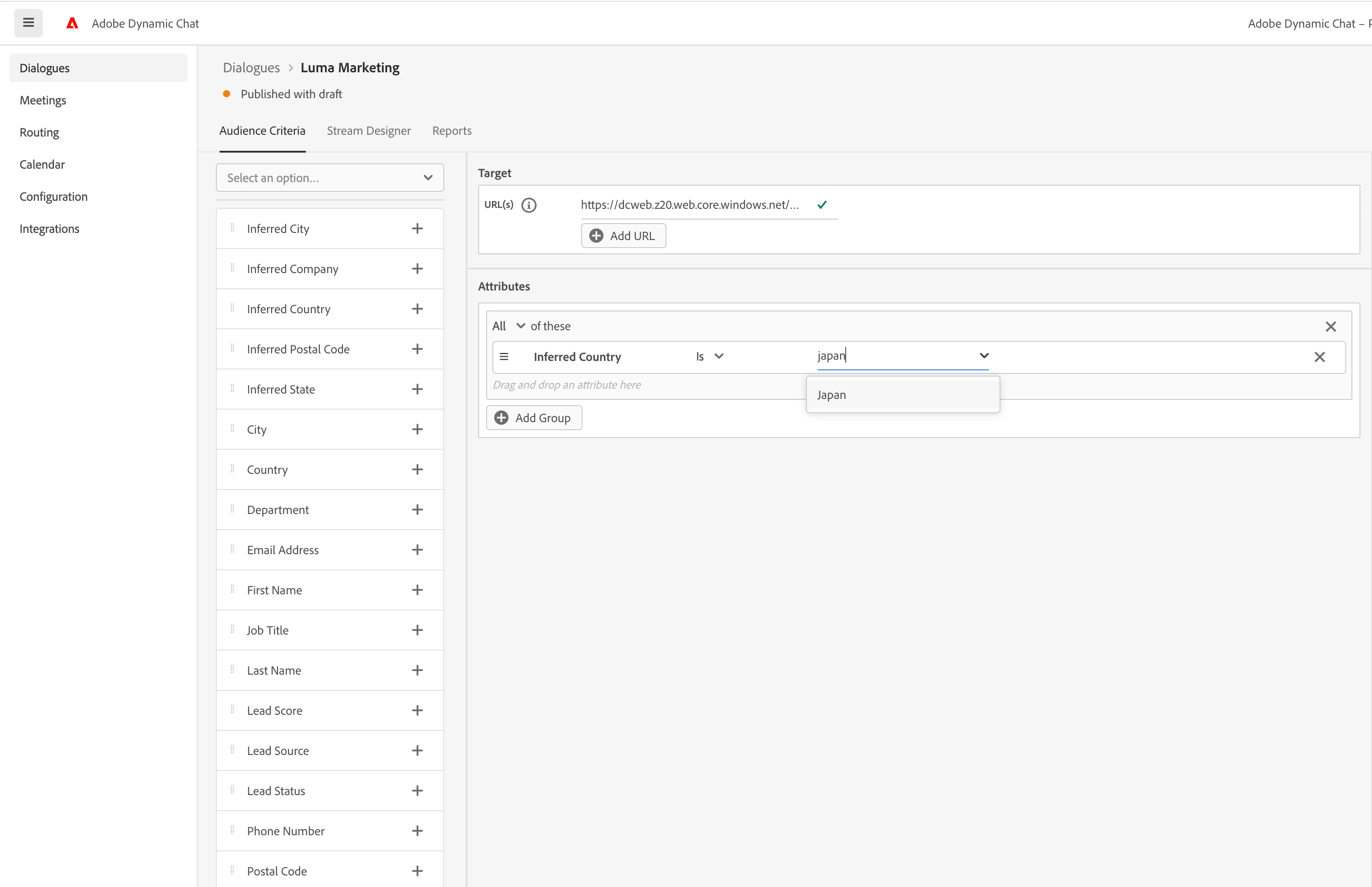
Step 3: Designing dialogue in the Stream designer
a) Drag n Drop a card (let's say a message card)
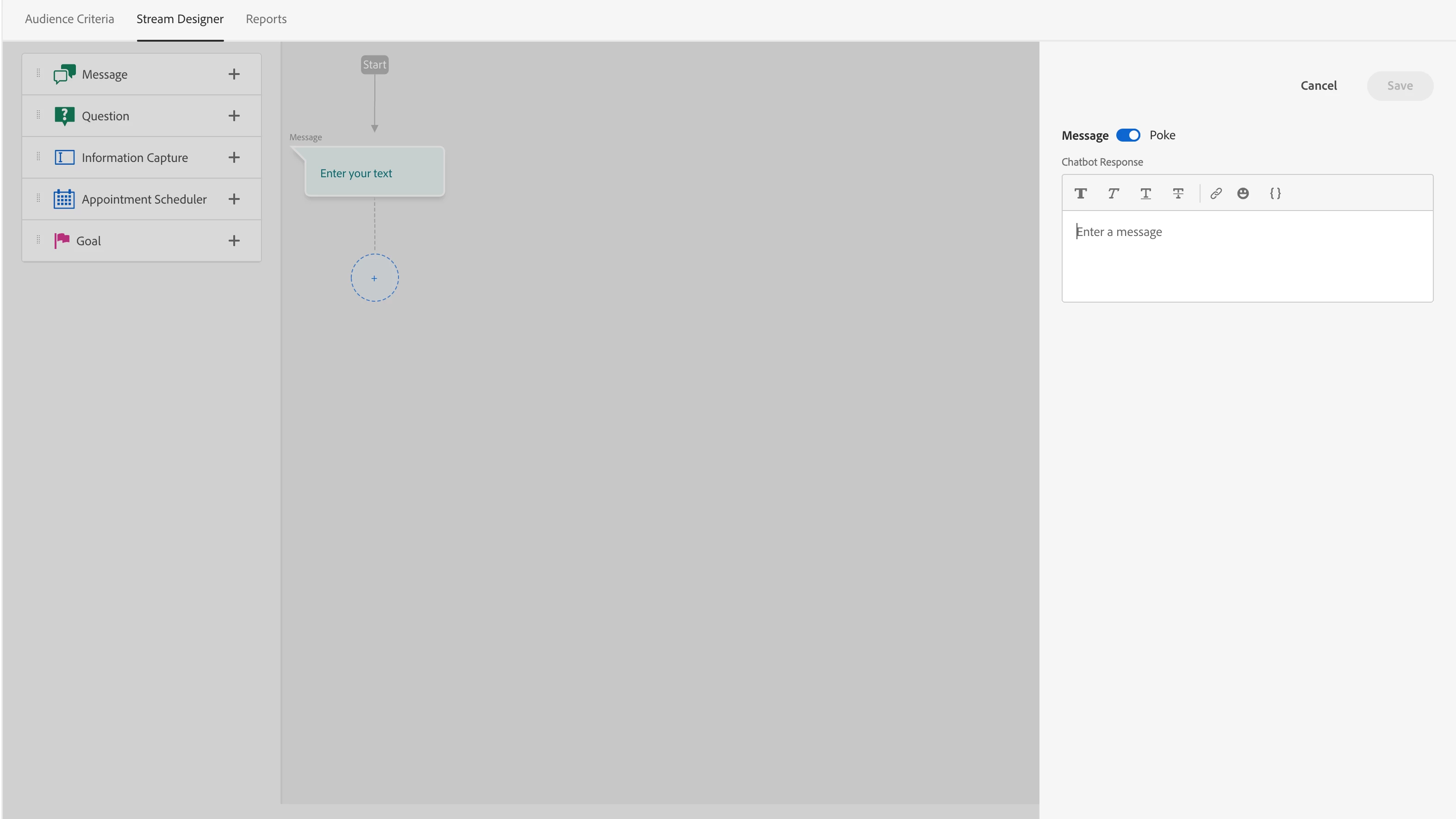
b) Write your text, translate it into Japanese and copy the string
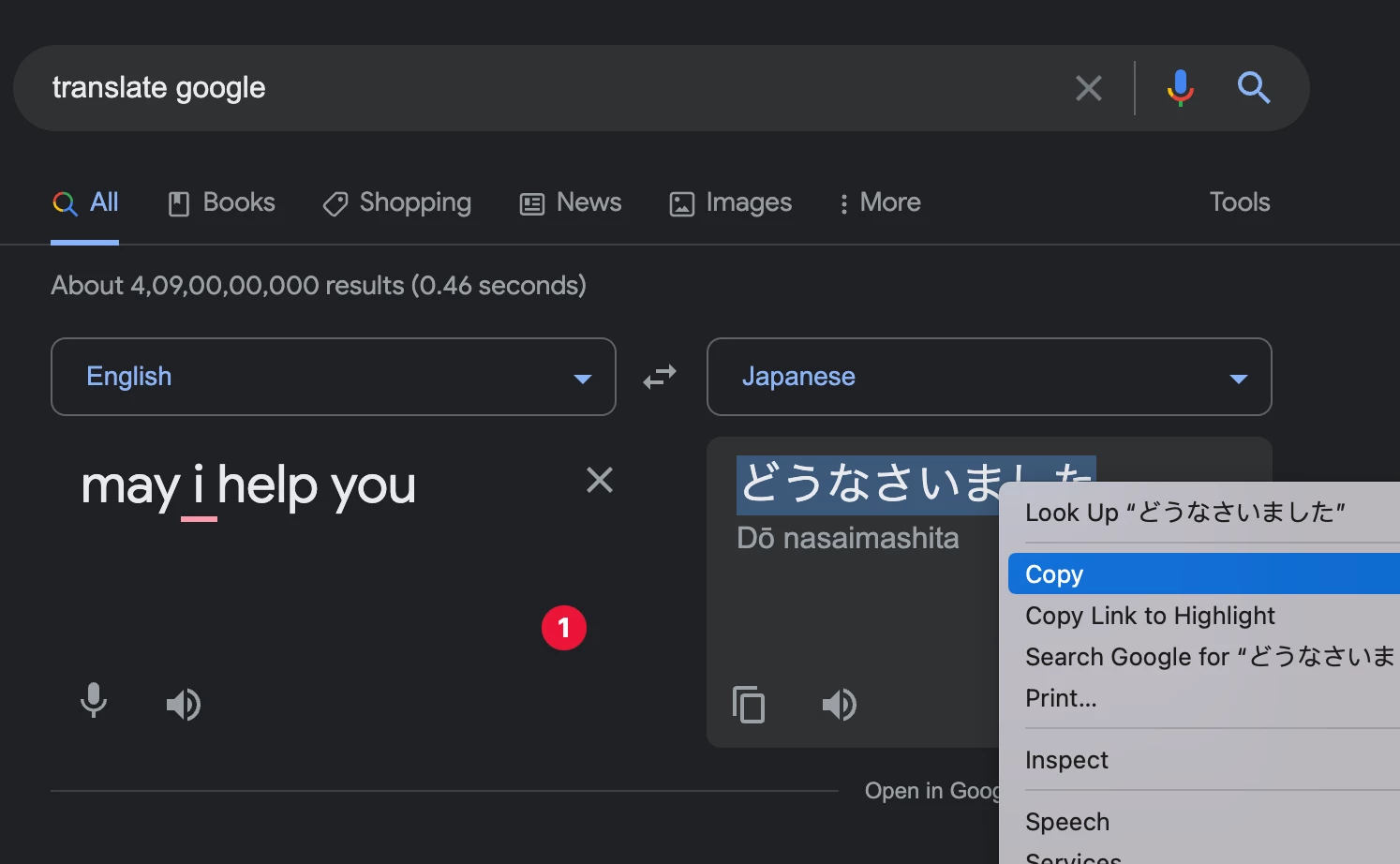
c) Paste it into the text editor in Dynamic Chat and click save!
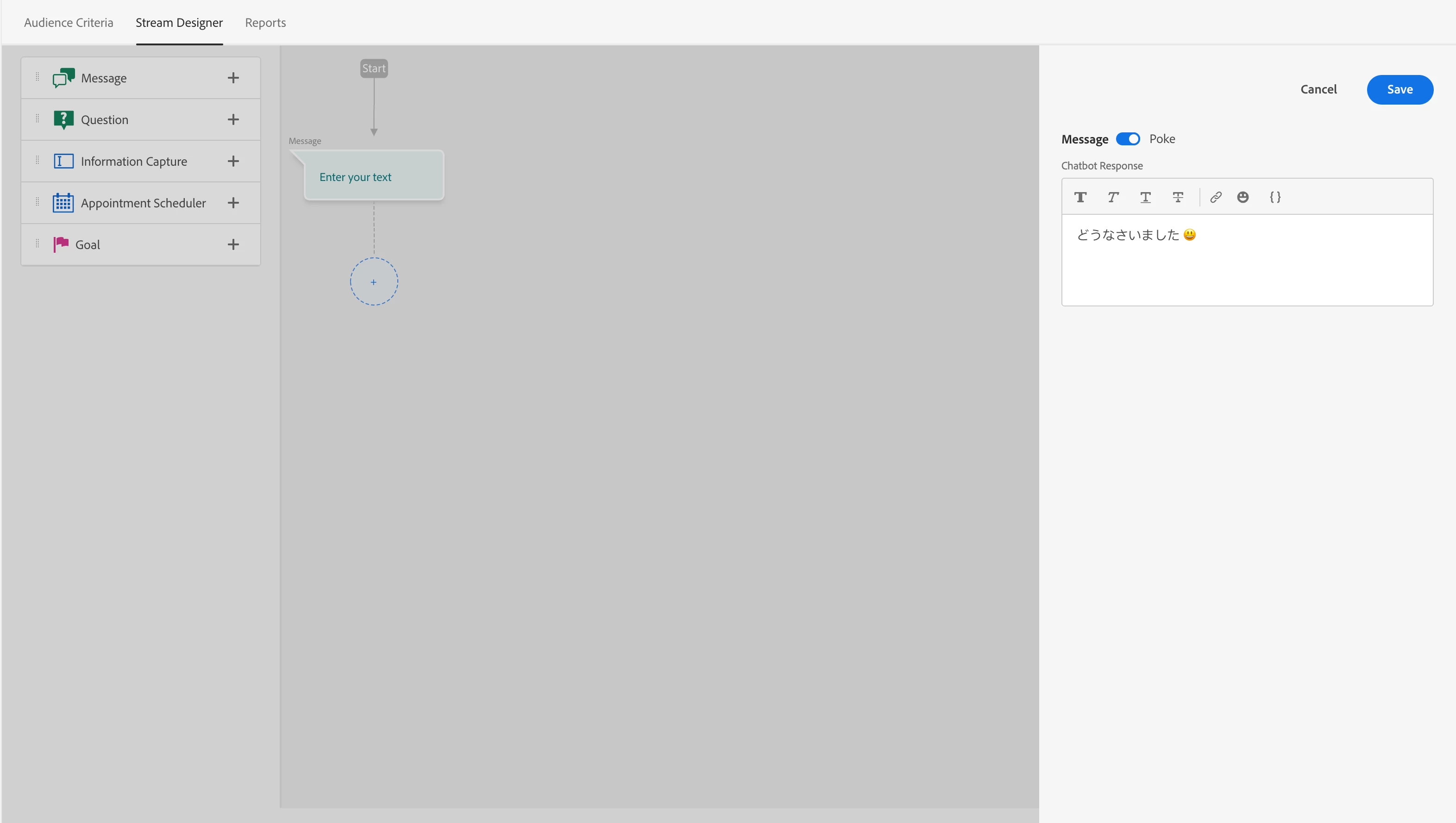
d)This way you can create the complete flow in the language of choice and preview your dialogue before publish
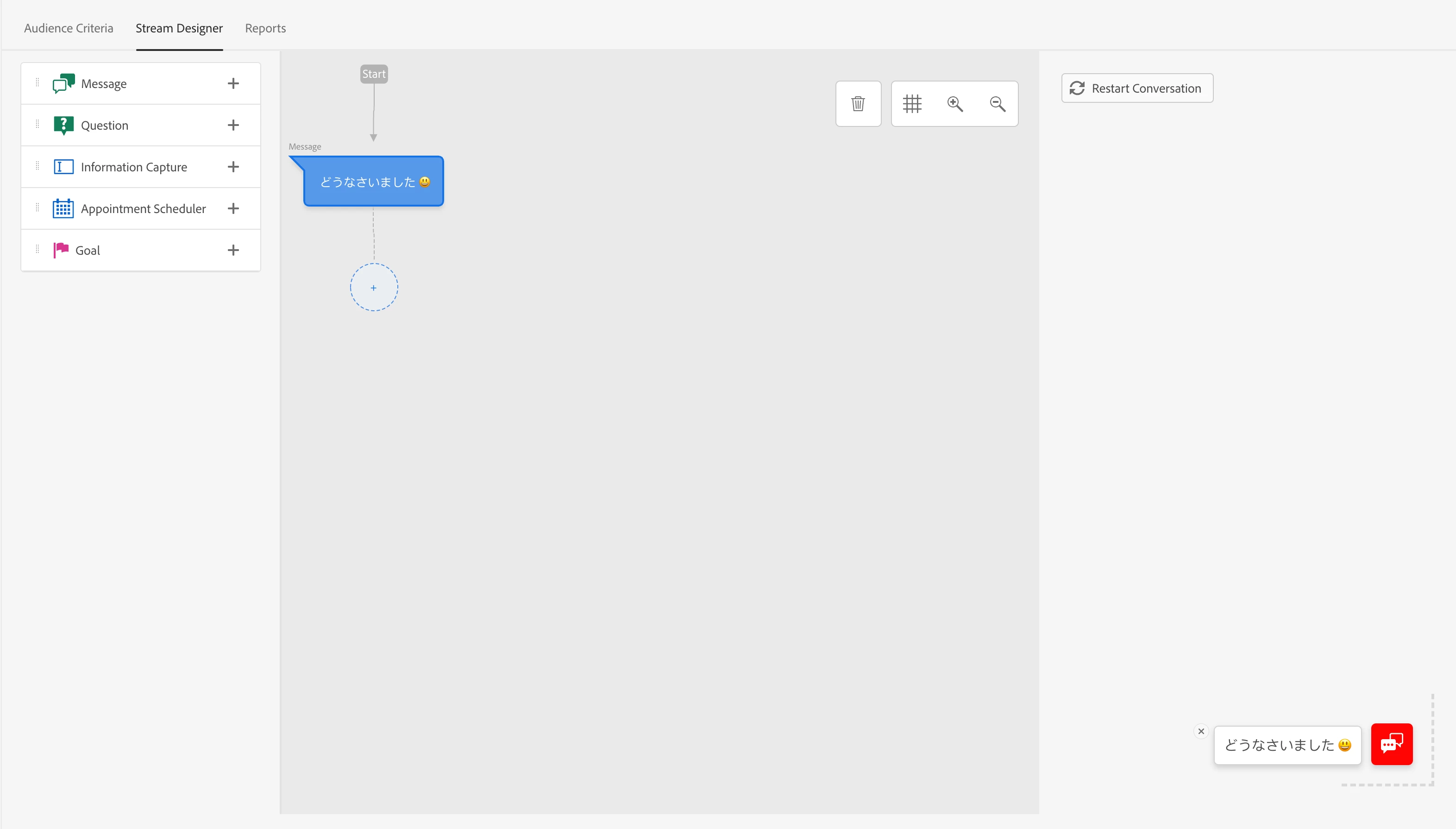
That's it! I hope this was helpful. Let us know if you have any queries or questions. Know more details from https://nation.marketo.com/t5/dynamic-chat-discussion/dynamic-chat-a-new-chatbot-capability-of-marketo-engage/td-p/323921