
Data not pulling through from Salesforce Custom Object | Community
Skip to main content
Fiona_Evans
Level 2
February 25, 2019
Solved

Data not pulling through from Salesforce Custom Object

  • February 25, 2019
  • 3 replies
  • 7693 views

I have successfully pulled through Custom Salesforce objects to Marketo in the past, but I seem to having a problem with one particular object called Interactions.We have quite a customised salesforce and this object records all emails, meetings etc with contacts. It also cross references the Account object. It looks like the below:
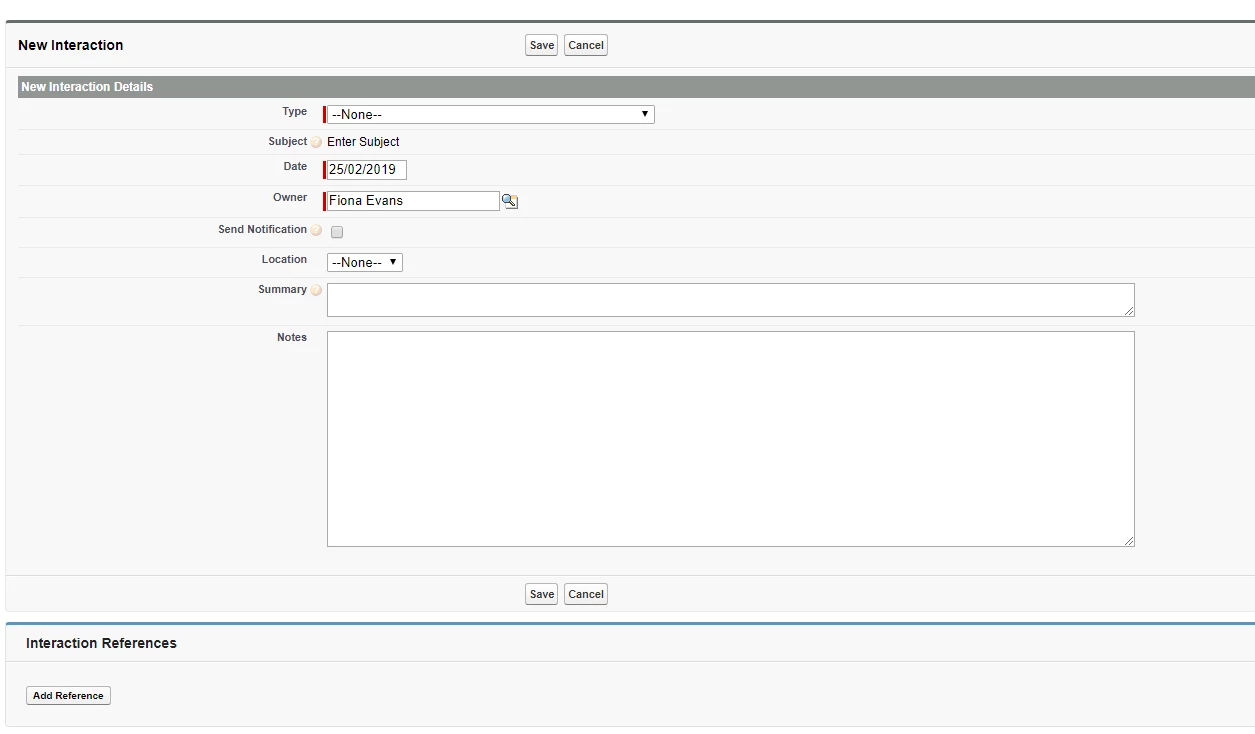
The Contact object is the Parent object, but there is also an Interaction Reference object that links the two.

I have enabled the sync on the Interaction reference object and the interaction object.
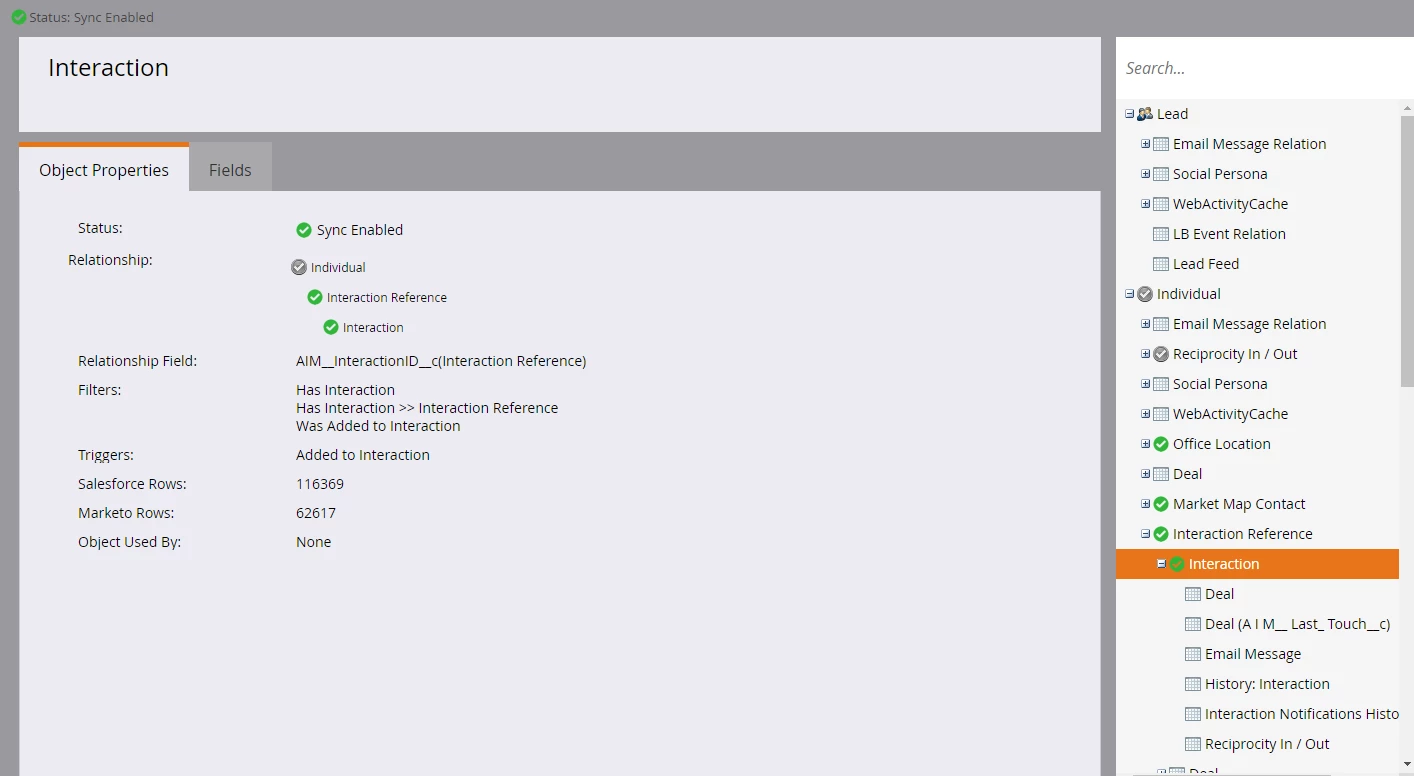
However when I go to a smart list with the filter 'Has interaction' it is pulling through zero people, although nearly everyone on our database has an interaction against them. I have tried to follow the Marketo documentation through but cannot think why this data isn't showing as expected. Is there something obvious I've missed?

Help much appreciated!

Best answer by Fiona_Evans

Just to follow up on this - having got to the bottom of it it WAS the obvious answer first - a sync backlog. What I hadn't realised was that standard objects sync as a priority over custom objects, and because our sync settings are set to only sync once per hour, it actually took us until yesterday to sync over all the objects. Hope that helps if anyone else is in the same boat!

3 replies

Veronica_Holme4
Level 9
February 25, 2019

Let's hit the really obvious thing first - Are you experiencing a sync backlog? You didn't say how long after you synced that you tried to check the smart list.

Fiona_Evans
Level 2
February 26, 2019

It was four days ago, so should have synced by now!

Delwin_Ng
Level 2
February 25, 2019

Even though Marketo can see Interactions now it won't sync them all over en masse. Something has to be modified in order for the sync to bring it over. I'm not sure if that would be the Contact or the Interaction but I think that something would have to be modified.

Delwin_Ng
Level 2
February 26, 2019

Now that I think about it I turned on the sync for a new object and it did suck in to Marketo all of the records that existed. That took something like 3 days. So it might just take awhile to see this kind of information. You can visit app-xxx.marketo.com/supportTools , replacing xxx with your server name in order to check how many more records you need to pull from Salesforce before you've caught up.

Fiona_Evans
Level 2
February 26, 2019

It was four days ago so I don't think it's just a time thing. When I do that server state tool (super useful thanks!) it says it has pulled in 90,000 references and interaction objects - so it definitely thinks it has pulled it in, but for some reason it can't filter data using those objects?

Fiona_Evans
Fiona_EvansAuthorAccepted solution
Level 2
March 15, 2019

Just to follow up on this - having got to the bottom of it it WAS the obvious answer first - a sync backlog. What I hadn't realised was that standard objects sync as a priority over custom objects, and because our sync settings are set to only sync once per hour, it actually took us until yesterday to sync over all the objects. Hope that helps if anyone else is in the same boat!