Customizing the Form required field using JQuery/JavaScript | Community
Skip to main content
Level 2
February 24, 2024
Solved

Customizing the Form required field using JQuery/JavaScript

  • February 24, 2024
  • 1 reply
  • 6726 views

Hi Team,


  1. We have to customize the From field (mandatory/required) to hide/show for a specific group of people. We have done this using Javascript.
  2. After hiding this Form field (mandatory/required) we are getting an error like "This field is required."  on the form submission.
  3. We have added a code like below:
  • $('#persona').removeAttr ('required'); -> To remove required attribute
  • $('#Lblpersona').remove();  -> To remove label  div
  • $('#persona ').remove();  -> To remove input div


Regards,

Ragu

This post is no longer active and is closed to new replies. Need help? Start a new post to ask your question.
Best answer by SanfordWhiteman

Hi,


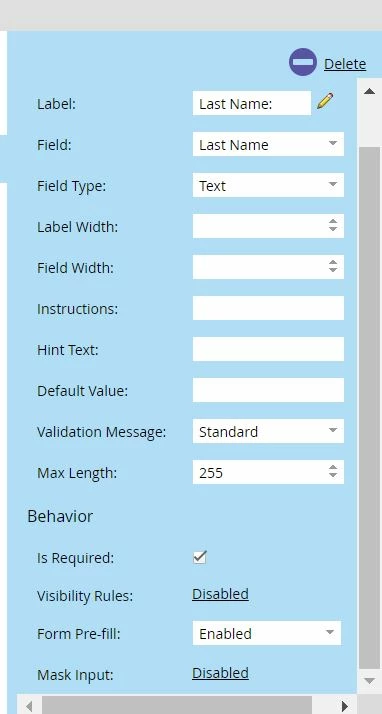
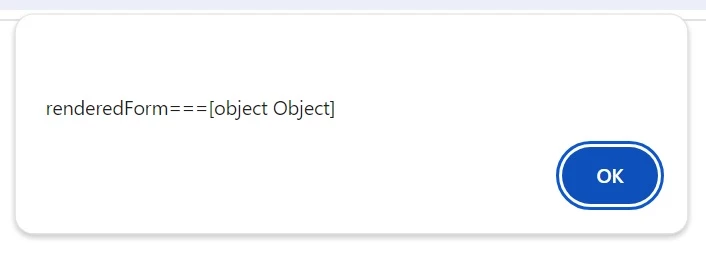
I have share the HTML code of the LP and attached the Form Field (Last Name) and Alert Message for [Object.Object].

<html> <head> <title>My Test LP</title> </head> <body> <script src="//*******.mktoweb.com/js/forms2/js/forms2.min.js"></script> <form id="mktoForm_1234"> </form> <script>MktoForms2.loadForm("//*****.mktoweb.com", "******", 1234);</script> <script> function unrequireField(mktoForm, fieldName, options = {}){ const defaultOptions = { alsoHide: false }; options = Object.assign(defaultOptions, options); const formJq = mktoForm.getFormElem(); const fieldJq = formJq.find(`[name="${fieldName}"]`); if(!fieldJq.length) { return; } const fieldRowJq = fieldJq.closest(".mktoFormRow"); const fieldWrapperJq = fieldJq.closest(".mktoFieldWrap"); const fieldDescriptorJq = fieldJq.closest(".mktoFieldDescriptor"); fieldJq.removeAttr("aria-required"); fieldJq.removeClass("mktoRequired"); fieldWrapperJq.removeClass("mktoRequiredField"); fieldDescriptorJq.data("mktoFieldDescriptor").required = false; if(options.alsoHide){ fieldRowJq.hide(); } }; MktoForms2.whenRendered(function(renderedForm){ unrequireField(renderedForm, "LastName", {alsoHide: true}); alert("renderedForm==="+renderedForm) }); </script> </body> </html> ​


It’s frustrating to have to create a demo page because you won’t provide one. But here’s that exact code running fine: https://cdpn.io/pen/debug/abxoeGr/0bc39e6798134d52fab1879867b28185.


There’s no issue with the code. [object Object] is the default toString() output for a JS Object. The LastName field is hidden as expected.

1 reply

SanfordWhiteman
Level 10
February 24, 2024

There are a few errors in your initial code:

  1. You should be using the name attribute to locate inputs, not the id.
  2. You should be scoping the search to the current Marketo form (using whenRendered and find or element.querySelectorAll), not the entire document.
  3. You should be using Marketo’s internal jQuery, not an external copy.

Also, you’re referring to “removing the input div” but it’s not a <div> at all, it’s an <input> by definition!


Call this function, unrequireField(), to set a field to not required and optionally hide its entire row:


/** * Programmatically unrequire a Marketo form field * @author Sanford Whiteman * @version v1.1 2023-01-25 * @license Hippocratic 3.0: This license must appear with all reproductions of this software. * */ function unrequireField(mktoForm, fieldName, options = {}){ const defaultOptions = { alsoHide: false }; options = Object.assign(defaultOptions, options); const formJq = mktoForm.getFormElem(); const fieldJq = formJq.find(`[name="${fieldName}"]`); if(!fieldJq.length) { return; } const fieldRowJq = fieldJq.closest(".mktoFormRow"); const fieldWrapperJq = fieldJq.closest(".mktoFieldWrap"); const fieldDescriptorJq = fieldJq.closest(".mktoFieldDescriptor"); fieldJq.removeAttr("aria-required"); fieldJq.removeClass("mktoRequired"); fieldWrapperJq.removeClass("mktoRequiredField"); fieldDescriptorJq.data("mktoFieldDescriptor").required = false; if(options.alsoHide){ fieldRowJq.hide(); } };


In your case call it like:

MktoForms2.whenRendered(function(renderedForm){ unrequireField(renderedForm, "persona", { alsoHide: true }); });
Level 2
February 27, 2024

Hi 

Thanks for sharing the JS.


We have tested the JS as mentioned below. But we are still unable to achieve it.

Receiving an [object object] is what the mktoForm is receving in the unrequireField function.


Separate JS files were created for the code 'unrequireField()' and MktoForms2.whenRendered, which was then called in the LP Meta tag section.

SanfordWhiteman
Level 10
February 27, 2024

Supply your URL, please. The correct code is demoed here.