
Custom Objects in Marketo - Part 6 - Many to Many Custom Objects | Community
Skip to main content
John_M
Adobe Employee
Adobe Employee
January 6, 2016

Custom Objects in Marketo - Part 6 - Many to Many Custom Objects

  • January 6, 2016
  • 18 replies
  • 10635 views

Now lets move on to completing out many to many example. The example, as you may remember, is to model student enrollment in courses. Some terms I'll be using..

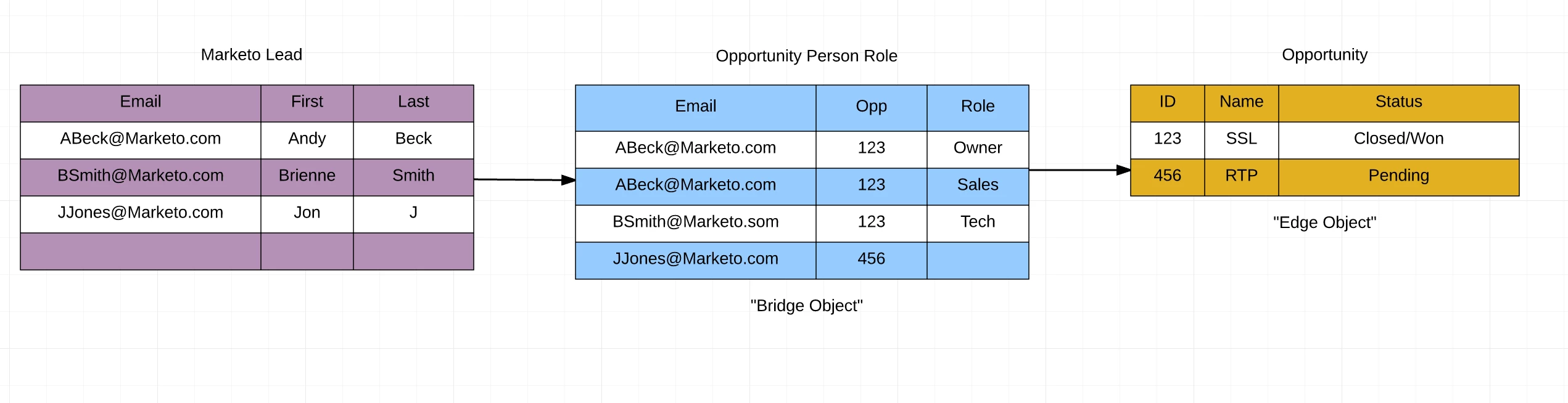
The "bridge" object Is the object that contains the data resolving the objects, the enrollment in this case. It tells us which lead is enrolled in which course, allowing many enrollments by many leases into many courses

The "edge" object is our standalone object. In this case, the course.

The example below may help. Here, the Opportunity Person Role is the "bridge" object and the Opportunity is the "edge".
So lets continue by creating our enrollment object in marketo

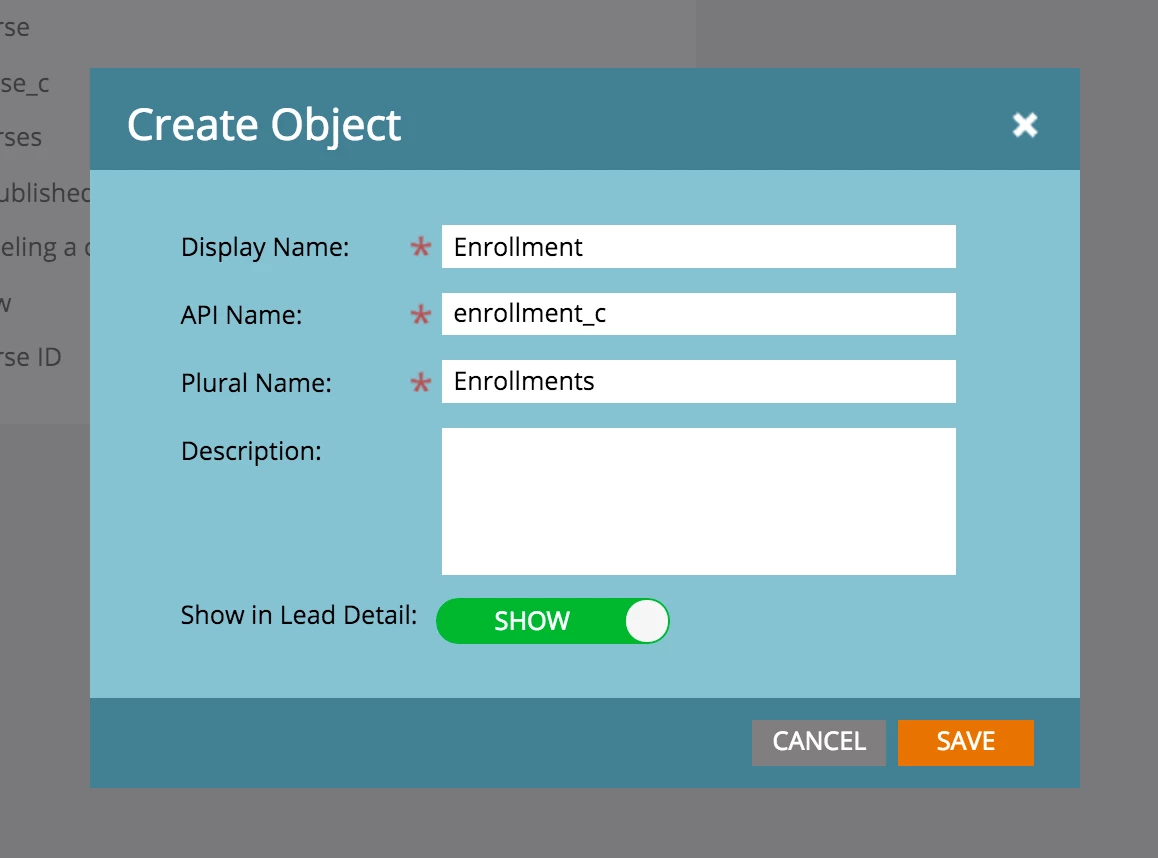
Step 1: Create the Object
Step 2: Create Link Field #1 (to the Course Object)
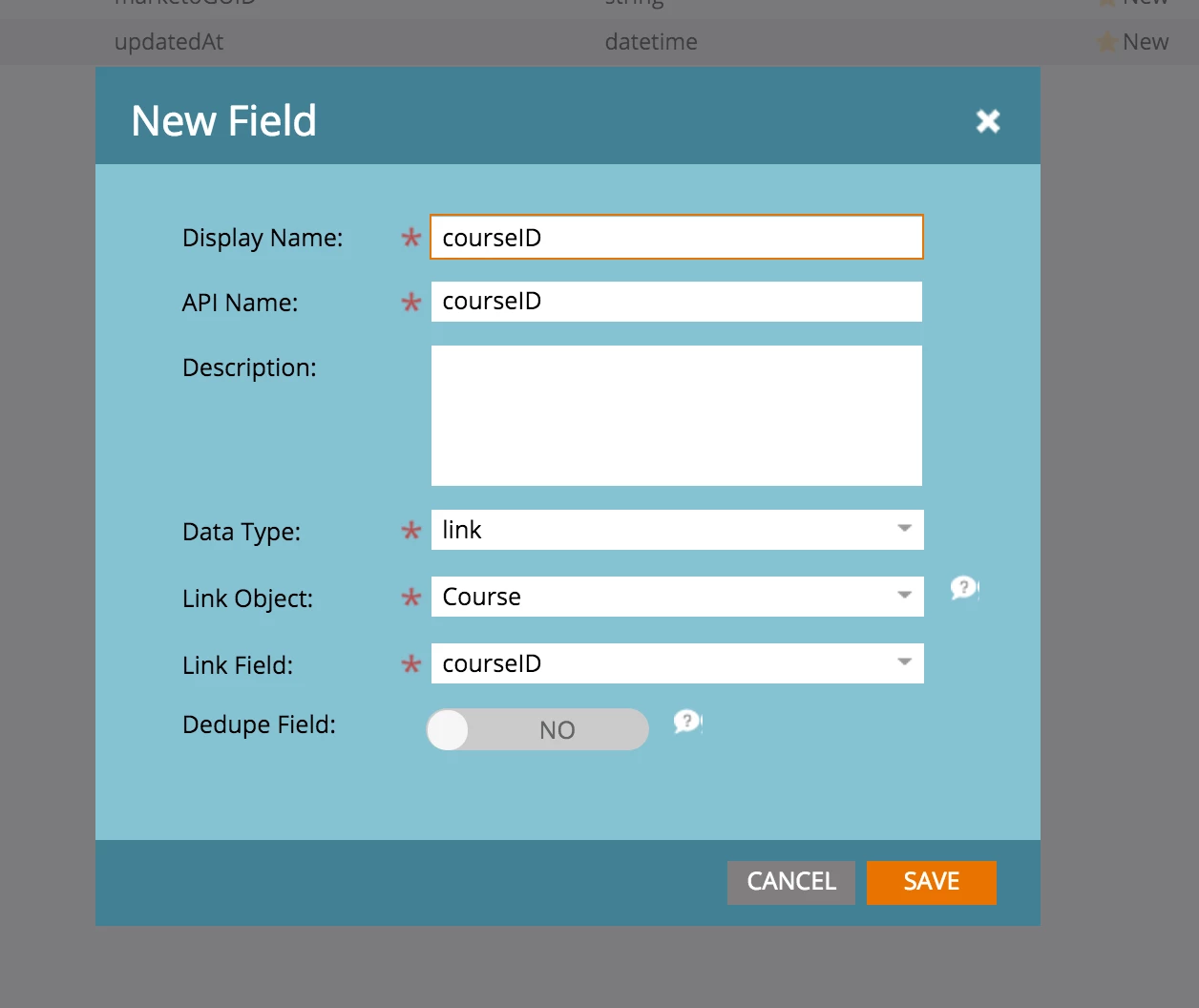
Step 3: Link Field #2 (to the Lead Object)
Step 4: Create a Dedupe Field (EnrollmentID in this case)
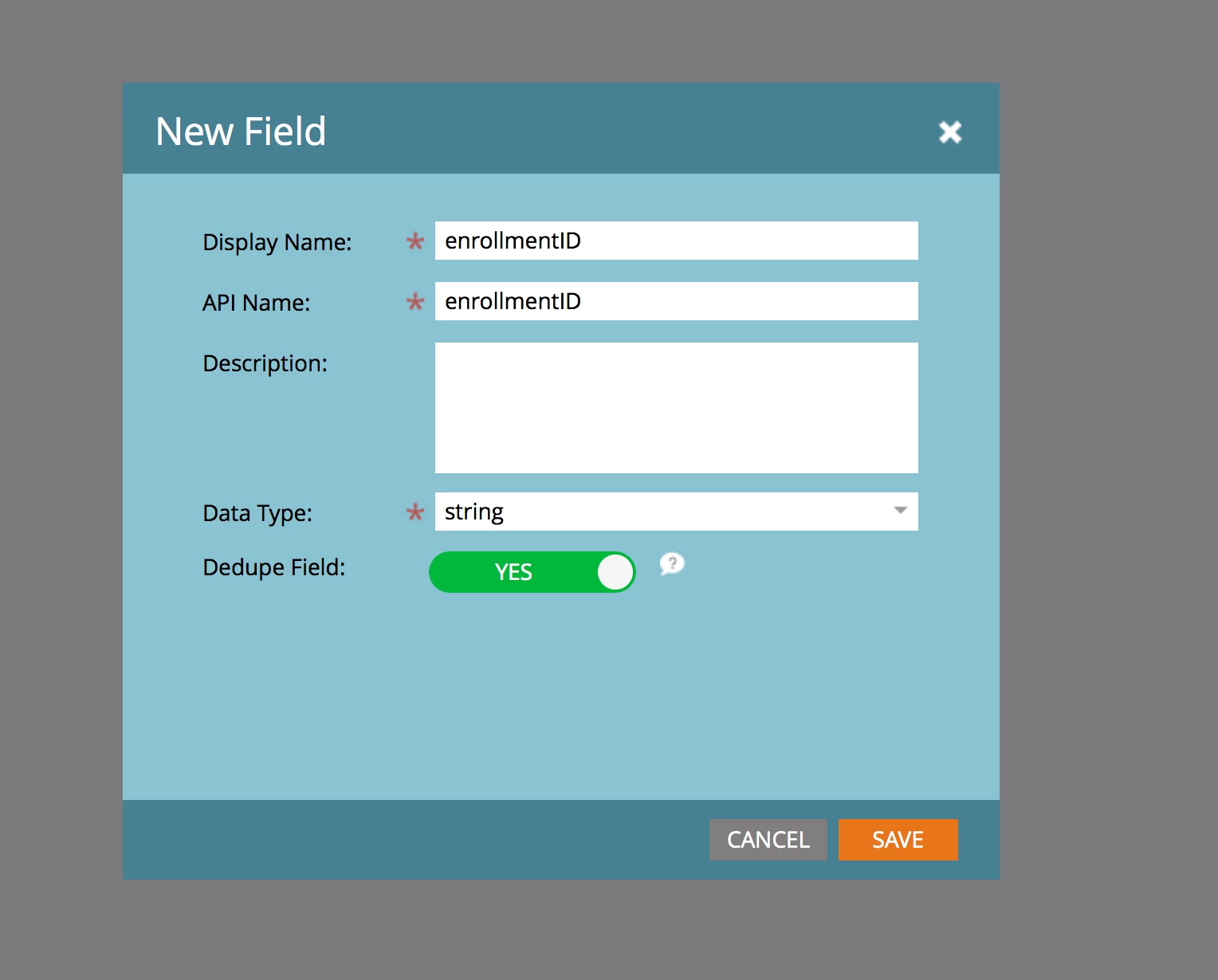
I really recommend thinking through what you want your objects dedupe fields to be. What makes the bridge object unique? In the case of the edge object its often just something like a course ID.. but for enrollment it might be EnrollmentID AND CourseID... or simply a GUID. Remember once you publish you cant change dedupe and link fields.. so think through it carefully!

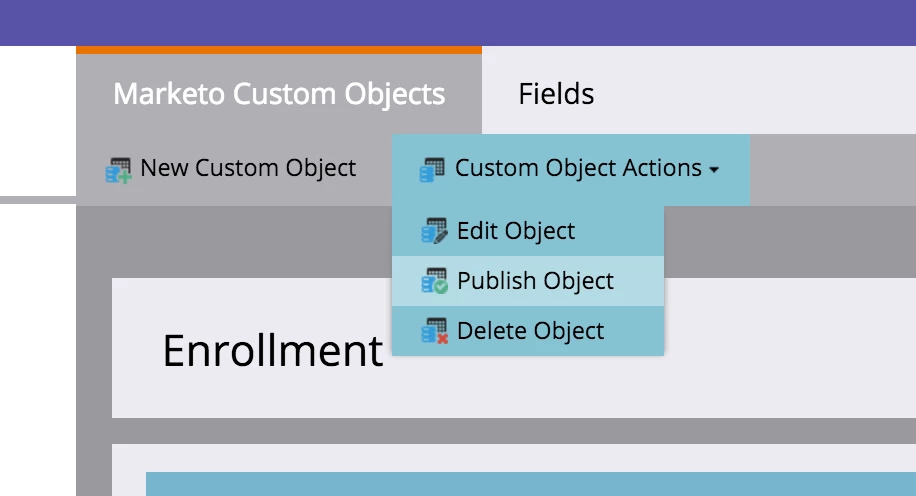
Step 5: Publish The Object
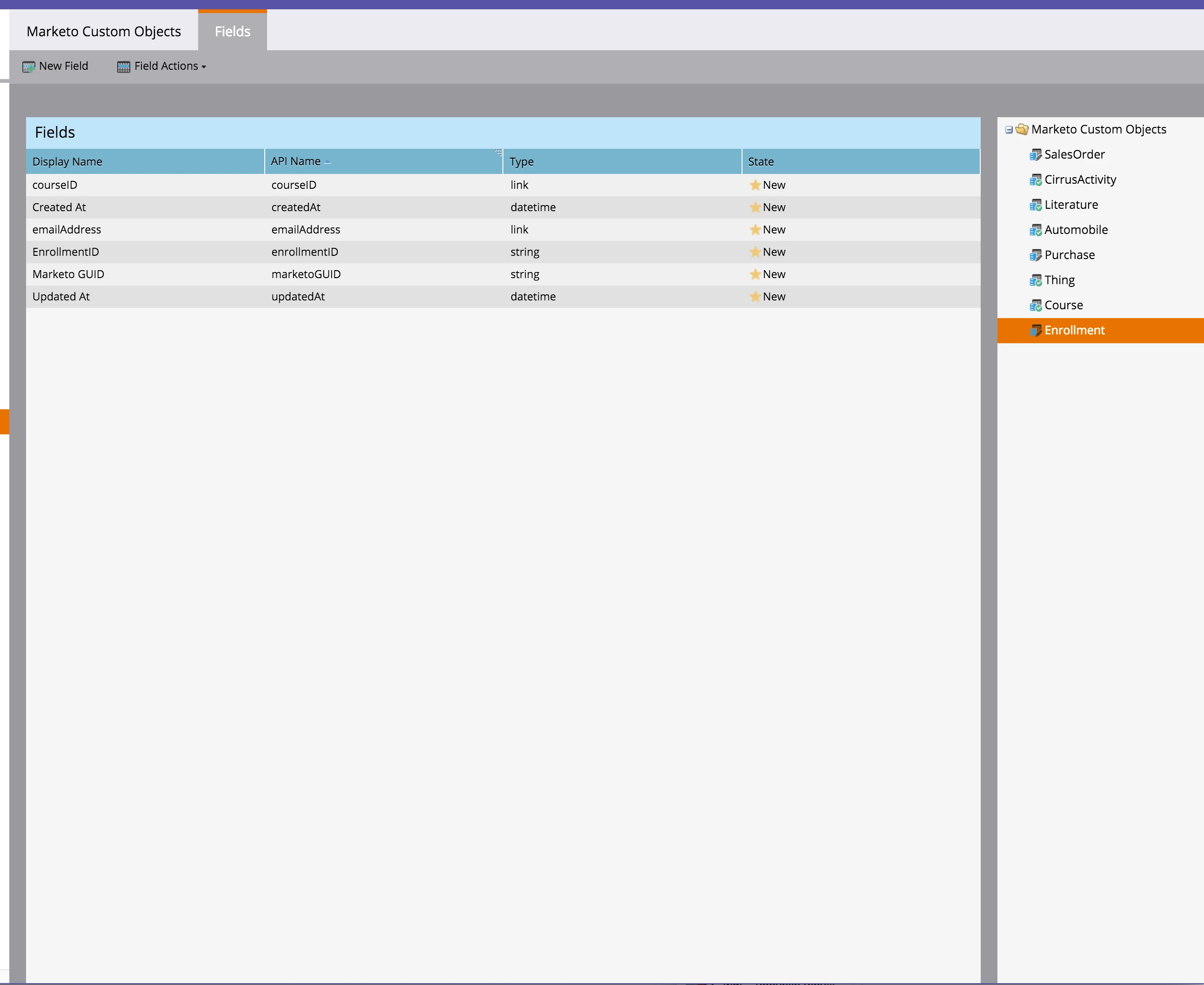
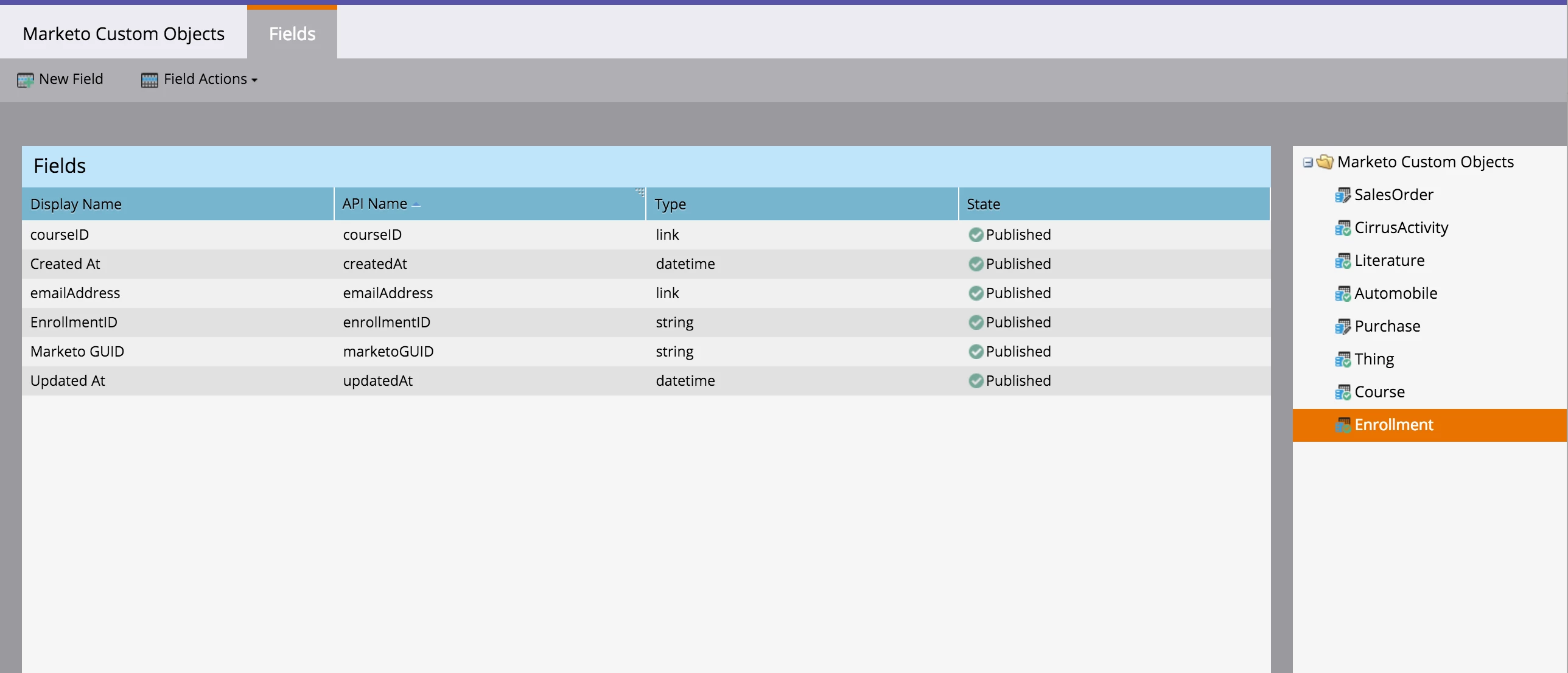
This is how it looks...
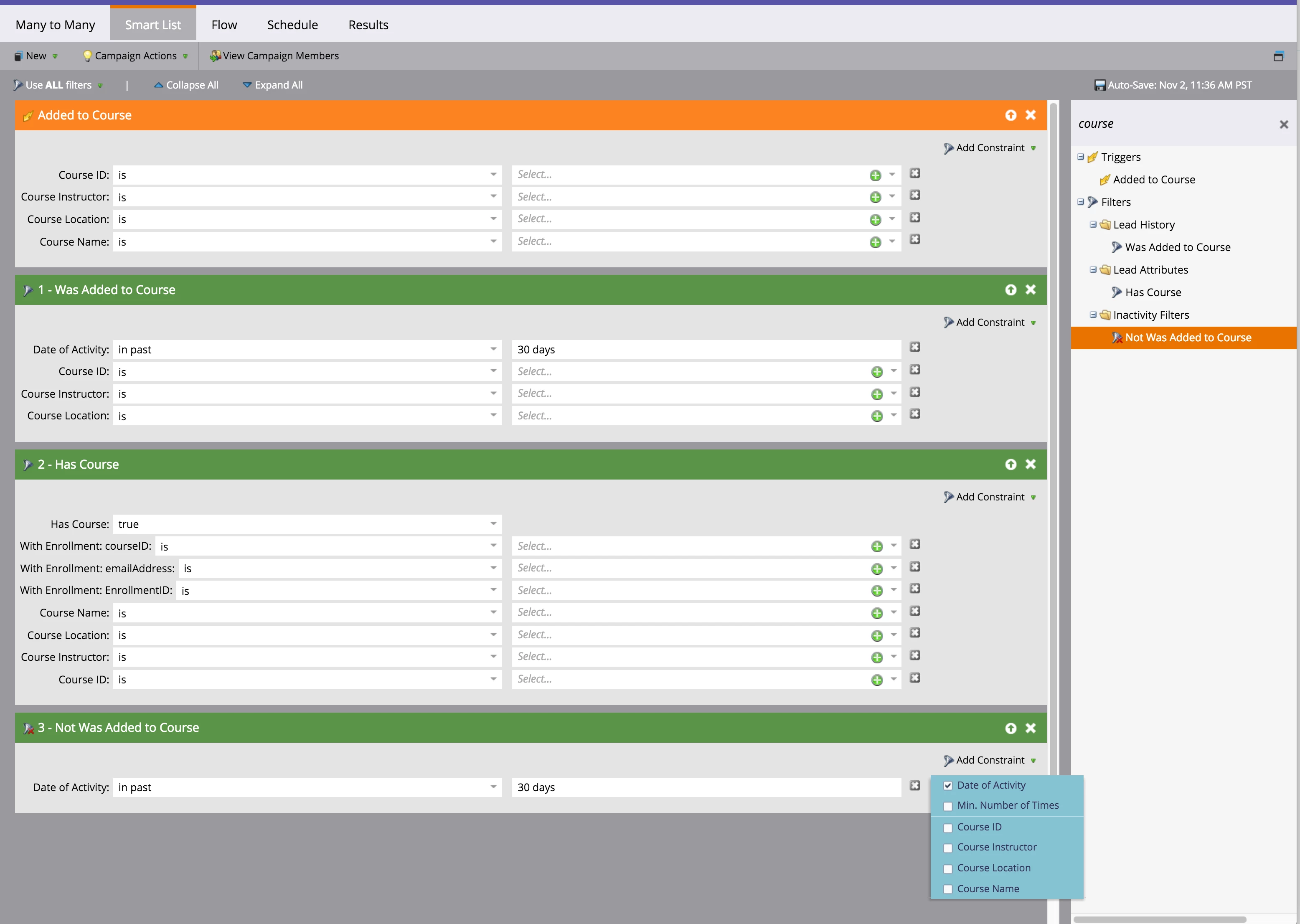
That's all great.. but how do you use it? Great question. Under your triggers and filters you'll see the following

  • Added to Course (Trigger)
  • Was added to Course (Filter)
  • Has Course (Filter)
  • Was Not Added to Course (Filter)

The cool magical thing here is that when you select the filter... you can also see the bridge object! You can get a list of leads who have a Course with a certain instructor and also are enrolled in a program of study, for example.
This post is no longer active and is closed to new replies. Need help? Start a new post to ask your question.

18 replies

Josh_Hill13
Level 10
January 11, 2016

I'm a little confused. In a lot of the docs, it seems that I must use a spreadsheet or API to populate these custom objects. Am I not allowed to connect these to other custom objects or to drop in the data via a form w/o using the API? Can I not use a flow action on them to create a new record for a custom object?

Grégoire_Miche2
Level 10
January 11, 2016

Hi Josh,

Unfortunately, I am afraid no, unless something new is coming up the way.

I entered this idea ​ a while ago specifically for this.

-Greg

Edward_Masson
Level 10
January 14, 2016

@John Mattos​​ I'm a little confused on Step 4, the text states 'create a deduce field' but the image shows publishing a field. I'm missing something?

John_M
Adobe Employee
John_MAdobe EmployeeAuthor
Adobe Employee
January 14, 2016

Yes! Apparently a draft got published.. check it out now.. its more complete, @Edward Masson​

John_M
Adobe Employee
John_MAdobe EmployeeAuthor
Adobe Employee
January 14, 2016

@Josh Hill​ Hello! Unfortunately populating custom objects has to be done via the bulk upload or API (REST or SOAP). @Grégoire MICHEL​ is correct in this.

Edward_Masson
Level 10
January 19, 2016

Thank you sir. Looks fantastic and loving the series.

February 16, 2016

Apologies if I've missed this, but how can you use fields from the 'edge' object in, say, an email template?

Using the enrolment example above, could I pull details of each course that a student was enrolled into and send them an email with info about that course on enrolment?

Thanks.

Carrie_Taylor
Level 2
February 26, 2016

Hello -

Did you ever come up with a solution to your question?  I have a similar question and was also wondering about if we had a date on the course custom object, if we could use that date as a date token in a flow step to send reminders.

March 25, 2016

I'm trying to follow the directions to do the same, but when I try to publish the 'Edge' object, I get the message 'Need Link For Publish'. Not sure what I've missed. Any ideas?

Grégoire_Miche2
Level 10
March 25, 2016

Hi Steve,

depending on what you want to achieve 2 solutions :

  1. The Bridge object should have 2 link fields. One towards the lead or account object, another one towards the edge object. Works for a lead <- course member -> model (The bridge in fact enables the n-n link)
  2. Or the Edge object should have a link towards the bridge one. Works for lead <- invoice <- invoice line item model

-Greg