


Custom Objects in Marketo - Part 5 - Standalone Custom Objects
In case you missed it, there was a recent change to custom object in Marketo.. they're now available to the end user in the UI! Here's a list of my blogs on that topic.
- Intro to Marketo Custom Object 2.0
- Marketo Custom Objects via the REST API
- Marketo Custom Objects via the SOAP API
- Marketo Custom Objects and Bulk Upload
Well good news! We're finally getting Stand Alone custom objects, but its not EXACTLY what you might be thinking.. YET. Standalone custom objects currently exist to enable many to many custom objects in Marketo, which people have been asking about for a very long time. An example of the many to many relationship that you already know about is the Opportunity to Lead relationship, which is assisted by the Opportunity Person Role... but I'm getting ahead of myself.
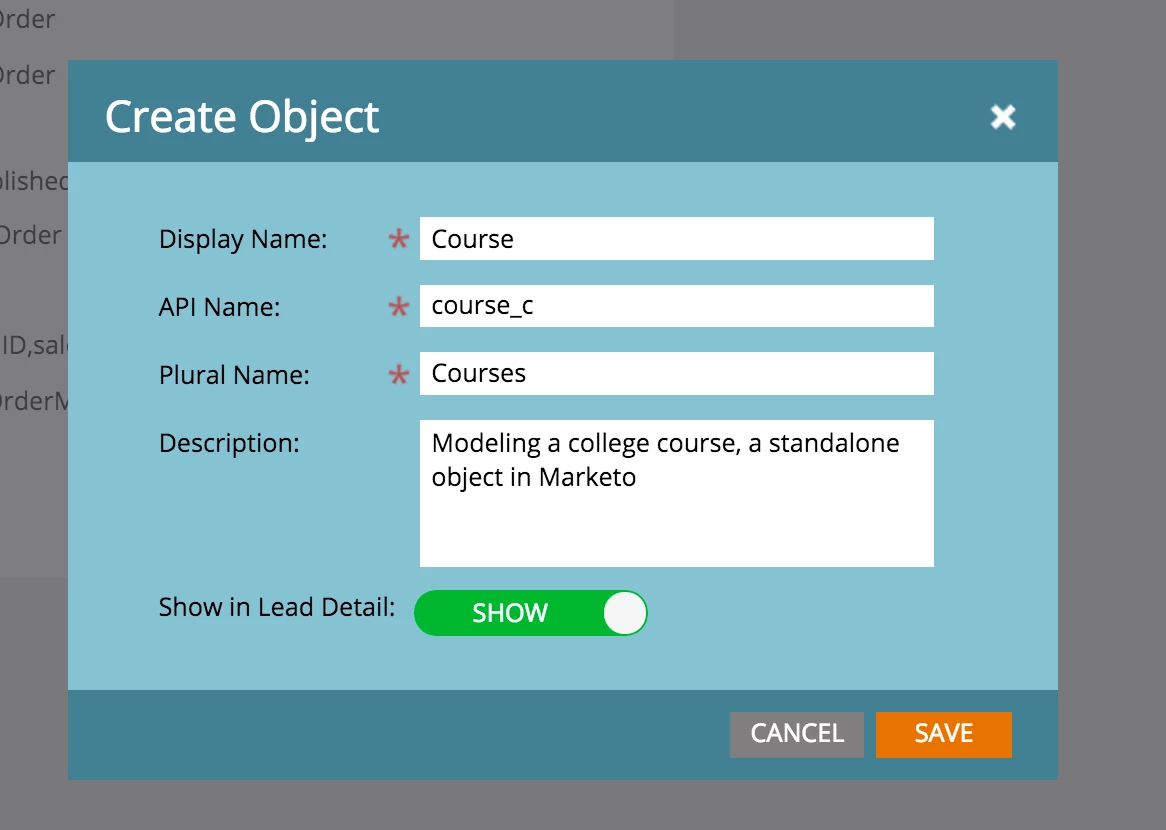
In order to create a standalone custom object, the process is very much like creating a normal custom object. You just leave out the link field. The one I'll create here is a "Course" object, (Physics, Math, English, History, etc.)
Step 1: Create the Object
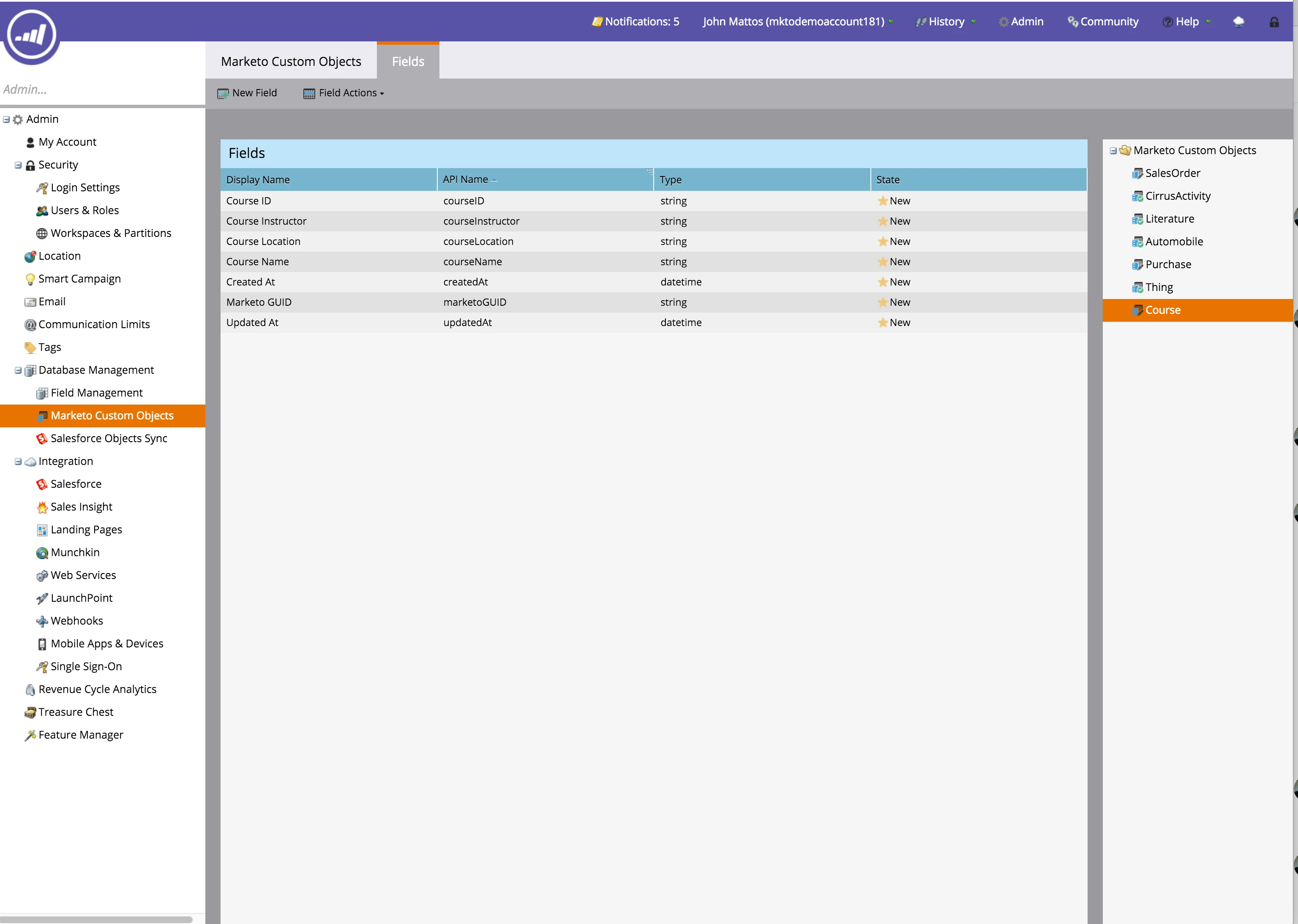
Step 2: Add the Attributes
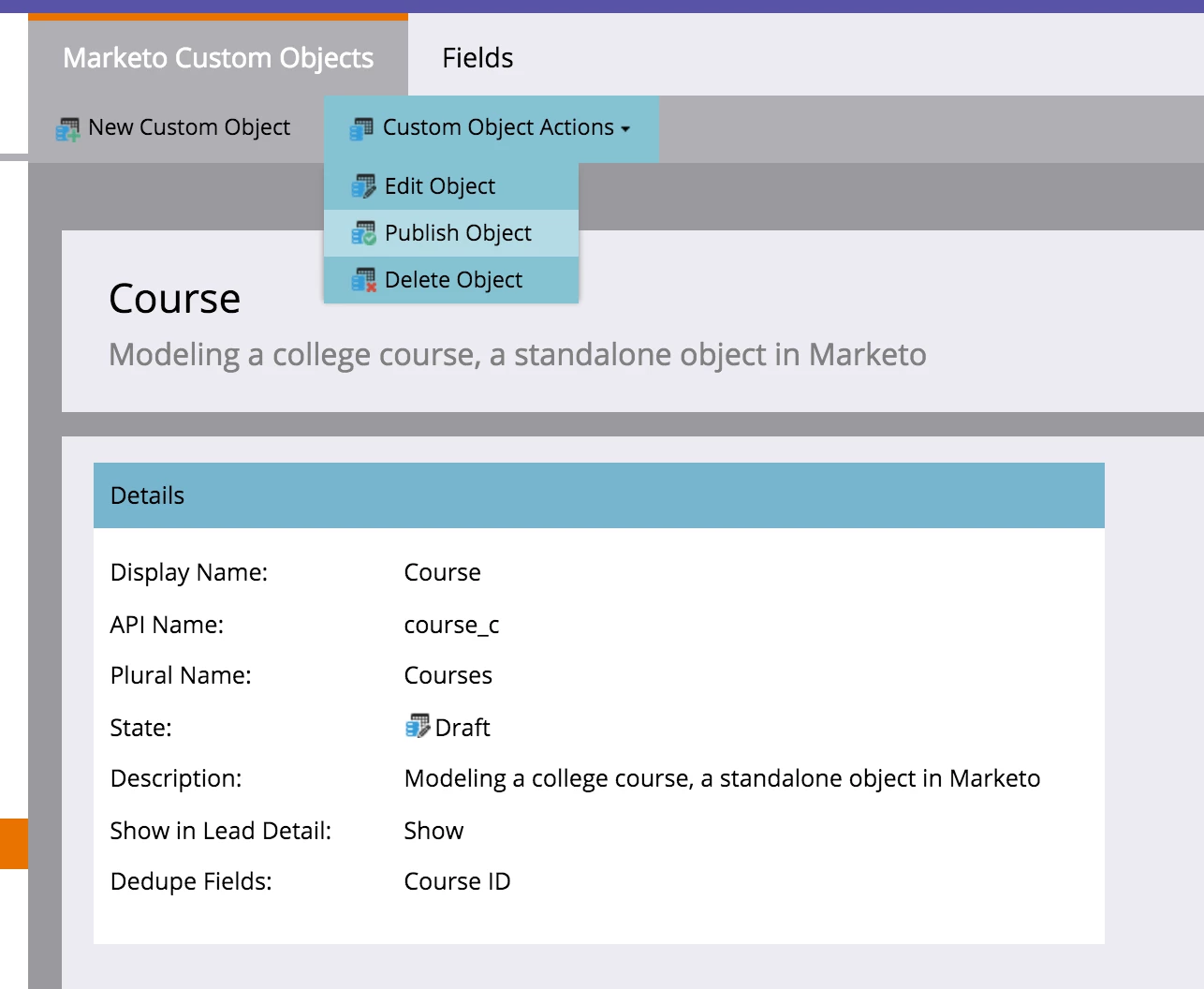
Step 3: Publish
Step 4: Wow!
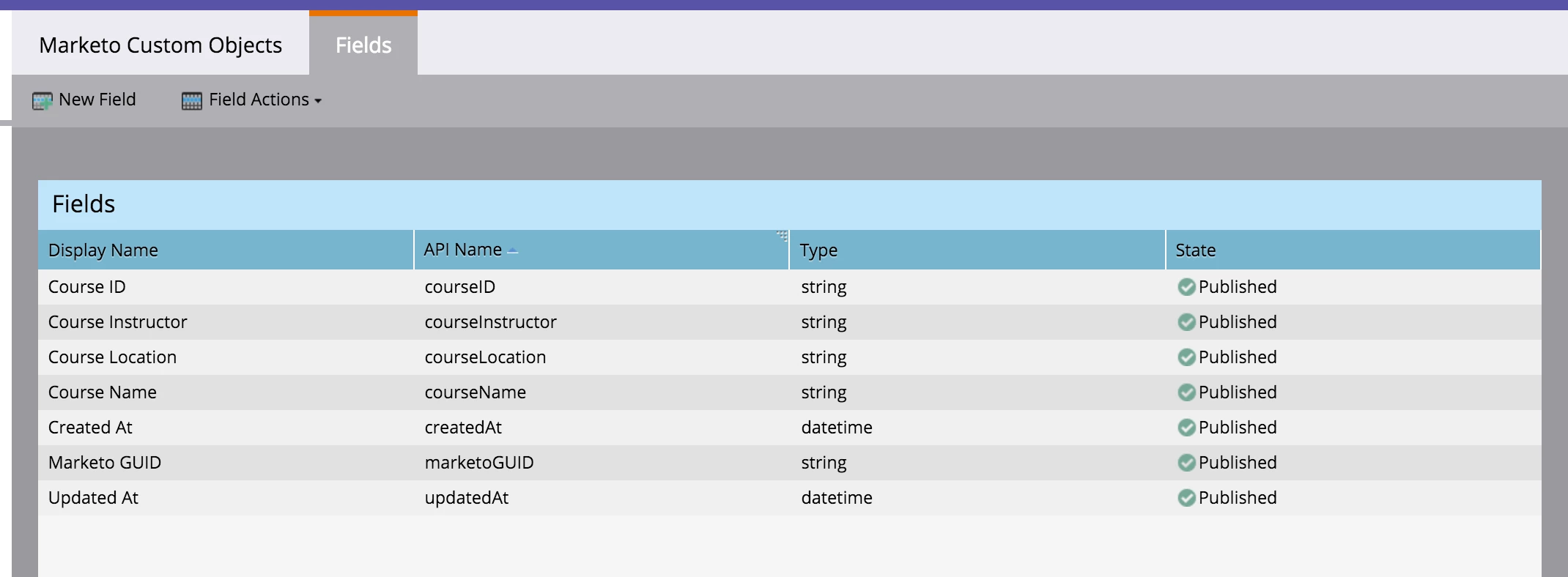
Look, Ma, no link field! You've created a fully standalone object in Marketo. We refer to this as an "Edge" Object. In part 6 of the Custom Object Blog Series, you'll learn why.
What are you using Custom Object for? Are you having success? Please tell us in the comments.