Custom fields not showing in form | Community
Skip to main content
ggerla
Level 3
August 16, 2022
Solved

Custom fields not showing in form

  • August 16, 2022
  • 1 reply
  • 3133 views

Hello there,

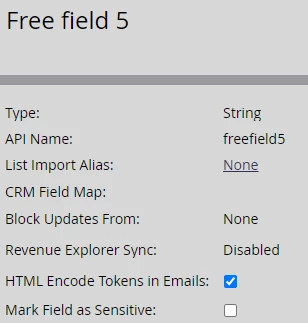
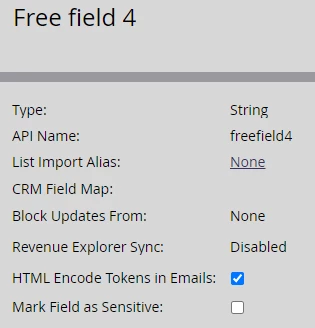
I'm trying to create custom fields (just simple strings, not synched with SFDC), to collect different purposes on Marketo, as I always done. Now I have a set of 6 custom fields called "Free field 1", "Free field 2", etc.

Two examples:
Funny problem: in a form editor, completely blank and new, I can add ALL my custom fields. BUT, and here is the problem, in an already existing form, I can't see some of the additional custom fields that I've created right now.

Why? Where are they?
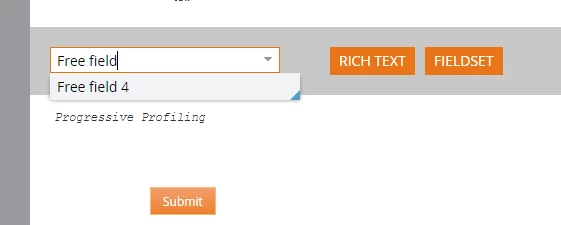
 

Just for a better explanation: no fields count limitation, I can add more and more fields as I need. And no, I didn't already add them, they didn't exist before now. And yes, there are other custom fields.

It seems that I can't add more custom fields named "Free field". Is it possible?

This post is no longer active and is closed to new replies. Need help? Start a new post to ask your question.
Best answer by SanfordWhiteman

There’s no documented reason for this to not work, but I’ve seen it. Aside from waiting for the fields to be available (it’s not immediate as it used to be) sometimes a form needs to be cloned to add brand new fields. Unfortunate but so.

1 reply

SanfordWhiteman
SanfordWhitemanAccepted solution
Level 10
August 16, 2022

There’s no documented reason for this to not work, but I’ve seen it. Aside from waiting for the fields to be available (it’s not immediate as it used to be) sometimes a form needs to be cloned to add brand new fields. Unfortunate but so.

ggerla
ggerlaAuthor
Level 3
August 17, 2022
Thanks, just noticed that after 24 hours, they are showing properly.
In this case, it seems just a matter of time.