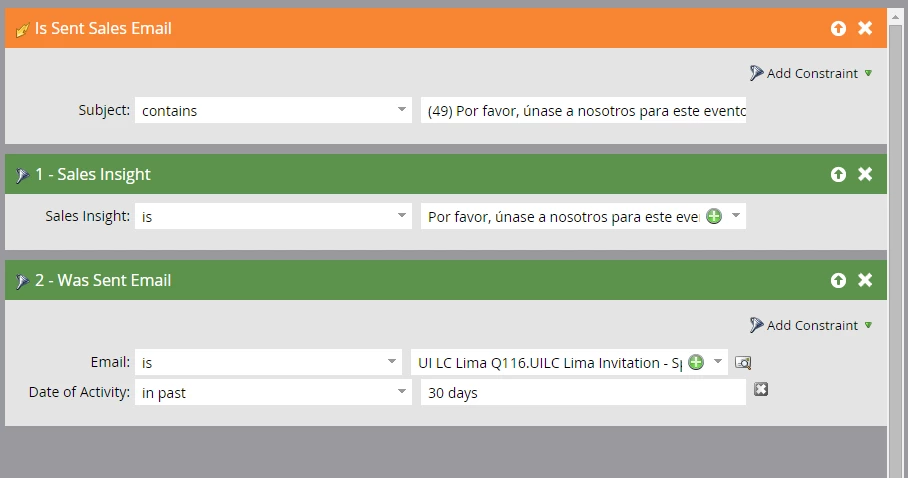
Creating script to Listen for Sales Send (sales insights)
I created a script so I could listen for when individuals send a sales generated email, specifically a sales insight message I created.
For your smart list do you use: "Is sent sales email" and then list the email(s) subject line(s)? 
One thing I've noticed is that there are a lot of subject lines that are being created.
I'm wondering are subject lines created every time a sales insight email is used and assigned an associated number (see below) or are all of these subject lines created every time I edit and re-approve the sales insight specific email? How do I know which one is current and how do I eliminate the incorrect ones?
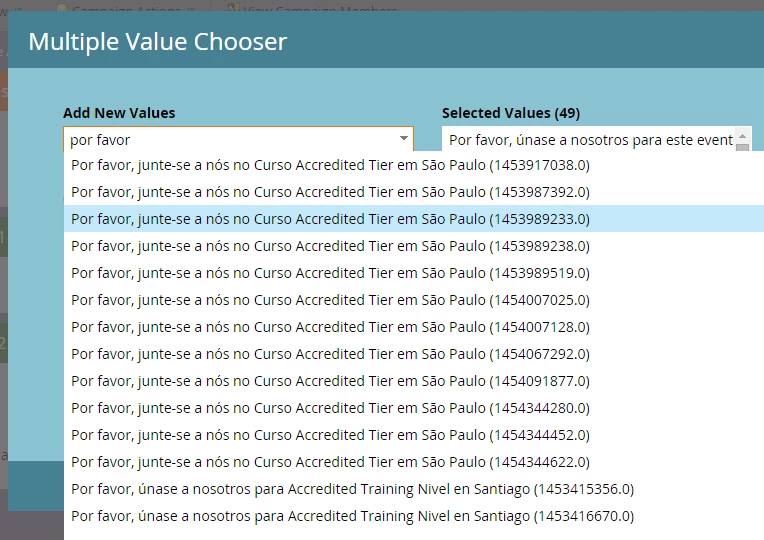
If I'm not supposed to use "is sent sales email' to listen for when sales staff send sales insights, do you I use sales insight, as the middle filter below shows, or use the "was sent email" as shown in the third spot below? When I tested using "is sent sales email" from SFDC it worked fine, but when our international users have been sending the same emails, it doesn't track them...but the email shows up in the targeted persons activity feed like it should.