Creating a Datetime Field vs a Date Field
If you need to create a date field to track something a datetime field you will have more token options to populate the field including the following options:
{{system.dateTime}}
{{lead.Created At}}
{{lead.SFDC Created Date}}
{{lead.Acquisition Date}}
The datetime field type also keeps track of seconds. When you export the data change the format of the cell in excel to m/d/yyyy h:mm:ss
Pros and Cons of Using the Date vs Datetime field type:
Date Field | Datetime Field |
Field value can’t be populated later using the Created At Date, Acquisition Date or SFDC Created Date tokens since they are Datetime fields. | Field value can be populated using the Created At, Acquisition or SFDC Created Date fields. |
Easier to use in Excel then a datetime field. | More difficult to use in Excel then a date field since you may need to convert it to a date field. |
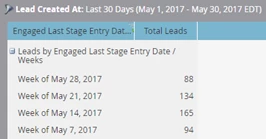
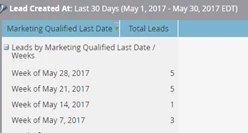
Easy to use in an Analytics Lead Performance Report since records can be grouped by Week or Month.
| Also easy to use in an Analytics Lead Performance Report since records can be grouped by Week or Month. |
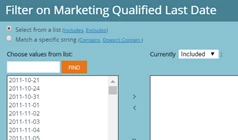
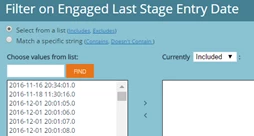
A little easier to use RCE since the time will not appear for each record.
| A bit more difficult to use in RCE since the time will appear for each record. |