Creating a birthday / anniversary automation | Community
Skip to main content
March 20, 2018
Question

Creating a birthday / anniversary automation

  • March 20, 2018
  • 1 reply
  • 2324 views

I am currently building an automation for birthday and anniversary.

Based on: Auto email based on anniversary date  and https://nation.marketo.com/blogs/marketowhisperer/2016/04/23/sending-a-birthday-message

There is something unclear in both:

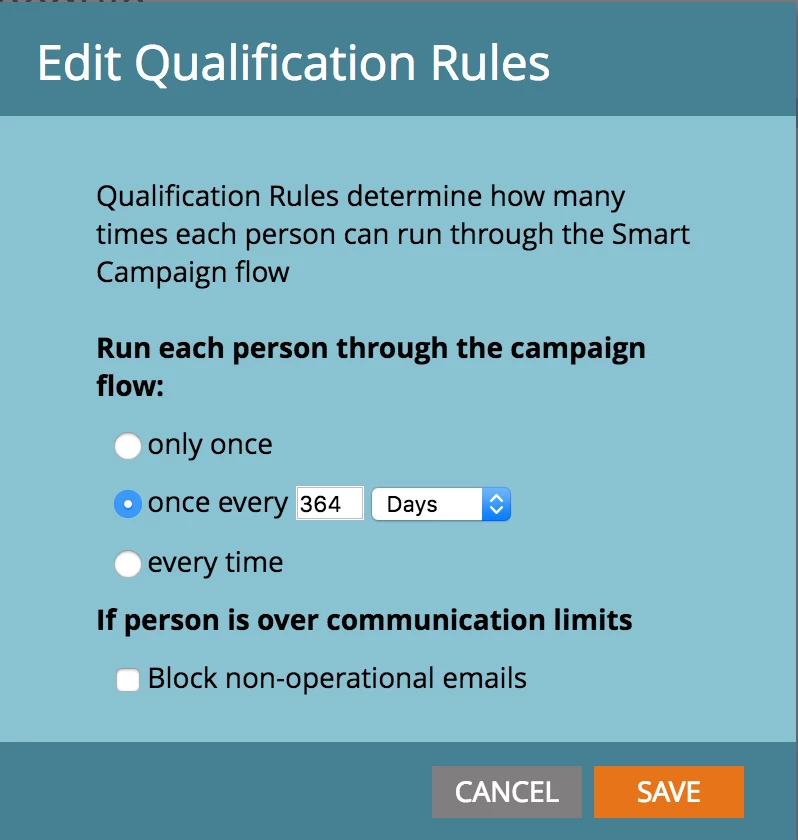
For the two smart campaigns what should the Smart Campaign Schedule settings look like? Meaning basically for

  • Trigger
  • Batch

Should it be only once? once every X days? every time?
Neither of the threads really mention this part well.
This post is no longer active and is closed to new replies. Need help? Start a new post to ask your question.

1 reply

SanfordWhiteman
Level 10
March 20, 2018

Please move this to Products​ (Move link is at the right).  This isn't a support space, it's for discussing the Champs incentive program itself.

March 21, 2018

Thanks done. It chose "Champs" automatically and I assumed it had a reason.

Grégoire_Miche2
Level 10
March 23, 2018

Hossein,

This is because the blog post does not suppose you are going to do this every year, but only once. So the blog post is about secleting everyone who has a birth date, then wait until the next anniversary and send the email.

Running it every year is mode complex because the selection in the batch cannot be done on various periods. Furthermore, putting people in very long wait steps is not such a good approach, as you never know what can happen in your strategy and technically in between.

The simplest way to do this is to use a simple free webhook platform such as Hoosh's, create a "next anniversary" date field and use the webhook to compute this next date from the birth date. You can also achieve the same thing with a batch that

  • If the next anniversary is empty, copies the birth date
  • If the next anniversary is in the past, add 1 year to it

Re run this SC until there is no one left with a Anniversary date in the past (and a birthdate not empty).

Then run a simple batch campaign that selects every one whose next anniversary date is tomorrow and in this batch, once the email is sent, add one year to the anniversary date.

-Greg