
Create SFDC Task Marked as Completed | Community
Skip to main content
Gerard_Donnell4
Level 9
March 9, 2018
Question

Create SFDC Task Marked as Completed

  • March 9, 2018
  • 2 replies
  • 3678 views

Hi Guys,

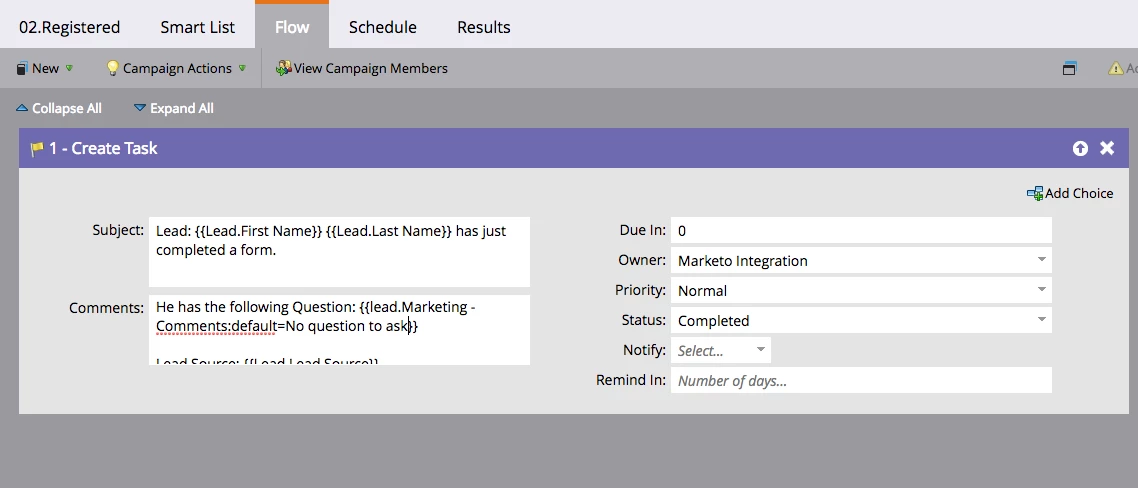
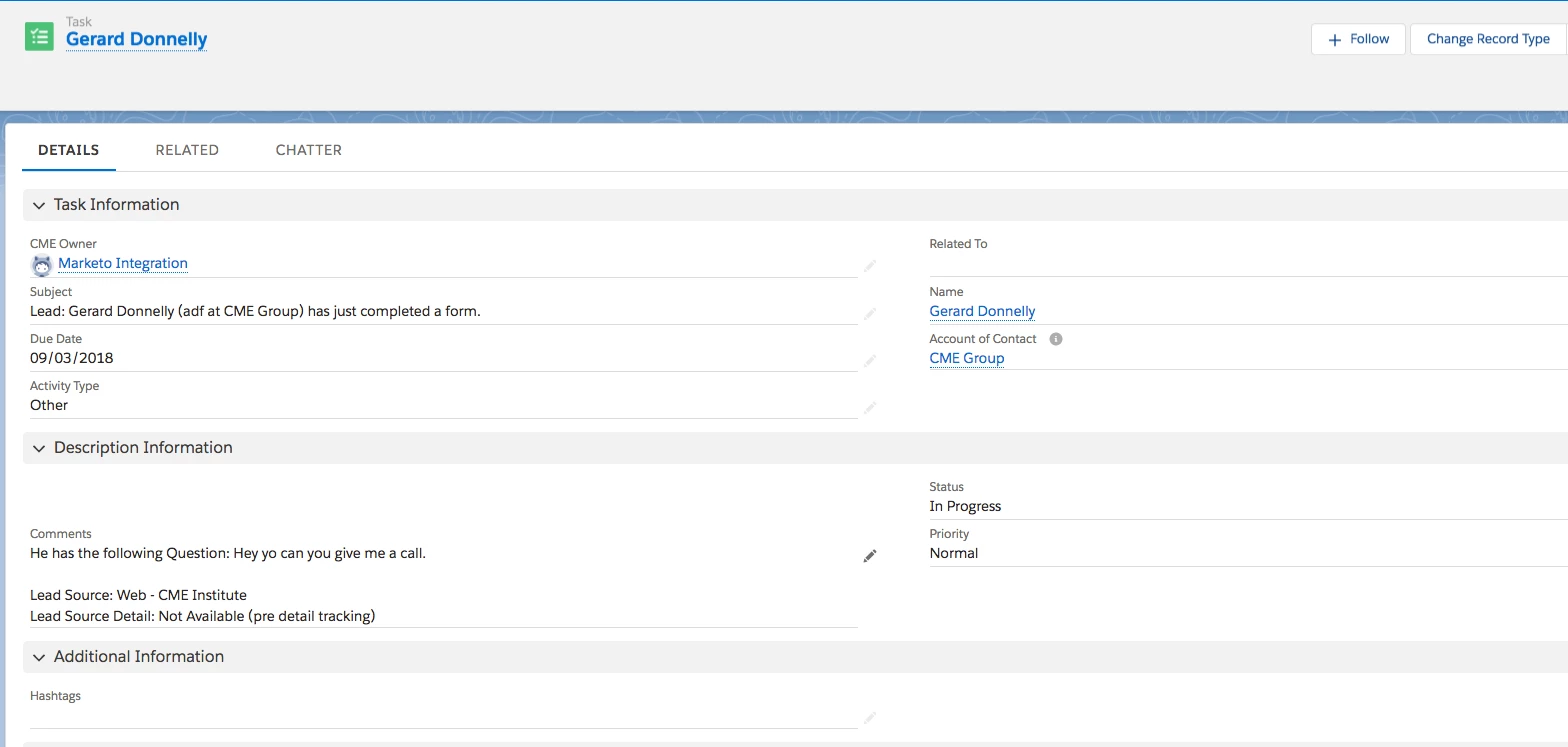
Im trying to create a SFDC task when someone fills out a specific form, but I want it marked as completed from the start so it basically sits on their activity history.  The form has a comments box and they want any comments to be captured in the leads activity history permanently.  I have created a task using a Marketo Flow action but the thing is, when I fill in the form and in populates in SalesForce it shows as "In Progress" even though I have set the status to "Completed".  Has anyone else had this problem? I tried messing the the "Due in" field but that doesn't seem to make a difference. See screenshots below.
This post is no longer active and is closed to new replies. Need help? Start a new post to ask your question.

2 replies

Grégoire_Miche2
Level 10
March 9, 2018

HI Gerard,

Never tried this one. I'll run a test when I have 5 minutes

-Greg

Gerard_Donnell4
Level 9
March 9, 2018

Thanks @Grégoire Michel

David_Lyons
Level 2
March 9, 2018

Try leaving the Due In field empty instead of using a value of 0. We create completed activity records this way all the time and that's the only difference I see between your flow step and ours. The 0 may be overriding the status because it's calculating a due date of today.

Gerard_Donnell4
Level 9
March 13, 2018

Hi @David Lyons​,

Thanks for the suggestion.  I tried leaving it blank and it automatically gives it a 5 day due date.  I will chase up with our CRM admin encase this is a default setting he has applied on the SFDC side.

Thanks,

Gerard