Yes, it is possible.
It has 4 parts:
- Create a form to identify this particular lead creation process
- Define a webhook that posts data to the special loopback forms endpoint (/save on localhost)
- Monitor the webhook for errors using an operational Smart Campaign
- Call the webhook from a Smart Campaign of your choosing
Part 1
Just create a Design Studio form. You do not have to edit it in any way; the default fields are fine, so you can save and approve it immediately. You just need to know the form ID, which will be in the URL. You'll want to give the form an informative name, like Create Lead from Such-and-Such SFDC Field. This name will show up in the Activity Log for the new lead, so you want to know what it means immediately and not confuse it for a public-facing form.
Part 2
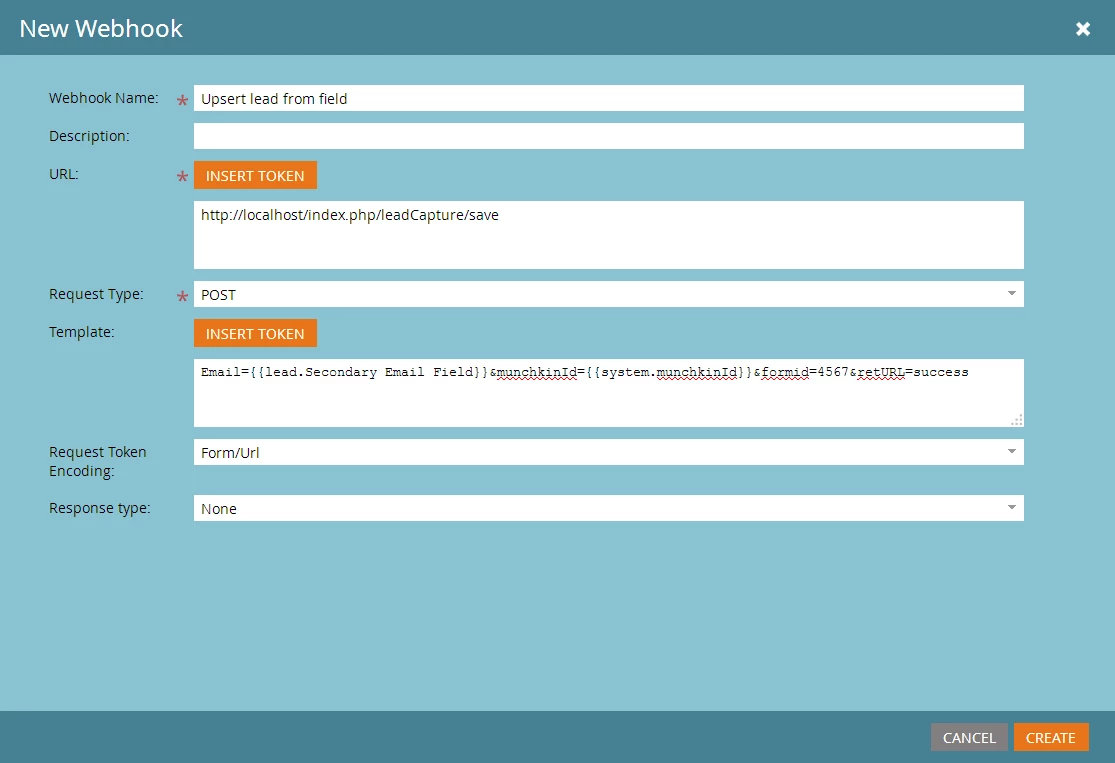
Define a webhook like so:
URL:
http://localhost/index.php/leadCapture/save
Request Type:
POST
Template:
Email={{lead.Secondary Email Field}}&munchkinId={{system.munchkinId}}&formid=4567&retURL=success
Of course substitute your real field name and the numeric form ID in place of 4567.
Request Token Encoding:
Form/Url
Response Type:
None
Here's a screenshot:
Part 3
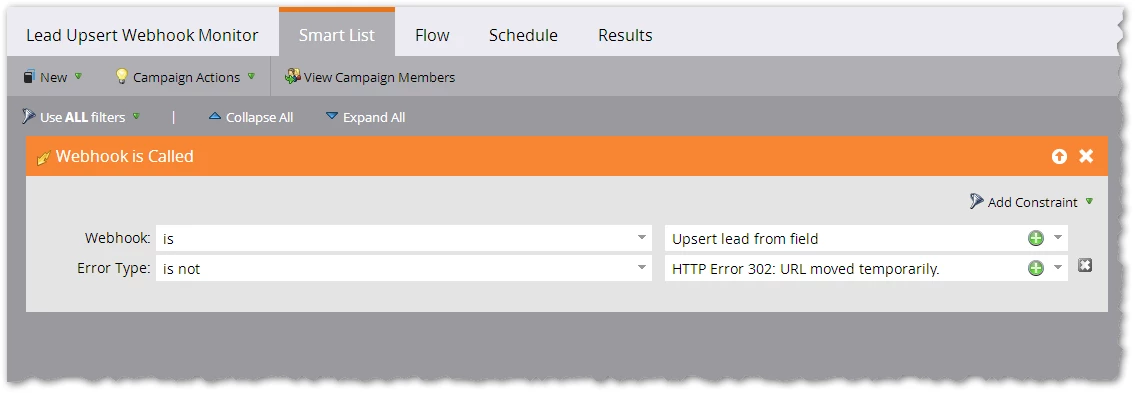
You want to make sure this webhook always returns an HTTP 302 response. Any other response code is an error. So create a campaign that listens for errors and set up alerts/subscriptions/etc. accordingly (how to react to errors is up to you).
Part 4
Create a trigger Smart Campaign with a Call Webhook flow step to call your new Upsert Lead from Field webhook as needed. What to trigger on is up to you as we aren't familiar with the details of your workflow (whether this field is only filled in once on new leads, if it gets updated over time, etc.).
Also note the webhook definition above is actually an upsert (merge or insert). If it encounters the same email address more than once, it will not add more and more new leads. I assume that's the desired behavior. (Not always creating a new lead with a duplicated email address, every time.)