July 18, 2016
Question

Code showing up in emails

  • July 18, 2016
  • 3 replies
  • 1880 views

When I create an email, I almost always clone an existing one and edit it. Today, one of the following happens when I clone/edit an email:
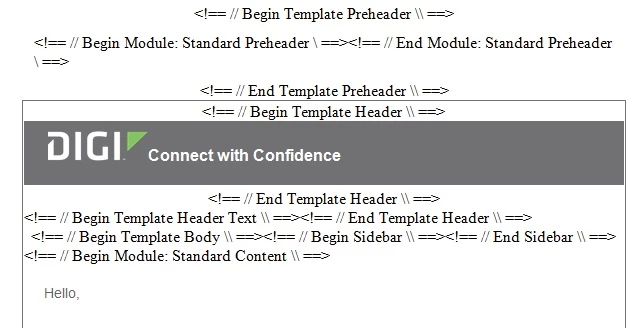
Or all this crazy code shows up:
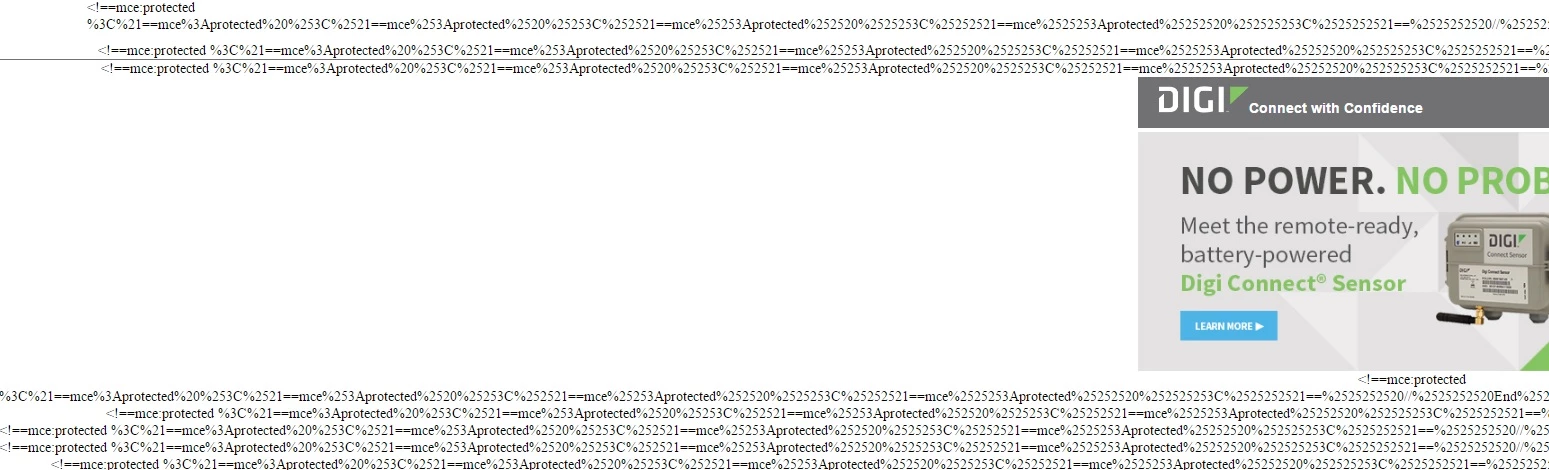
We are still using the legacy email editor. Any idea what's going on here?

This post is no longer active and is closed to new replies. Need help? Start a new post to ask your question.

3 replies

Grégoire_Miche2
Level 10
July 18, 2016

Hi Susan,

Have you upgraded to the email 2.0 ?

-Greg

July 18, 2016

Nope, still on legacy. This might be a fluke. I cloned a different email just now and don't seem to have the same problems. Still investigating...

Grégoire_Miche2
Level 10
July 18, 2016

Hi Suzan,

There are 2 settings in the editor :

  • The text editor itself (admin -> email -> Edit Text editor settings)
  • The email editor (admin -> email -> Edit email editor settings)

Are you legacy on both ?

-Greg

SydneyMulligan
Level 7
July 18, 2016

Yes, I would agree with Greg above, did you upgrade to Email Editor 2.0?

If not, it doesn't look like those are valid HTML comments, which could be causing the issue. Valid HTML comments are structured like <!-- Insert comment here -->

But that doesn't explain why this is suddenly showing up, unless it's because your team switched to Email Editor 2.0 and didn't make necessary updates to the templates you have been using.

Grégoire_Miche2
Level 10
July 18, 2016

It still looks like a error in the code, such as a incomplete comment somewhere that puts the rest in wreck.

-Greg