
Click-to-call phone numbers not working in Gmail App for Android
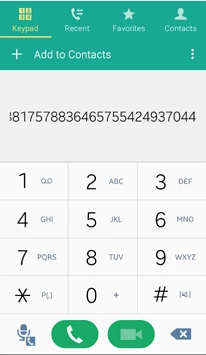
I recently discovered when including Marketo Tokens on a click-to-call link, the phone number will not open correctly in Gmail App for Android. A string of numbers are added to the phone number, creating a poor and confusing UX. I've QA'd this on other devices and clients, including Gmail App on iPhone and the native Android email client - and the phone number opens up correctly, suggesting this is only evident on Gmail App for Android.
The workaround is to edit the link in Email Editor, go to Tracking and deselect "Include mkt_tok". This will allow the click-to-call number to open correctly in Gmail App for Android. If you replace the HTML, make sure to remove the mkt_tok from your click-to-call link as it is selected by default.
Screenshot: Phone number with mkt_tok selected
If anyone knows of other fixes, feel free to post here.