
Changes to Marketo Salesforce Sync – Questions and Discussion | Community
Skip to main content
Mike_Reynolds2
Level 10
August 5, 2016
Question

Changes to Marketo Salesforce Sync – Questions and Discussion

  • August 5, 2016
  • 43 replies
  • 21472 views

Updates to the Marketo Salesforce Sync Configuration

This discussion thread has been set up to ensure you get answers to your questions regarding the upcoming configuration changes between Marketo and Salesforce. It is being monitored by the Marketo team so please post any questions you have and we’ll be happy to get you answers!

Quick Overview

Due to changes to the SFDC integration architecture, action is required soon to continue syncing a small number of fields to your Salesforce instance. There are 16 fields affected, but most customers are only using a couple of these fields in their Salesforce instance – Lead Score and Acquisition Program. The configuration update will shut off the sync of data to the MLM package and these fields, so the data in those fields in SFDC will become stale and won’t update.

You can keep syncing this data to SFDC but it requires creating new custom fields. When the fields are re-created, a drip process will be triggered to backfill existing data from Marketo into the new fields in SFDC. If you aren’t using these fields, or aren’t using SFDC at all, this doesn’t apply to you and there’s nothing for you to do.

When to Make the Changes

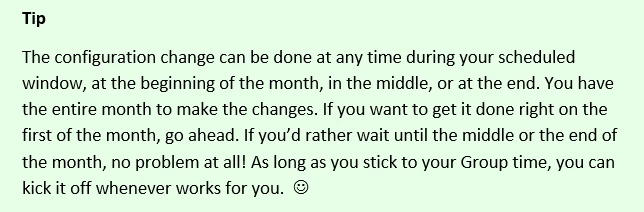
The configuration changes are being scheduled over time into month-long groups. Please see the Release Schedule for specifics.
Important Note About Schedule Requests
Fields Affected

Lead Score

Acquisition Program

Acquisition Program Id

Acquisition Date

Original Search Phrase

Original Source Info

Original Source Type

Original Referrer

Original Search Engine

Inferred Company

Inferred Metropolitan Area

Inferred Phone Area Code

Inferred State Region

Inferred City

Inferred Postal Code

Inferred Country

Where to go for More Information

Changes to Marketo Salesforce Sync – Frequently Asked Questions

Changes to Marketo Salesforce Sync - Overview

Changes to Marketo Salesforce Sync – Release Schedule

Changes to Marketo Salesforce Sync – Under The Hood

Adding Marketo Fields to Salesforce

Changes to Marketo Salesforce Sync – Preventative Troubleshooting

New Related Discussion Threads

Is the Marketo lead management app still available? Initial set up required for Marketo to salesforce integration?

Weird bug with "Score" field type?

All score fields have stopped to sync from SFDC to Marketo 

This post is no longer active and is closed to new replies. Need help? Start a new post to ask your question.

43 replies

Grégoire_Miche2
Level 10
August 16, 2016

Hi @Mike Reynolds​,

Are the timelines (https://nation.marketo.com/docs/DOC-3841#jive_content_id_Timeline) for the patch of the MSI package or for the backfill process or both ?

-Greg

Mike_Reynolds2
Level 10
August 16, 2016

Greg,

Good question. The timeline given is the schedule for when customers are to recreate the fields and initiate the backfill process. We've staggered it out over 6 months to minimize impact, both on our customers so everyone can schedule accordingly, and also on our data centers pushing the data back and forth.

The recreation of the fields is what initiates the backfill process. As soon as they are recreated, the very next sync cycle will pick up that they've been created and will start the backfilling.

The MSI patch is already out. It was rolled out previously so that it's already in place prior to the initiation of the backfill for any customers.

- Mike

Grégoire_Miche2
Level 10
August 16, 2016

Hi Mike,

Thx

I understand from a comment you made on another question that it is possible to make the field changes earlier or later, and for this, we need to get in touch with support. Am I correct ?

Also, I have one customer for which Salesforce change release schedules are very constrained and the 6 months period might not even be enough. Could we manage this?

-Greg

August 24, 2016

I followed the instructions above to a T (created new custom fields, did mapping, then uninstalled the MLM package) and now my lead score, flames and stars are all blank. I sincerely hope I haven't lost data. Can you please help me troubleshoot?

August 24, 2016

Actually, there are like 20 records with a score, but it's 8. I had hundreds of leads scored with scores from -10 to 80. This is a disaster.

Mike_Reynolds2
Level 10
August 24, 2016

Christine Jacobson​ Sorry to hear that you had problems with this. I'd definitely open up a case with Support so we can check it out directly and see what happened. Can't really troubleshoot here, but Support's available and can get right on it.

Contact Marketo Support

Mike_Reynolds2
Level 10
August 28, 2016

Hi all, Group 2 starts later this week. Just checking in to see if anyone had any other questions we can answer. If your Account String starts with A, B or C, you'll be kicking off in September, which is right around the corner! Let us know if we can help in any way

August 29, 2016

Group 2 here. So I've read through all the documentation and am comfortable with the upcoming changes. However the only thing I can't seem to find anywhere is what the actual API names need to be on the new fields we create. I plan to recreate probably 14 or the 16 fields, so I just need to know what the naming convention should be for them, thanks!

Mike_Reynolds2
Level 10
August 29, 2016

Hi Scott Shapiro

The API names are all listed in the documentation Adding Marketo Fields to Salesforce Enterprise/Unlimited Edition

The first 3 are listed in Step 6

And then the rest are all listed down below in step 13

Let me know if you have any other questions at all!

Mike

Dawn_Richcreek
Level 3
August 29, 2016

I did not see that we had to wait until our window to create the new fields so i created 3 of them already. I have questions/concerns:

1. Will the sync use our salesforce API calls? I am worried we will max out on API calls due to the sync. It needs to sync real slow if this is the case.

2. I already have the "Lead Score" field in salesforce of course. When I go to map the lead field to the contact field it gives me 2 fields with the exact names name to map to "Lead Score". It is the same problem with Acquisition fields. Is there a trick to determine the correct one to choose?

August 30, 2016

When wanting to choose the new fields, I found I needed to choose the second of the 2 duplicates in the picklist.

Level 2
August 31, 2016

I've run through the process with one instance so far. Overall, the process worked great. I wanted to provide some feedback/suggestions for others from my experience.

  1. Disable the sync to SFDC in Marketo before you start to create the new fields in SFDC. Once all the new fields are created, then re-enable the sync in Marketo.
  2. Take the opportunity to really think about whether you need all those fields syncing. If they aren't being used in SFDC then you probably should not recreate them. You can always sync additional fields at a later time.
  3. Once the new fields exist in SFDC, create an SFDC Lead report  and a separate SFDC Contact report that you can use to  compare the old and new fields. This will allow you to make sure that the backfill completed properly. As an example, I used the following filter in the Lead report so only those that don't match are shown. Make sure to change for the fields you created.

    The SFDC reports allowed me to see that I had an issue where most but not all of the fields were properly backfilled in Leads. I am fairly certain that it had to do with timing on creation of the new fields across multiple standard sync cycles. Hence, my recommendation to disable the sync while you are creating the fields. The good news is that a simple sync of the leads where the backfill wasn't fully completed and everything was fine.
  4. Don't forget to update any places in SFDC that refer to the old fields with the news ones. Obvious is page layouts and reports. But don't forget formula fields and workflows too!

Hope others find this useful.

Sheila

Mike_Reynolds2
Level 10
August 31, 2016

Thank you @Sheila Baker (247)​ this is great info!

Grégoire_Miche2
Level 10
September 1, 2016

Hi @Mike Reynolds​,

We have a customer which accoutn stream starts with a "t". Apparently, the lead score does not sync any longer (I have done quite some testing both ways. The lead sync works perfectly well for all fields, but the lead score). And yet, per the release schedule, they belong to group 6. Is this normal? Should we anticipate the change to the fields?

Thx for your help.

-Greg

Mike_Reynolds2
Level 10
September 1, 2016

Greg,

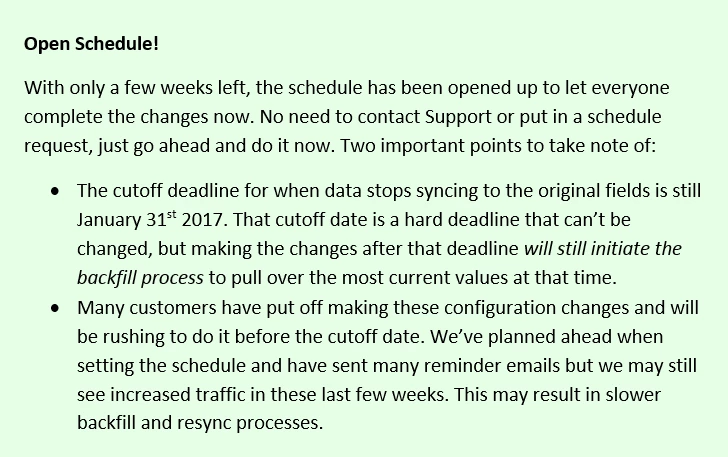
The sync of data to the fields will keep going until January 31st, 2017. That's the cut off date when the sync stops. Whether you recreate the fields or not, data still passes to the old fields until that date--no change has been made there yet. So, if you're seeing problems with values syncing, it's got to be caused by something else. My first suspicion is permissions on the SFDC side, but if you're not seeing the trouble, you probably ought to Contact Marketo Support so we can dig in deeper.

Thanks,

Mike

Grégoire_Miche2
Level 10
September 1, 2016

Hi Mike,

the weird thing is that only the lead score field seems to have a problem.

-Greg

Mia_Whitfield
Level 2
September 7, 2016

Mike,

We've been going round & round with support on an issue where Salesforce Collision Detection is being triggered by a Marketo "edit" during sync which is actually just locking the record to read.  (Why Marketo needs to lock the edit to read, I don't know, but that's what Support says is happening.)

Given the timeframe overlaps with your other changes, I wonder if there is some relation to the architectural changes you are making.  I hope you can help, as it's a very big issue for us, negatively affecting speed of use and adoption, and giving a negative impression of Marketo.

Here's what's happening:

1. User edits a contact (often changing the parent account) and saves.

2. Marketo sees the change and locks the contact to read as part of the Salesforce-Marketo sync.

3. User wants to save a second edit on the contact, but Salesforce believes that Marketo has made a more recent change, and triggers Collision Detection error.  This forces the user to reload the page and re-enter the data before they can save.

During #2, does Marketo do anything to the record that would cause Salesforce to trigger Collision Detection?  This is happening frequently to us in situations where Marketo is (supposedly) only reading the record and has no data that it should need to write to Salesforce.

Thank you in advance for your help!!

Mia

Mike_Reynolds2
Level 10
September 7, 2016

Hi @Mia Whitfield​

The first (and probably most important) question is whether you've already recreated the new fields in SFDC. The action of recreating the fields in SFDC is what starts the backfill process and kicks the whole thing off to start. That's what is being scheduled--the date range for when you're supposed to recreate the fields and start the process.

Now, if you've already recreated the fields, the backfill process is already running now (or may have finished, depending on when it started). So if it's running already, Marketo is pushing data to these new fields that are currently empty and have no values. If a record is passing through the standard sync cycle between SFDC and Marketo, that will update the new fields with the new values and since it's already been updated, it will kick it out of the backfill process because it isn't needed any more. All fields get updated when a change happens to the record on either side--the standard sync is queued and the record gets updated. That's true of the SFDC sync regardless of the whole thing with the MLM Package being removed.


In your scenario above:

1. User edits a contact and saves. ---This queues the record to be re-synced to Marketo

2. The record gets locked while the update is being written to Marketo. --This is expected behavior any time a record is updated on either side. You can't have the record being updated by two sources at the same time, so it gets locked to prevent errors.

3. User tries to make a second change but gets the Collision Detection error. Depending on how quickly that change is being made, this could also be expected behavior. If the user is going back into the record right away, then it's still being written to by Marketo. If you've already recreated the fields, you know for sure there's a new value being written into that record, so while the field is being written to, the record will be locked. Then the user refreshed the page and tries again, and by then the update from Marketo has finished, so you're able to get in again.

Any time a new value is written TO SFDC, it'll lock the record. During the integration change, if you've recreated the fields, every record getting synced will be guaranteed to have new values being written to it by Marketo because of the new fields.

Hope that helps!

Mike

Mia_Whitfield
Level 2
September 7, 2016

Thank you for that explanation, Mike.  For clarity, I will focus on my record locking questions in this response.

You mentioned that:

  • when an SFDC record is edited, it is queued to be re-synched to Marketo, and
  • the record is locked in Salesforce while the record is being updated in Marketo

However, the error message we're seeing in Salesforce Collision detection is implying that Marketo made an edit:

"The record you were editing was modified by Marketo [integration user] during your edit session"

and it forces the user to refresh the browser before continuing.  If it was just a temporary lock while Marketo read the Salesforce changes, I wouldn't expect this.  Instead, I would expect the lock to be temporary and something the user could just wait out.  Is there something I'm missing here?

Thank you for your help!

Mia

Mia_Whitfield
Level 2
September 7, 2016

Additional question for you, Mike... we just refreshed our Salesforce sandbox... I had been planning to install MLM before connecting it to our Marketo sandbox... instead, should I create the fields as you document above (even though our window isn't until October)?

Mike_Reynolds2
Level 10
September 7, 2016

MLM can't be installed new any more. The package has been removed entirely so that people don't have to install it and then immediately remove it again. So the only option would be to manually recreate the fields, which is better anyway because it lets you pick and choose which fields are useful as opposed to being stuck syncing all 16 to each object. The doc we created around this process Adding Marketo Fields to Salesforce will do the same as the original doc from our Product docs team: Step 1 of 3: Add Marketo Fields to Salesforce (Enterprise/Unlimited) - Marketo Docs - Product Docs

As for the schedule, if you're recreating the fields on an existing instance that had the MLM package already in place, you'll want to stick to the release schedule. But if this is a brand new installation, don't worry about that and go right ahead.

Thanks,

Mike

Grégoire_Miche2
Level 10
September 7, 2016

Hi @Mike Reynolds​,

What if an instance has been opened in June, but the package has not been installed yet. We need to start the sync now. The Account string starts with "G" (backfill planned for October). Should we ask support to anticipate and activate the backfill now?

Thx for your help.

-Greg

September 7, 2016

Thanks, thi is really helpful

Jason_Hamilton1
Level 6
September 7, 2016

Hi @Mike Reynolds,

I believe you have answered this question a hundred times by now but want to confirm that for the new fields we create we use the actual API field names listed in the doc provided (mkto71_...) I just want to be sure that mkto71_ is not just a placeholder.

Thanks,

Jason

Mike_Reynolds2
Level 10
September 7, 2016

Hi @Jason Hamilton​

Yes, you'll definitely want to make sure you're using the API names just as they're given in the doc. Adding Marketo Fields to Salesforce Enterprise/Unlimited Edition The "mkto71_..." piece is used at the start of all of the fields, but isn't just a placeholder--it's part of that API name, so be sure to include it just as it's given there. Let me know if you have any other questions at all!

Thanks,

Mike

Jason_Hamilton1
Level 6
September 7, 2016

Awesome, thats what I thought, thanks for the quick reply.