Change colour of hyperlink text in new version of Marketo | Community
Skip to main content
August 3, 2015
Question

Change colour of hyperlink text in new version of Marketo

  • August 3, 2015
  • 1 reply
  • 3520 views

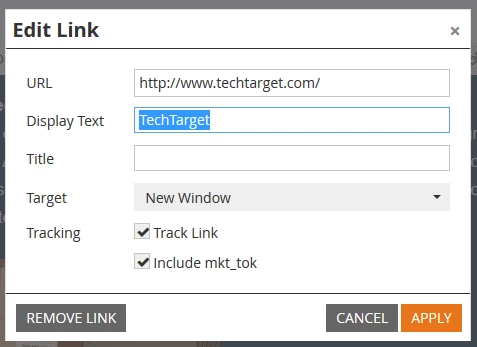
How do I change the colour of hyperlink text in the latest version of Marketo? I used to write text-decoration: none in the old hyperlink editor but the new version doesn't seem to have anything more than the following options:
This post is no longer active and is closed to new replies. Need help? Start a new post to ask your question.

1 reply

Ravi_Ansal2
Level 5
August 3, 2015

Hi Jessica Matthews​,

You can do that but going to the HTML and edit the anchor tag:

Open the HTML code by click on the highlighted link and then move to the anchor tag and add style tag there:

Hope this helps.

Colin_Ryder
Level 4
August 3, 2015

The easiest way is to highlight the text after you placed the link and then change the colour to the required colour (you can add custom colours which remain).

I can't post a screenshot as I have reverted to the legacy one and don't want top freak out my users

If you go into the code itself, text-decoration is just for the underline or not.

Example:

text-decoration:none;  OR  text-decoration:underline;

The correct code should be like this (put your colour hex-code below)

<a style="color: #53bbd4; text-decoration:none;" href="YOUR LINK HERE">Dummy Text you want hyperlinked</a>

Enjoy

Colin