cannot edit {{my.form-text}} on mobile view | Community
Skip to main content
Mikes_Jones
Level 7
May 18, 2015
Question

cannot edit {{my.form-text}} on mobile view

  • May 18, 2015
  • 1 reply
  • 3589 views

Hello,

So I'm currently in the process of converting a handful of existing Landing Pages so that they're also Mobile Compatible. I've realized that styling is a little bit different and so is trying to create a mobile landing page that actually looks good - though I'm sure this just involves more time.

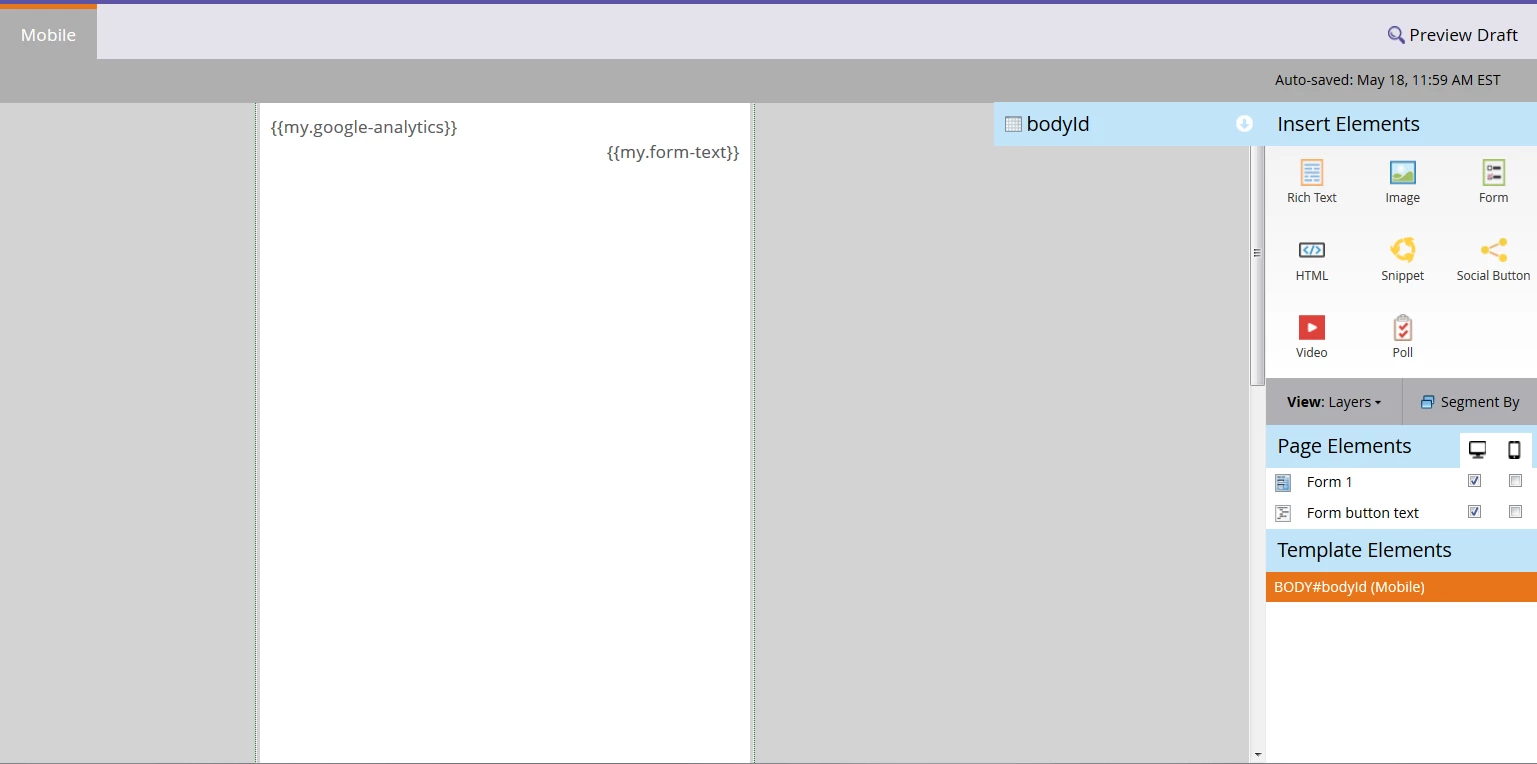
Whenever I take a Landing Page and convert it so that it's mobile ready, the {{my.form-text}} is brought over and stays embedded at the top of the page. I can't edit, move, remove or do anything with this token.

Because of this, the first thing a visitor sees when viewing the Mobile LP on their phone is "Please Fill Out The Form Below for more info" followed by the intro body copy, which is awkward.

Does this have something to do with the template? Perhaps the Template Elements (which I can't edit).

Example:
This post is no longer active and is closed to new replies. Need help? Start a new post to ask your question.

1 reply

Justin_Norris1
Level 10
May 18, 2015

@Malik Zafar​, this is curious. When you create a mobile view, it should be removing all template elements and replacing them with a single mobile BODY element (which you can see in your template elements list on the right).

Is the {{my.form-text}} token contained in the "Form button text" landing page element? How is it inserted into the desktop version of the page -- via the template or a page element? If you want to share your template source code there may be some clues in there.

FYI I have attached a user group presentation I did on the mobile view feature, which may be helpful.

Mikes_Jones
Level 7
May 18, 2015

I right clicked the "form button text" and this is what I see

"

<!--Form Submit Button Text edit-->

<script type="text/javascript">

$(document).ready(function() {

$('#mktFrmSubmit').val('Learn More');

})

</script>"

Perhaps that is causing the issue? I can't really tell.

Here is a screen grab of what the same LP looks like in desktop view: Tokens such as {{my.body-h2}} and {{my.body-partnerlogo}} cannot be changed directly in this view, but they can be edited in the tokens under the program. However, these tokens do not automatically get carried over when a Mobile View is created, unlike {{my.form-text}}

Justin_Norris1
Level 10
May 18, 2015

@Malik Zafar​, yeah it doesn't look like it's coming from the Form button text element.

I suspect it must be in your LP template's source code. But if so, it should not carried over into your Mobile view at all. A disturbance in the force!

I'd say we should take a peek at your source code to see how it's being included in the template and maybe it will reveal why these two tokens are appearing in mobile view but the rest do not.

Failing that, it's something I would take up with support.