
Calendar File token in an image URL | Community
Skip to main content
RaulEr
Level 4
April 14, 2023
Solved

Calendar File token in an image URL

  • April 14, 2023
  • 2 replies
  • 1447 views

Hi guys!


I created a calendar event file as indicated in the Marketo documentation. And I'm trying to use it inside an Image object but is not working. I tried the preview and a real sample test and is not working at any of those.


Is there a way to use it as a link in an image?


Best answer by Darshil_Shah1

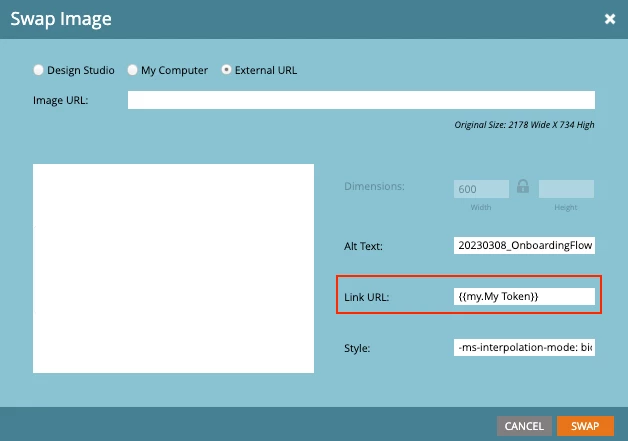
I (and a lot of folks I know of) use Sandy's Agical.io solution for linking an ics file. Check out all about it in his blog here. You can create an Agical URL, add it in a custom my token, and use it as the image URL (or maybe directly add the URL in the image asset itself). If you use a token to house the URL, make sure you add the protocol part (https://) in front of the token in the image picker's Link URL field (like {{my.agical calender URL}}) instead of adding the protocol in the token itself.


2 replies

Darshil_Shah1
Community Advisor and Adobe Champion
Darshil_Shah1Community Advisor and Adobe ChampionAccepted solution
Community Advisor and Adobe Champion
April 14, 2023

I (and a lot of folks I know of) use Sandy's Agical.io solution for linking an ics file. Check out all about it in his blog here. You can create an Agical URL, add it in a custom my token, and use it as the image URL (or maybe directly add the URL in the image asset itself). If you use a token to house the URL, make sure you add the protocol part (https://) in front of the token in the image picker's Link URL field (like {{my.agical calender URL}}) instead of adding the protocol in the token itself.


SanfordWhiteman
Level 10
April 14, 2023

Definitely recommend Agical (of course!) as the superior tool, but if you did want to use the ICS that's automatically created for a Calendar token, you can include the {{my.token}} in an email and send it to yourself, then extract just the href (as Darshil notes, without the "https://") and store that in Text token. Use that Text {{my.token}} in the link.


The Calendar {{my.token}} is an entire <a> tag, not just a URL, which is why you can't nest it inside another <a>.