
Are local YouTube video assets constrained to a defined size? | Community
Skip to main content
Dan_Stevens_
Level 10
December 18, 2015
Question

Are local YouTube video assets constrained to a defined size?

  • December 18, 2015
  • 1 reply
  • 5345 views

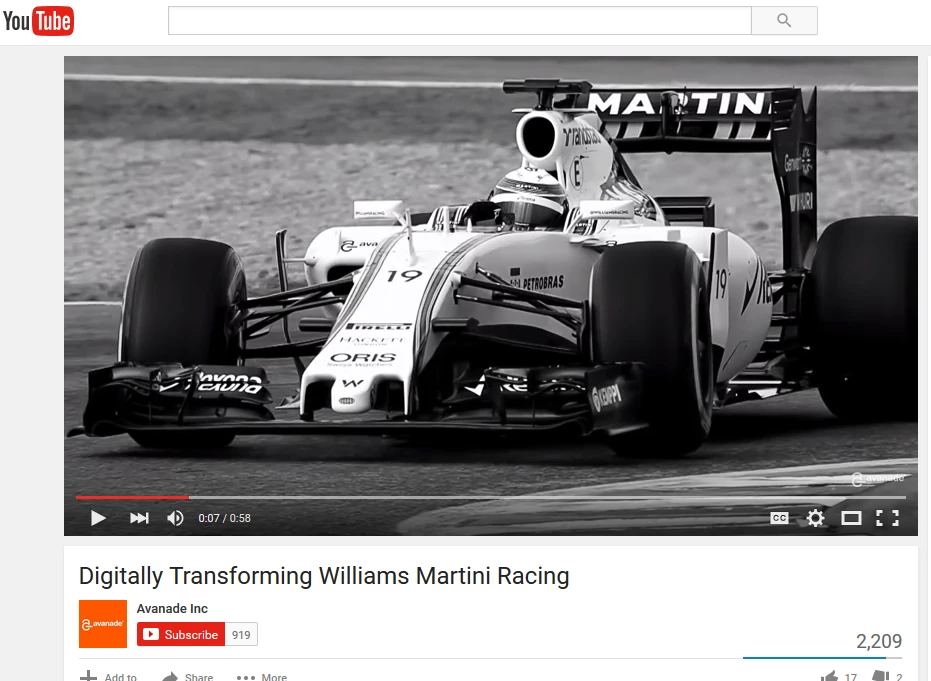
We're building a guided landing page template that includes a section where we can swap in and out different video (using Marketo YouTube video assets).  But when we add the video to the page, the aspect ratio - or more specifically, the video player, is significantly smaller than the source video.  Our desire is to display this on the page just as it does within YouTube (e.g., widescreen).

Here's the source video on YouTube:
And here's how it looks when we create the video asset in Marketo:
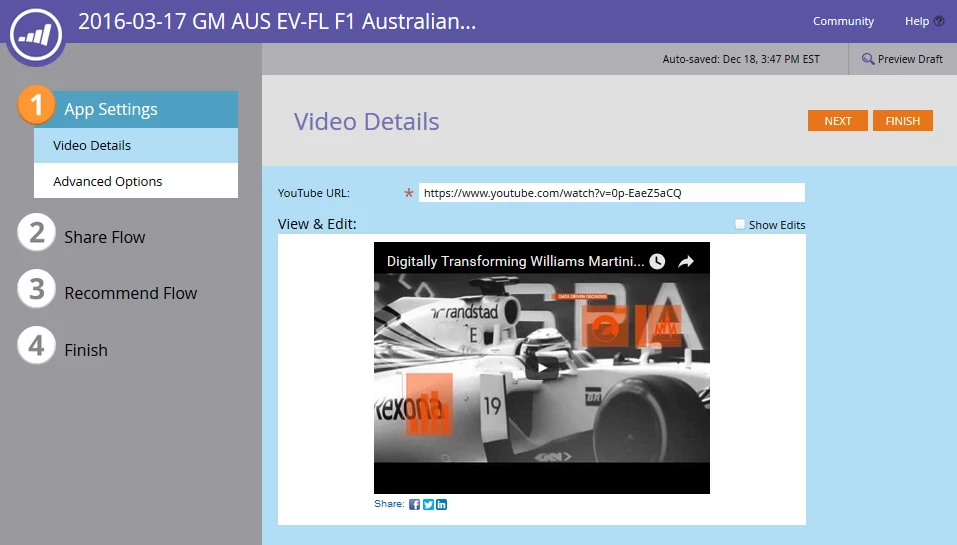
Are we limited to this player size once we place it on our landing pages?  I'm assuming the additional top (where the title of the video is contained) and bottom (video controls) aren't customizable to look more modern like what is contained on YouTube.  We dislike the letterbox when it's not necessary.

This post is no longer active and is closed to new replies. Need help? Start a new post to ask your question.

1 reply

December 18, 2015

When you drag the video onto the landing page, you can resize it there.  You can also resize in the HTML

Dan_Stevens_
Level 10
December 18, 2015

There is no way to resize a YouTube video asset on a guided landing page.  Furthermore, there's no way to access the HTML when you're using a template.  If you have some insight that I'm not aware of, can you please share?  Keep in mind, this is on a GUIDED LP, not traditional (where you can resize it by dragging the handles).

Community Advisor
August 5, 2016

wondering if you ever figured this out? I'm having the same issues.