Question
Applying Sort Rules to Emailed Reports
Hello,
I haven't been able to find a solution to this issue and thought I would ask the pros on the discussion boards! Thanks in advance.
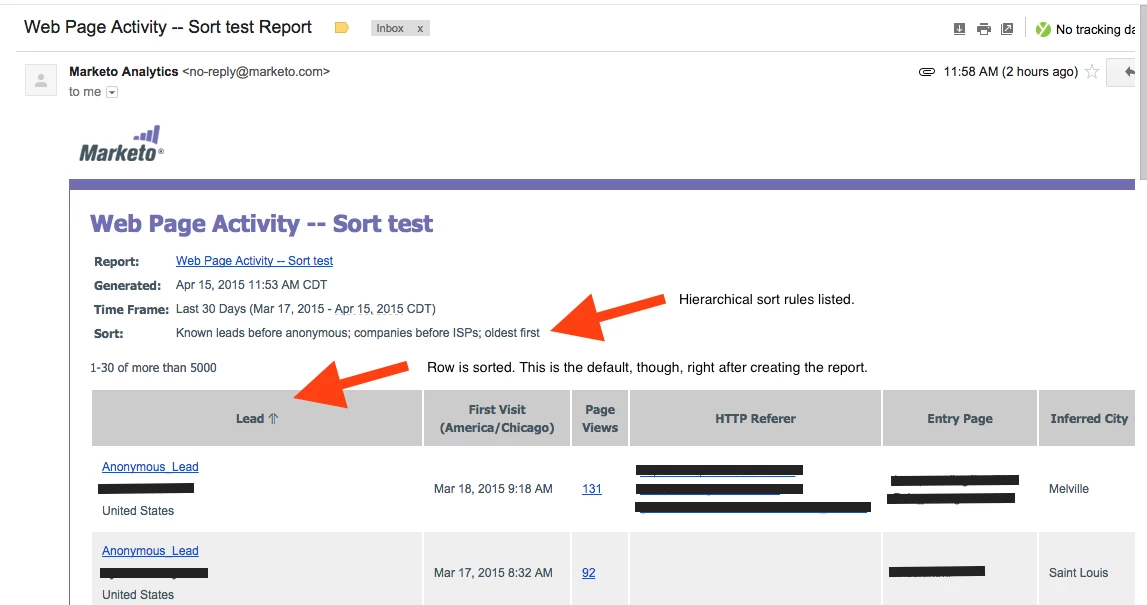
When a web page activity report is created, the default option when it's emailed out is to have "known leads before anonymous, companies before ISPs, oldest first" as the sort criteria.
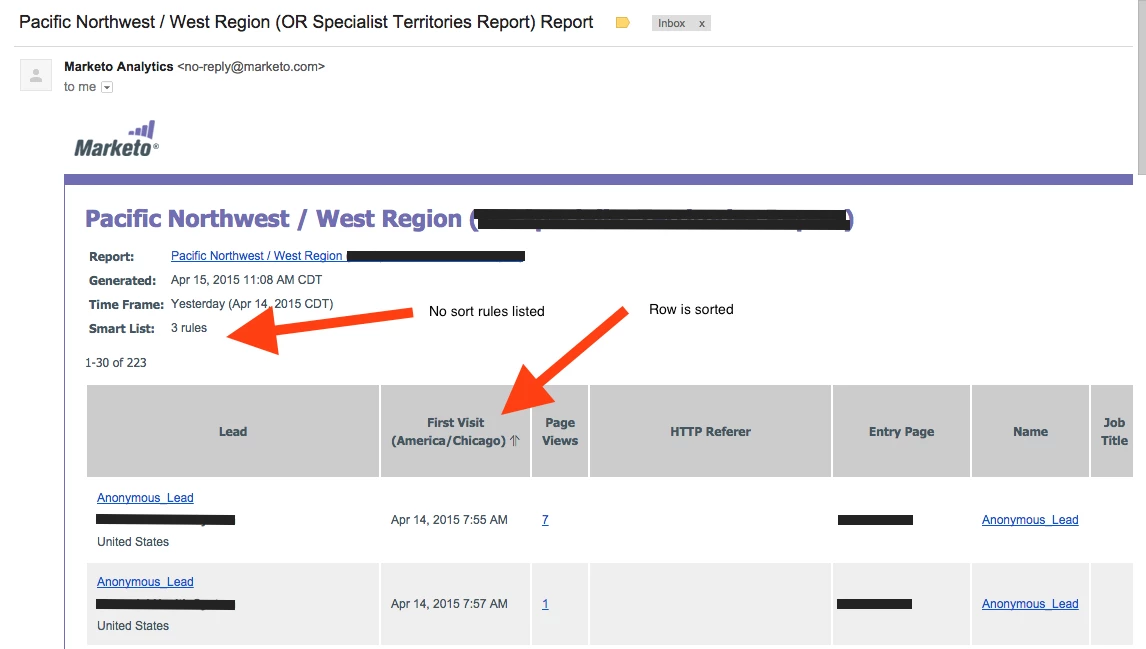
Once I make changes to the sorting, I cannot find a way to replicate this sort of hierarchical sort criteria for the reports when they're emailed out. Ideally, I would like the criteria to be: "known leads before anonymous, companies before ISPs, most page views, newest first", if it were possible to have 4 dimensions.
I can't figure out how to even get 1, though, once a single sort change is made within Marketo. Help!
-Daniel
I haven't been able to find a solution to this issue and thought I would ask the pros on the discussion boards! Thanks in advance.
When a web page activity report is created, the default option when it's emailed out is to have "known leads before anonymous, companies before ISPs, oldest first" as the sort criteria.
Once I make changes to the sorting, I cannot find a way to replicate this sort of hierarchical sort criteria for the reports when they're emailed out. Ideally, I would like the criteria to be: "known leads before anonymous, companies before ISPs, most page views, newest first", if it were possible to have 4 dimensions.
I can't figure out how to even get 1, though, once a single sort change is made within Marketo. Help!
-Daniel