Apply new template to the existing email | Community
Skip to main content
February 23, 2016
Question

Apply new template to the existing email

  • February 23, 2016
  • 3 replies
  • 1791 views

Is there a way to apply a newly built email template to the existing emails?
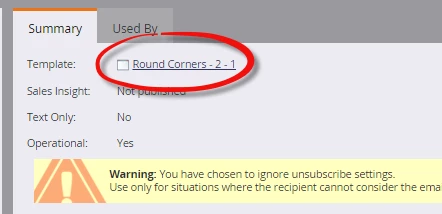
I wish it was as easy as changing it under Email Summary - "Template". Any suggestions on how to do it quickly? Thanks!

This post is no longer active and is closed to new replies. Need help? Start a new post to ask your question.

3 replies

February 23, 2016

Hi Anastasia,

Unfortunately, no quick way to change the template an approved email uses.

You can 'overwrite' the template with the new HTML for the new template.

But that means 'all' the emails that use this template will be the new look.

Rajesh

February 23, 2016

Thanks Rajesh. That's the only option I could think of..

Frank_Breen2
Level 8
February 23, 2016

If this is a one off, you can Replace the HTML of your email and disconnect it from any template.

In the Email go to Email Actions > HTML Tools > Replace HTML

I did hear some chat on the community that Maketo is putting fix out this year sometime to do this properly.

Or vote here:

Grégoire_Miche2
Level 10
February 23, 2016

One of the most voted ideas listed there: Just do it! Marketo so-called minor missing features

-Greg