Question
Any "gotchas" to using tokens as a form follow-up URL?
I just discovered it's possible to set a program/folder token as the follow-up URL on a form (using the "External URL) option. I have a frequently used content marketing program that I clone over and over, so I wanted a way to avoid going into the landing pages and fixing the form follow up pages. I feel like using a token here will save me the hassle of going into the editor to fix the follow-up page (or forgetting to do this step entirely). See below for a visual of what I'm referring to:
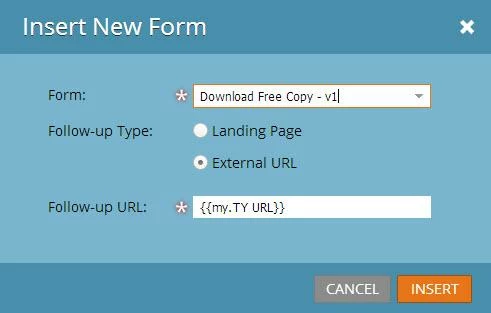
My question is- has anyone else tried to do this, and have you run into any major issues? It appears the token populates correctly, tracking works, my triggers work, etc, but I just wanted to check if there's something big I'm missing, before I start using this process on every one of my programs.
My question is- has anyone else tried to do this, and have you run into any major issues? It appears the token populates correctly, tracking works, my triggers work, etc, but I just wanted to check if there's something big I'm missing, before I start using this process on every one of my programs.