April 29, 2015
Question

Another "Smart Campaign Not Triggering" Question

  • April 29, 2015
  • 6 replies
  • 1560 views
Hey guys - I'm having an issue where a Smart Campaign is not triggering. It's supposed to trigger with ANY form fill. Once triggered, if the comments field on the form is not empty, it transfer the contents to a salesforce field called "Situation."

Place I looked:
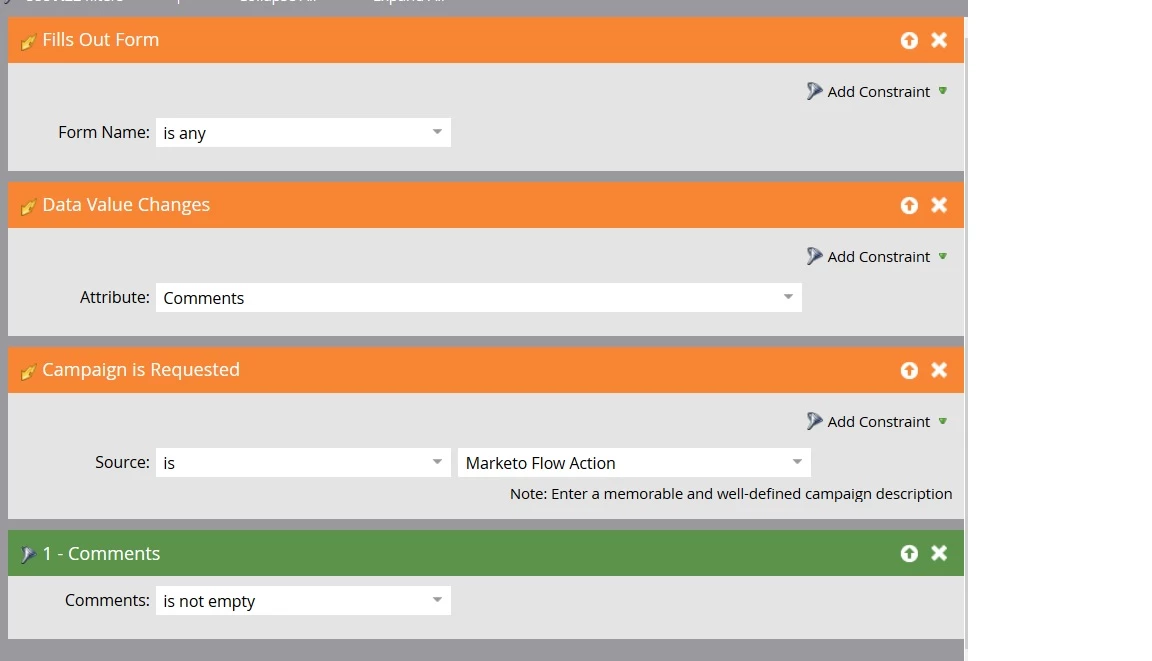
1) Smart campaign trigger and filter - looks good
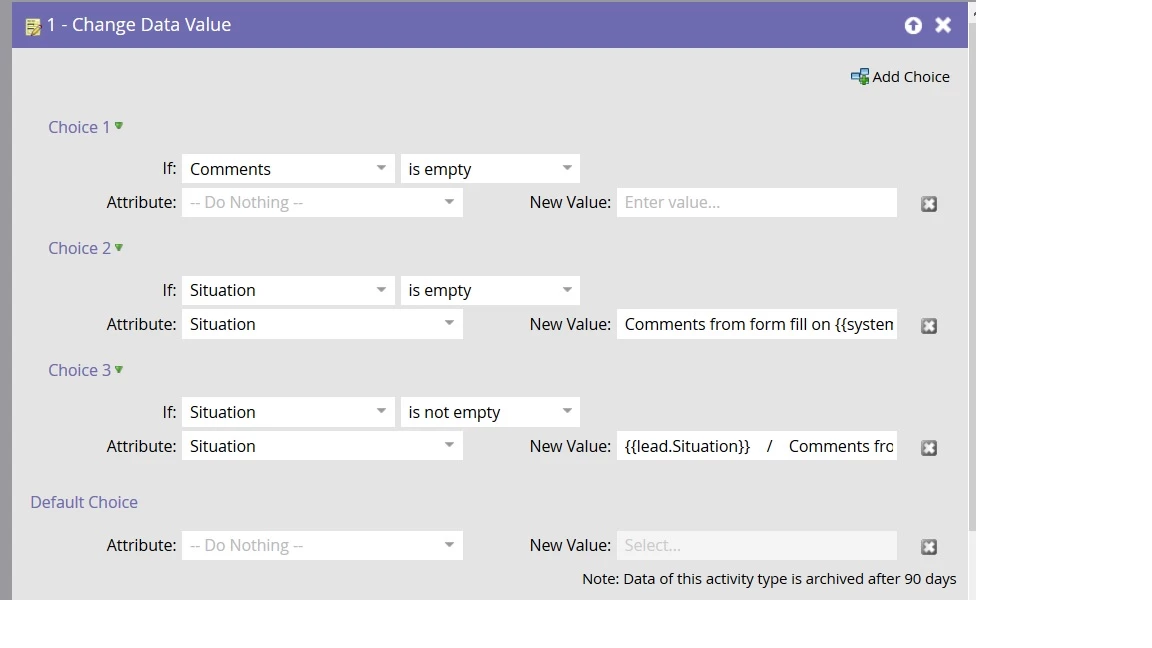
2) The actual flow where the data is transfered (though this shouldn't matter) - looks good
3) Activity log of the lead to make sure he meeds the conditions:
    -Fills out form
    -Comments field is not empty
    -Smart campaig not triggered (key word search)

I have some screenshots below. Everything looks right as far as I can tell, but I must be missing something. Anyone ever run across a glitch where smart campaigns didn't trigger?

Any thoughts on where else I can look?

Thanks for your help!

Smart Campaign:
Actual flow (shouldn't matter)
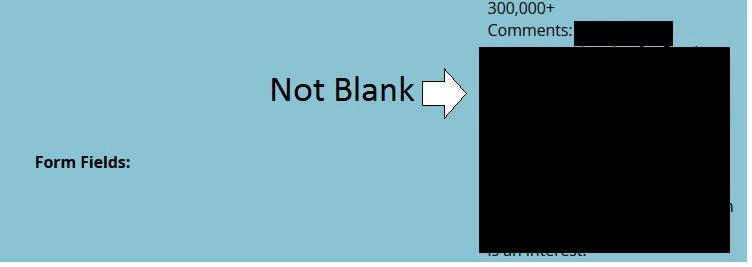
Actifity record of form fill (should trigger the campaign)

Comments field NOT blank (filter condition in the smart campaign)

 
This post is no longer active and is closed to new replies. Need help? Start a new post to ask your question.

6 replies

April 29, 2015
Hey Dane,

Your filter below the triggers is excluding anyone whose comments field is blank. With multiple triggers in the same campaign, you can look at records qualifying like this:

Fills Out Form is any and Comments is not empty
OR
Data Value Changes (Comments) and Comments is not empty
OR
Campaign is Requested and Comments is not empty

It looks like all you need to do is remove the Comments filter and everything should work fine.

 
April 29, 2015
Jeff,

I'm confused. The smart filter is "Comments is not empty." Doesn't that mean that only leads with the comment fields filled in (not blank/null) will be accepted? That's the behavior I want - for the campaign to trigger when the Comments field is not empty.

What am I missing?
Roxann_McGlump1
Level 5
April 29, 2015
Hello Dane,

Is the campaign set so that every lead can go through the campaign every time?  If not, the lead may be blocked from going through it after the first time.

 
April 29, 2015
Roxann,

Yes - I checked that as well (easy mistake). This was the lead's first form fill and the tirgger schedule was "each lead can run through the flow every time"


Any other thoughts?
Josh_Hill13
Level 10
April 29, 2015
Jeff S is pretty right on this:

Conditions for entry are dependent on Form Fill + Comments IS NOT EMPTY.

But your original post said you wanted:
Hey guys - I'm having an issue where a Smart Campaign is not triggering. It's supposed to trigger with ANY form fill. Once triggered, if the comments field on the form is not empty, it transfer the contents to a salesforce field called "Situation."

So this is what it does in essence, but you could remove Choice 1  as no one should enter here unless they have a Comment anyway.

Alternatively, remove the Comments filter on the Smart List.

Another trick is on the DVC, add "IS NOT EMPTY" as a constraint. Not wholly necessary when you have the filter, but helpful.

Are you sure you are using the right Comments field on the Form? I know quite a few clients who have several.
April 29, 2015
Josh,

Thanks for the response. I'm still confused. What's the difference between these two statements?

Conditions for entry are dependent on Form Fill + Comments IS NOT EMPTY.
Once triggered, if the comments field on the form is not empty,


I'm trying to trigger the smart list off of Form Fill AND Comments NOT Empty - which is what I believe my Smartlist shows, no? And from what I can tell, the lead (in the pictures I posted) meet those criteria...

And yes - I only have one Comments field.