Adding Custom Values to Field Property in Forms | Community
Skip to main content
Mitangi_Parekh
Level 2
April 24, 2019
Solved

Adding Custom Values to Field Property in Forms

  • April 24, 2019
  • 1 reply
  • 2713 views

Hey everyone,

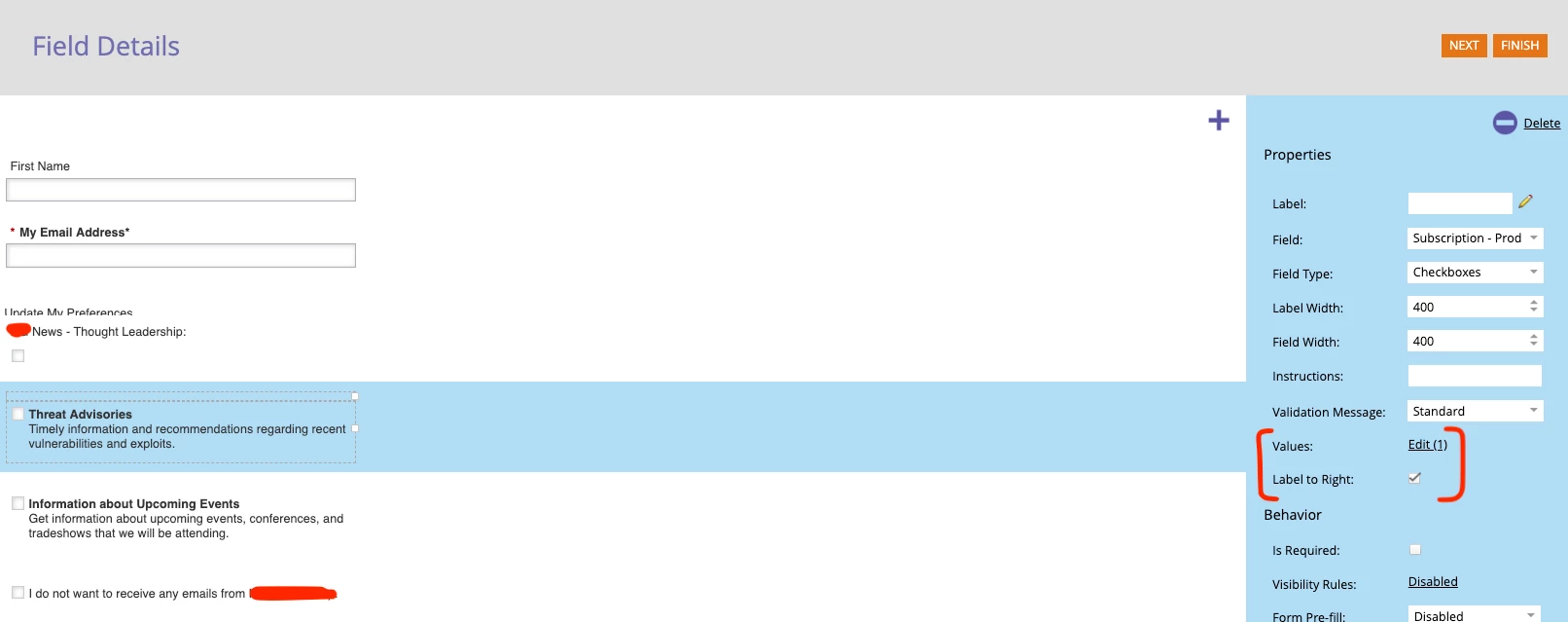
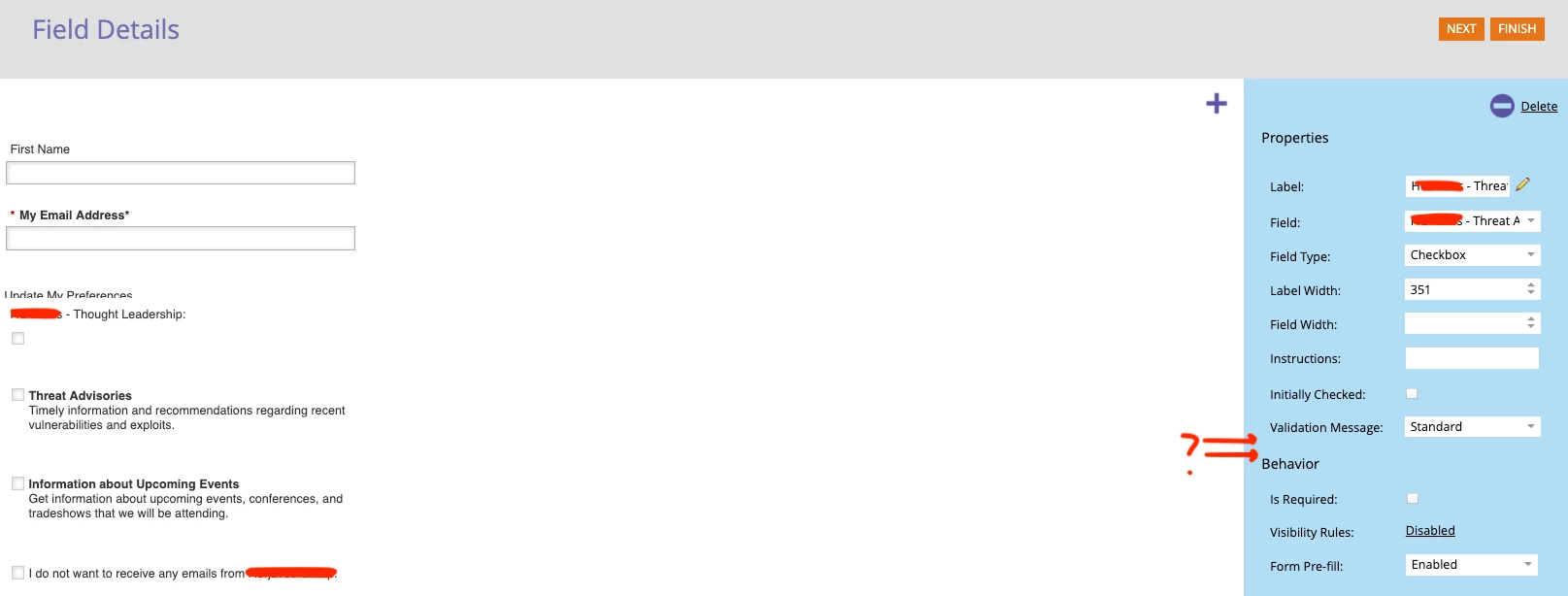
We have a form for people to update their email preferences one but we realized that the Fields we chose initially are labeled wrong. Instead of the default 'Subscription - Educational' fields from Marketo, we are using custom ones we made for all other forms. However, we didn't update it for this particular form. When I went in to change the Fields, I noticed that the Value property was removed (see photos for what I mean). We want to add the 'Value' and 'Label to Right' property. How can we rectify this situation? Our forms are designed so that the Label property stays blank and the Value property shows the information since we use rich text.
Thanks!

This post is no longer active and is closed to new replies. Need help? Start a new post to ask your question.
Best answer by SanfordWhiteman

Nothing's been removed. You only get the option for the Checkboxes field type, not Checkbox. You have a Checkboxes set with only one possible value in the upper screenshot. The lower screenshot is a Checkbox which is always a Boolean (yes/no).

1 reply

SanfordWhiteman
SanfordWhitemanAccepted solution
Level 10
April 24, 2019

Nothing's been removed. You only get the option for the Checkboxes field type, not Checkbox. You have a Checkboxes set with only one possible value in the upper screenshot. The lower screenshot is a Checkbox which is always a Boolean (yes/no).

Mitangi_Parekh
Level 2
April 30, 2019

Awesome - did not catch that! Thanks, Sanford!