Question
Adam's Global Engagement programs
Now that I'm planning the global roll out of Engagement programs, I thought I'd share with you what I've constructed for my team. (Note, we purchased the Engagement add-on to have access to multiple streams)
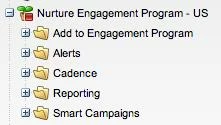
There are 8 of these to start, one per language/business unit. Programs switch on October 1.
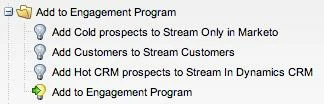
First you need a way for your leads to flow into your engagement program. I have a master gatekeeper deciding which engagement program to add people to.
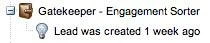
I give them 1 week in the system before being added, just in case their country was missing initially, hopefully in 1 week someone's added the correct country reassigning them to the proper business unit. Then I have 3 deactivate batch programs which I will run when we go-live to assign people to the proper streams.
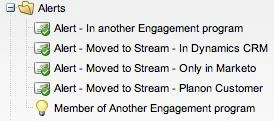
To double check the logic, when someone moves from stream to stream there's an alert which goes to the MD. There's also an alert checking for someone being added to this engagement program who is already a member of another one. We don't want them receiving two streams of information.
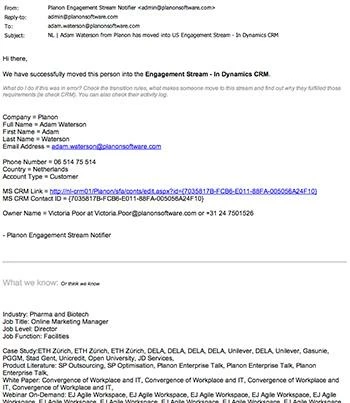
I try and give as much info as possible in alerts, so users don't have to go do further research.
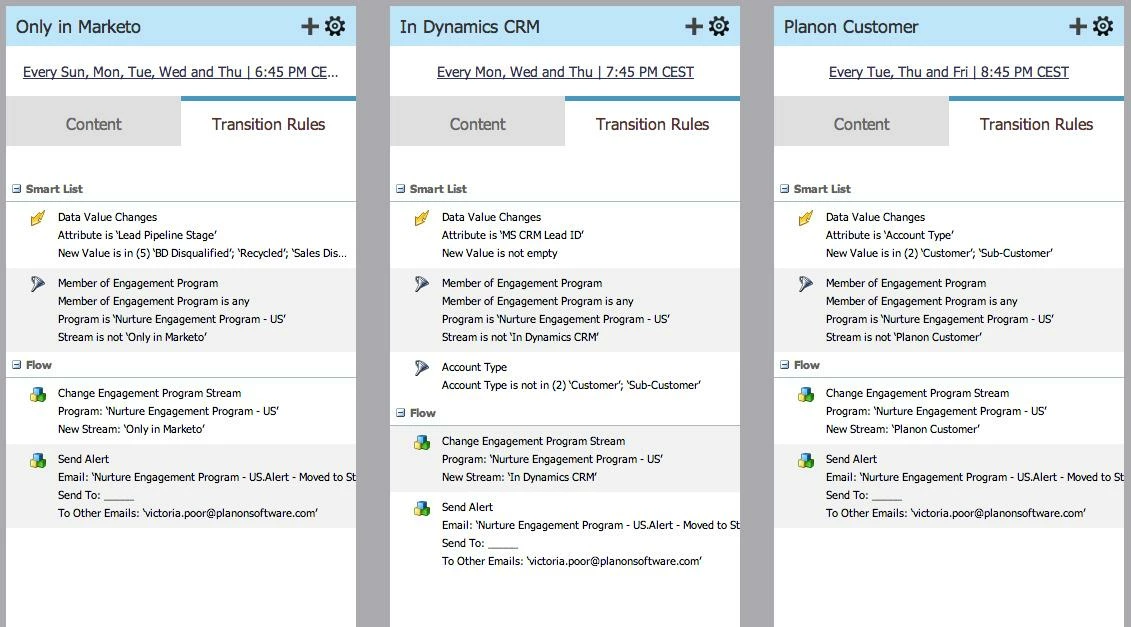
Most of the alerts are sent by the transition rules themselves as a confirmation of that process.
I think the Engagement programs are awesome, but they have one major design flaw, and that's that they're built on the premise of repetitive email deployments on specific time/date. Here is my system to deal with this idea.
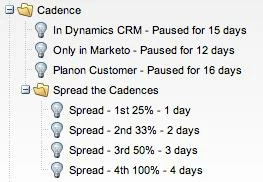
First, anytime someone receives an email they are then paused for a subsequent number of days. The colder you are, the faster you're returned to cadence, normal. The warmer you are, the longer we'll allow you to rest between touches. Of course if you like emails Tuesday at 10am, you can skip down to reporting.

Each stream's cadence then provides atleast 3 days that emails can be deployed on. I wanted this variation & unexpectedness. In small part to ensure better deliverability by not hitting any single customer's spam trap all at once. But more so that you aren't always recieving an email on tuesday at 10am.
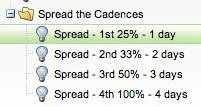
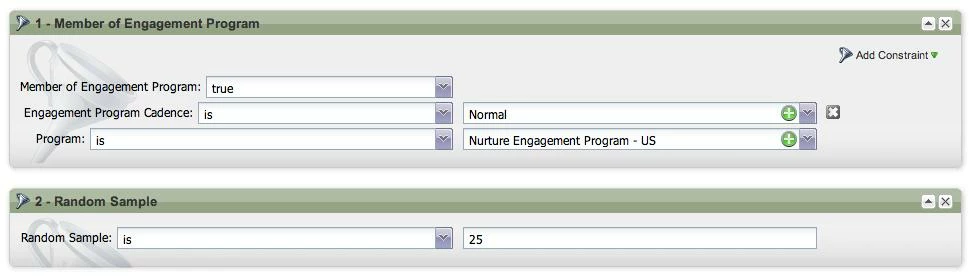
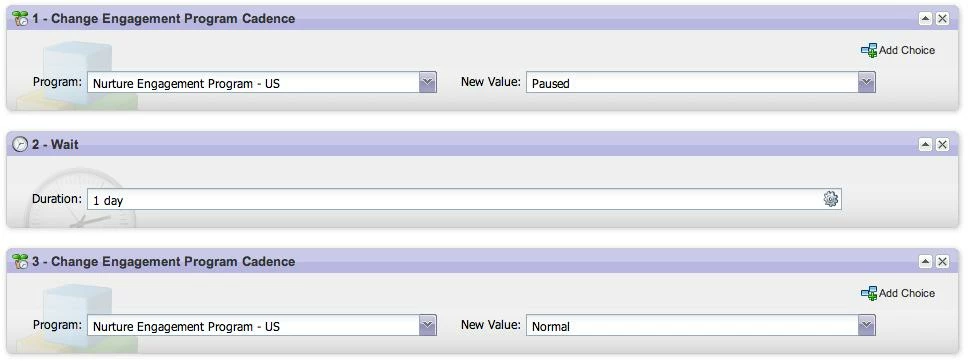
There can be "bunching" moments, where a MD really wants everyone to get the same email on the same day. Which would eliminate the natural flow of this cadence. There are 4 campaigns which reinsert the randomness.
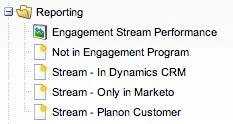
There's a report which shows the stats of the emails sent out by this engagement program. Along with a few smart lists if anyone needs to do any data hygiene. There's also a catchup smart list, Not in Engagement Program, which checks the leads of that business unit against the leads in the program.
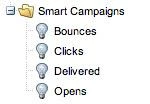
The last, and certainly most precise, aspect of my engagement program is the smart campaigns which move people from one program status to the other. Based off of program membership + email trigger. It can be fired based on emails being sent from other programs than this one, as long as people are members of both.
I've seen a couple of people asking "How do you do it".. So here's the DNA of my engagement programs. The emails themselves are the logical next discussion, but they relate directly to my business and not to yours. So I leave you at this.
Enjoy your nurturing!
There are 8 of these to start, one per language/business unit. Programs switch on October 1.
First you need a way for your leads to flow into your engagement program. I have a master gatekeeper deciding which engagement program to add people to.
I give them 1 week in the system before being added, just in case their country was missing initially, hopefully in 1 week someone's added the correct country reassigning them to the proper business unit. Then I have 3 deactivate batch programs which I will run when we go-live to assign people to the proper streams.
To double check the logic, when someone moves from stream to stream there's an alert which goes to the MD. There's also an alert checking for someone being added to this engagement program who is already a member of another one. We don't want them receiving two streams of information.
I try and give as much info as possible in alerts, so users don't have to go do further research.
Most of the alerts are sent by the transition rules themselves as a confirmation of that process.
I think the Engagement programs are awesome, but they have one major design flaw, and that's that they're built on the premise of repetitive email deployments on specific time/date. Here is my system to deal with this idea.
First, anytime someone receives an email they are then paused for a subsequent number of days. The colder you are, the faster you're returned to cadence, normal. The warmer you are, the longer we'll allow you to rest between touches. Of course if you like emails Tuesday at 10am, you can skip down to reporting.
Each stream's cadence then provides atleast 3 days that emails can be deployed on. I wanted this variation & unexpectedness. In small part to ensure better deliverability by not hitting any single customer's spam trap all at once. But more so that you aren't always recieving an email on tuesday at 10am.
There can be "bunching" moments, where a MD really wants everyone to get the same email on the same day. Which would eliminate the natural flow of this cadence. There are 4 campaigns which reinsert the randomness.
There's a report which shows the stats of the emails sent out by this engagement program. Along with a few smart lists if anyone needs to do any data hygiene. There's also a catchup smart list, Not in Engagement Program, which checks the leads of that business unit against the leads in the program.
The last, and certainly most precise, aspect of my engagement program is the smart campaigns which move people from one program status to the other. Based off of program membership + email trigger. It can be fired based on emails being sent from other programs than this one, as long as people are members of both.
I've seen a couple of people asking "How do you do it".. So here's the DNA of my engagement programs. The emails themselves are the logical next discussion, but they relate directly to my business and not to yours. So I leave you at this.
Enjoy your nurturing!