
Where in the UI we can change the configuration of Automatic Wait node ? | Community
Skip to main content
Indra-2
Community Advisor
Community Advisor
September 12, 2024
Solved

Where in the UI we can change the configuration of Automatic Wait node ?

  • September 12, 2024
  • 1 reply
  • 659 views

Automatic wait node

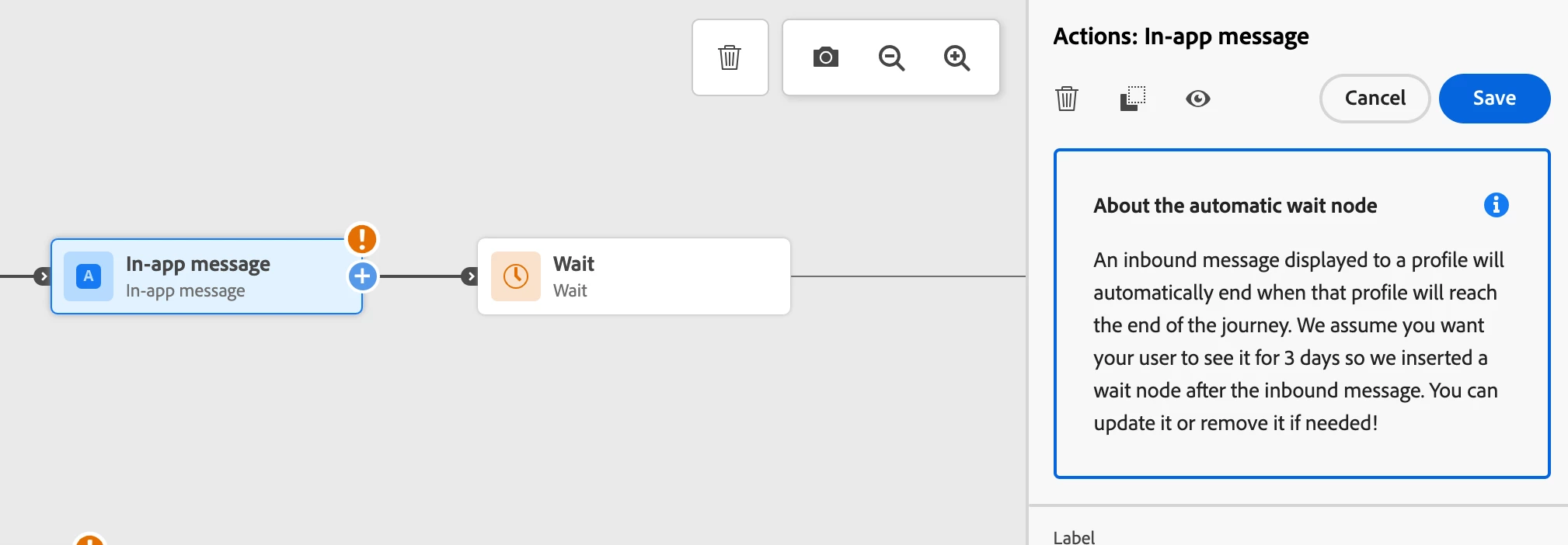
Each inbound message activity (In-app message, Code-based experience, or Card) comes with a 3-days Wait activity. As inbound messages automatically end when a profile reach out the end of the journey, we assume that you want your users to see it at least for 3 days. You can remove this Wait activity, or change its configuration if needed. 


Where in the UI/API we can change the configuration  ?


Reference url: https://experienceleague.adobe.com/en/docs/journey-optimizer/using/orchestrate-journeys/about-journey-building/wait-activity
This post is no longer active and is closed to new replies. Need help? Start a new post to ask your question.
Best answer by SatheeskannaK

@indra-2 For example add the in-app message in the journey canvas you should be able to see the wait activity automatically added after the in-app message.


1 reply

SatheeskannaK
Community Advisor
SatheeskannaKCommunity AdvisorAccepted solution
Community Advisor
September 13, 2024

@indra-2 For example add the in-app message in the journey canvas you should be able to see the wait activity automatically added after the in-app message.


Thanks, Sathees
Indra-2
Community Advisor
Indra-2Community AdvisorAuthor
Community Advisor
September 13, 2024

Thanks Satheesh