Level 1
March 3, 2026
Solved

Understanding audience agent functionality

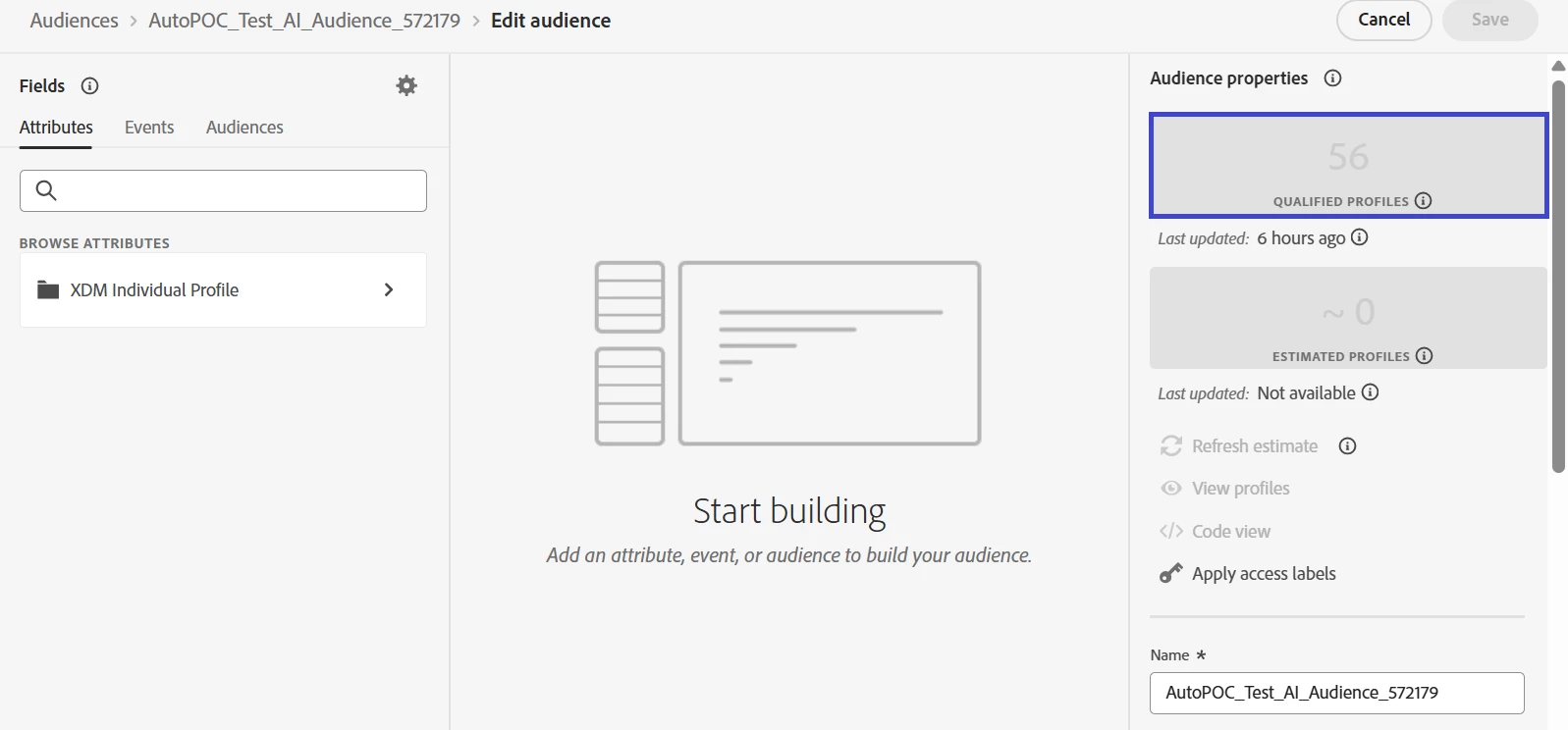
We have created a audience under AJO from the AI Assistant UI. Could observe that the attributes and event fields used to create the audience by agent is not visible at the build panel. Qualified profiles count is also displayed below audience properties.

Could someone help to understand what we are missing here!
 

This post is no longer active and is closed to new replies. Need help? Start a new post to ask your question.
Mohan_Dugganab
Mohan_DugganabAccepted solution
Adobe Employee
March 4, 2026

@jaydarsh kindly log a support ticket to debug this further

6 replies

Mohan_Dugganab
Adobe Employee
Adobe Employee
March 3, 2026

​@Karthick_R Kindly check if the attributes provided while generating the audience definition were indeed present in the union schema ?

Translate
Level 1
March 4, 2026

​@Mohan_Dugganab Yes, these attributes are included in the union schema. Additionally, we have verified the pre-built query to ensure the attributes are sourced from the correct datasets.


Translate
Mohan_Dugganab
Adobe Employee
Adobe Employee
March 4, 2026

​@jaydarsh I see this error in the logs

PQL: Missing schema field: \"seriesName\". Fields in the schema are [ARG_ADDRESS, Ac_emailAddress, Ac_fullName, Ac_phoneNumber, ... 


Translate
Sukrity_Wadhwa
Adobe Employee
Adobe Employee
March 16, 2026

Hi ​@Karthick_R / ​@jaydarsh,

Since there hasn’t been any recent activity on this thread and as suggested by ​@Mohan_Dugganab, this use case should be addressed with the help of Adobe Support, so, we’ll be closing this question for now.

If you have any related questions or updates to share, please don’t hesitate to request to reopen this one or start a new thread. We’d be happy to take another look.

Thanks!

Translate
Sukrity Wadhwa