Quiet Hours in Adobe Journey Optimizer: Timing Is the Last Mile of Personalization
Personalization in customer engagement has matured considerably. Brands now segment audiences with precision, tailor content to individual preferences, and orchestrate journeys across channels. Most of that work focuses on what to send and who to send it to.
Timing is often treated as an afterthought.
That gap shows up quickly in practice. A healthcare provider sends an appointment reminder at 4 AM. An e-commerce platform fires an abandoned cart email at midnight. A bank delivers a credit card offer via SMS at 5:30 AM. Every one of those messages was personalized. The content was relevant. The audience was well targeted. The channel was right.
But the delivery time was not personalized — and that single gap undid all the effort that went into everything else.
Quiet Hours in Adobe Journey Optimizer addresses this directly. It introduces time-based exclusion rules that prevent messages from being sent during specific periods — across Email, SMS, Push, and WhatsApp channels — without requiring marketers to pause journeys, adding wait nodes in journeys or build complex conditional logic.
This post walks through how Quiet Hours works architecturally, how to configure it, and how organizations across healthcare, e-commerce, financial services, hospitality, and retail are applying it to real use cases.
Why timing matters more than most teams realize
Customer engagement platforms have invested heavily in channel optimization, content personalization, and audience segmentation. Timing has lagged behind, partly because it introduces complexity that spans time zones, cultural norms, regulatory constraints, and individual preferences.
The consequences of poor timing are measurable.
Messages delivered during overnight hours consistently show lower open rates, higher unsubscribe rates, and increased complaint rates. In regulated industries such as financial services and healthcare, after-hours communications can trigger compliance violations. In hospitality and retail, poorly timed messages erode the brand experience that teams work hard to build.
The traditional workaround was to add condition nodes combined with wait nodes inside each journey — custom expressions that checked the time of day and held profiles until an acceptable delivery hour before allowing a message to proceed. That approach works for one journey. It does not scale across dozens of journeys running simultaneously.
Quiet Hours solves this at the platform level.
How Quiet Hours works and how to set it up
Quiet Hours operates within AJO's Business Rules framework. The mechanism is straightforward: you define a time window, choose how messages should be handled during that window, attach the rule to channel actions in your journeys, and the platform enforces it automatically.
For a detailed step-by-step walkthrough with screenshots, refer to the official Quiet Hours documentation on Experience League. The sections below cover the key concepts and decisions you need to make during setup.
A. Walkthrough: Building Quiet Hours for a healthcare provider — Fixed timezone, Queue
To make this concrete, let us walk through a real use case end to end — creating quiet hours rules, attaching them to a journey, and seeing the result in the AJO UI.
The scenario
A regional hospital serving patients in a single metro area. They run three automated patient journeys in AJO:
-
Appointment reminders — SMS and push notifications sent 24 hours before a scheduled visit
-
Medication adherence nudges — daily email reminders for patients on chronic care programs
-
Post-discharge follow-ups — a multi-step journey with wellness content and check-in surveys sent over 14 days after hospital discharge
Their patient engagement team has a problem. Journey triggers do not respect time of day. A patient who schedules an appointment at 11 PM triggers a 24-hour reminder that arrives at 11 PM the next night. A medication nudge fires at 5 AM. Post-discharge emails land at 3 AM for patients whose profiles were updated during overnight batch processing.
The engagement team wants two rules:
-
An overnight quiet window for every day — no messages between 9 PM and 7 AM, with messages queued and delivered at 7 AM
-
A holiday quiet window — no messages on Christmas Day and New Year's Day, with messages queued to the following morning
Both rules should apply across all three patient journeys without modifying any journey canvas. Since the hospital serves a single region, a fixed timezone works well here.
What we will build
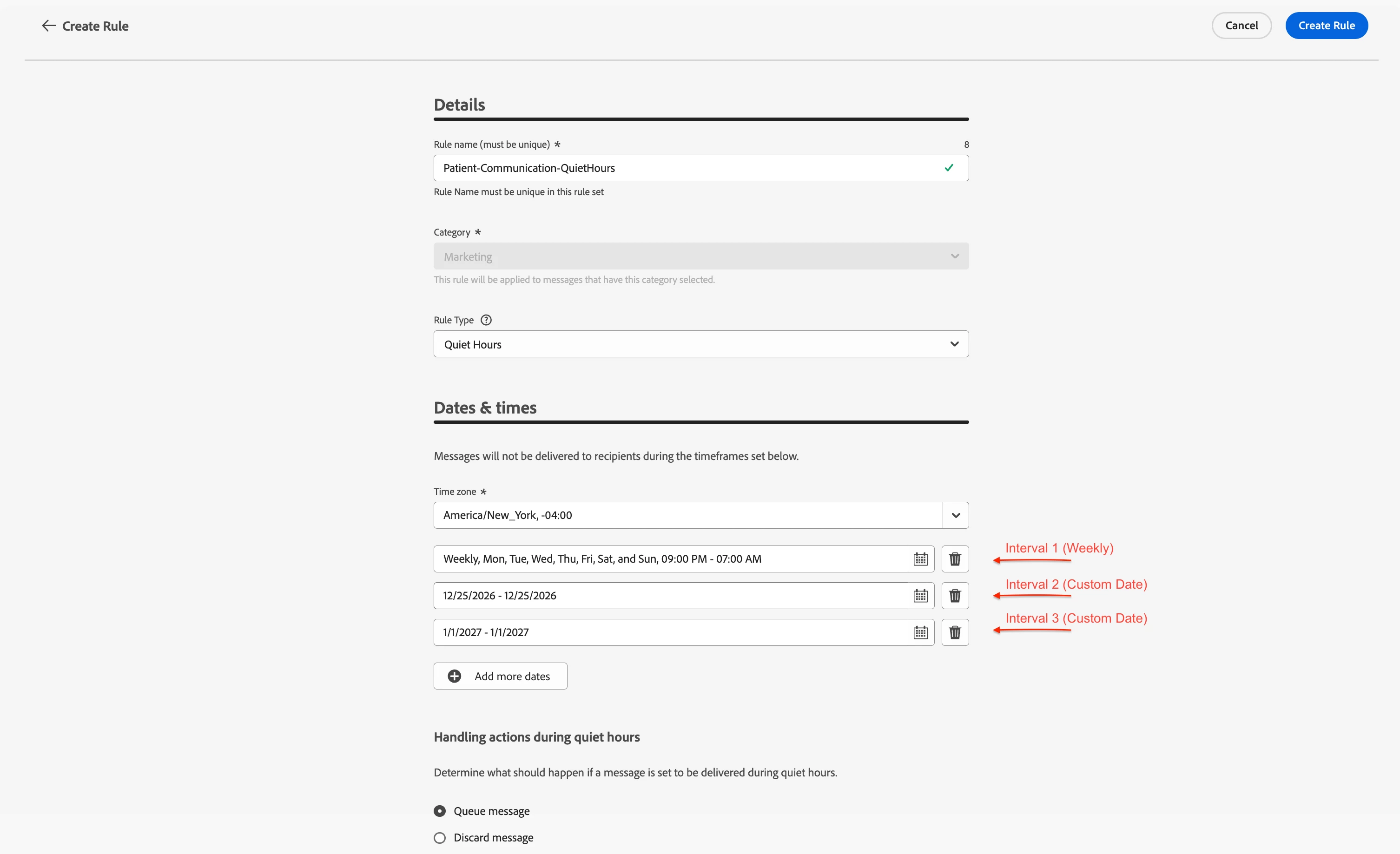
We will create a single rule set called Patient-Communication-QuietHours containing one quiet hours rule with two intervals:
Rule Set — Patient-Communication-QuietHours (applied to all three patient journeys)
Rule — Patient-Communication-QuietHours
-
Time zone: Fixed timezone (e.g., America/New_York)
-
Handling: Queue Message
Interval 1 (Weekly) — Every day, 9:00 PM to 7:00 AM
Interval 2 (Custom Date) — December 25, 2026 (Christmas Day) — all day
Interval 3 (Custom Date) — January 1, 2027 (New Year's Day) — all day
Since the hospital serves patients in a single region, a fixed timezone is the right choice here. All patients share the same business hours, so 9 PM to 7 AM Eastern applies uniformly.
We use Queue for both rules because healthcare messages are clinically relevant — a medication reminder or appointment confirmation should still reach the patient, just not at 3 AM. Discarding would mean the patient never receives the information.
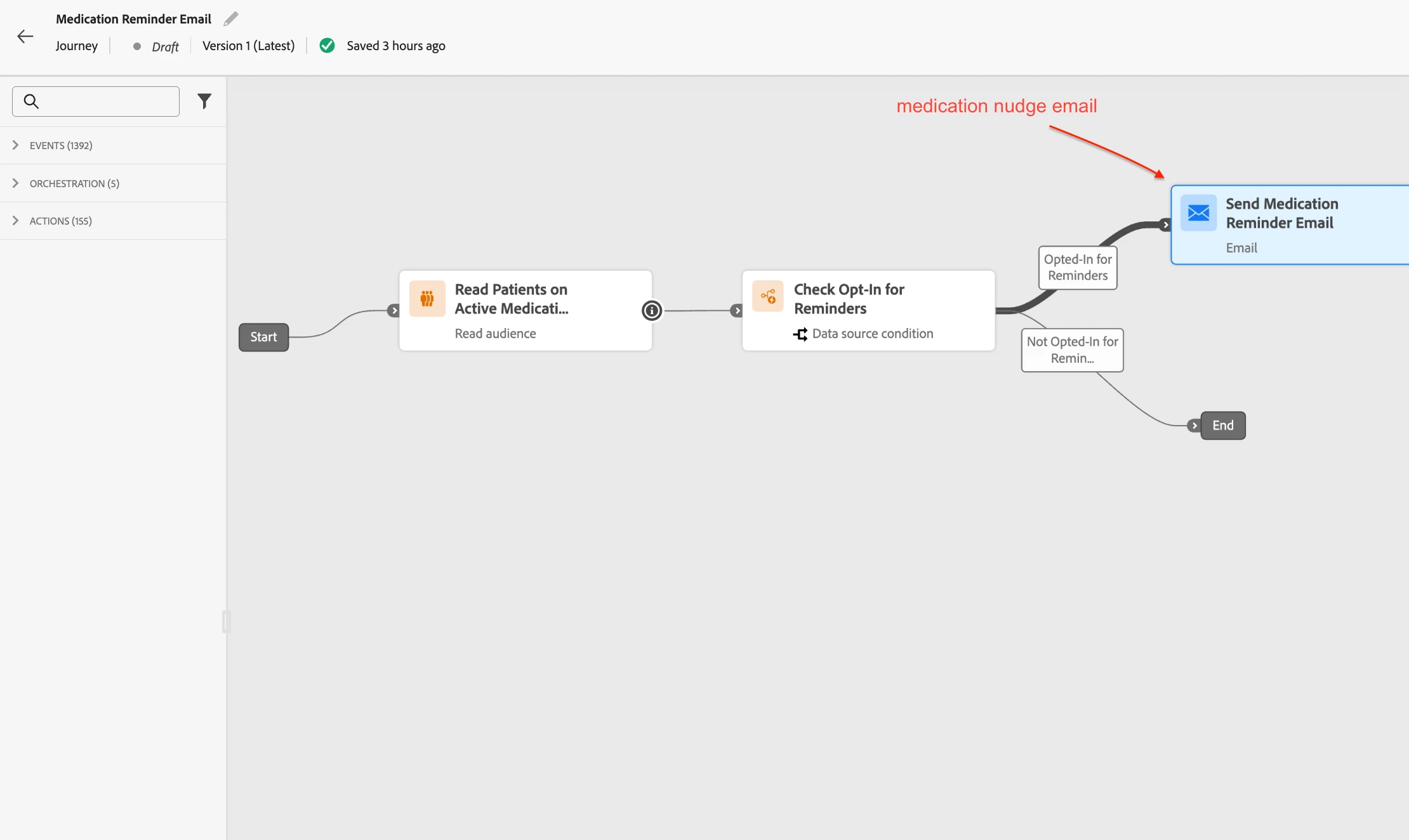
Once the ruleset is active, we attach the rule set to the SMS, push, and email actions across all three journeys. Here is how the journeys look in the AJO UI.
Journey 1: Appointment Reminder SMS
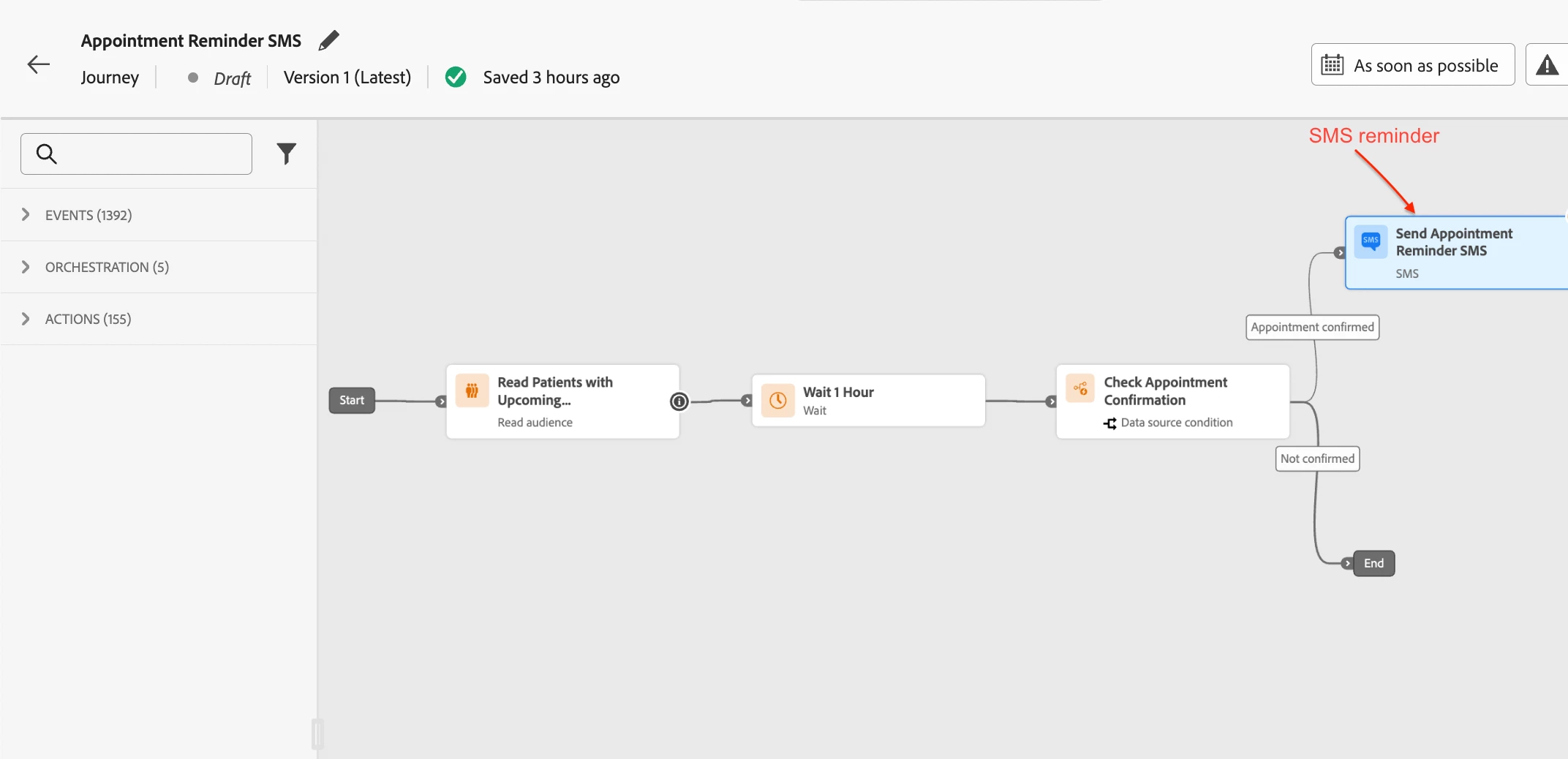
Journey 2: Medication Reminder Email
Journey 3: Post-Discharge Wellness Check
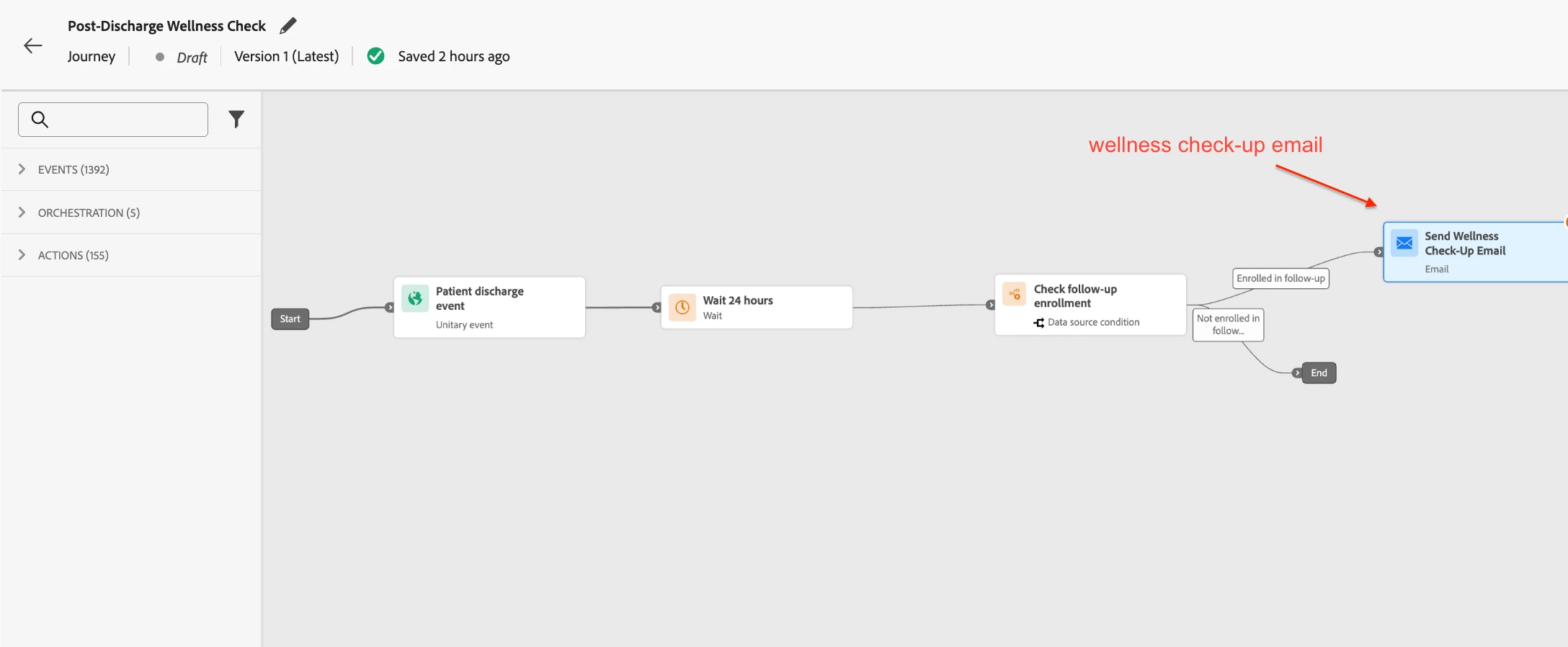
The Patient-Communication-QuietHours rule set is attached to every action node across all three journeys — the SMS node in Journey 1, the email node in Journey 2, and the email node in Journey 3.
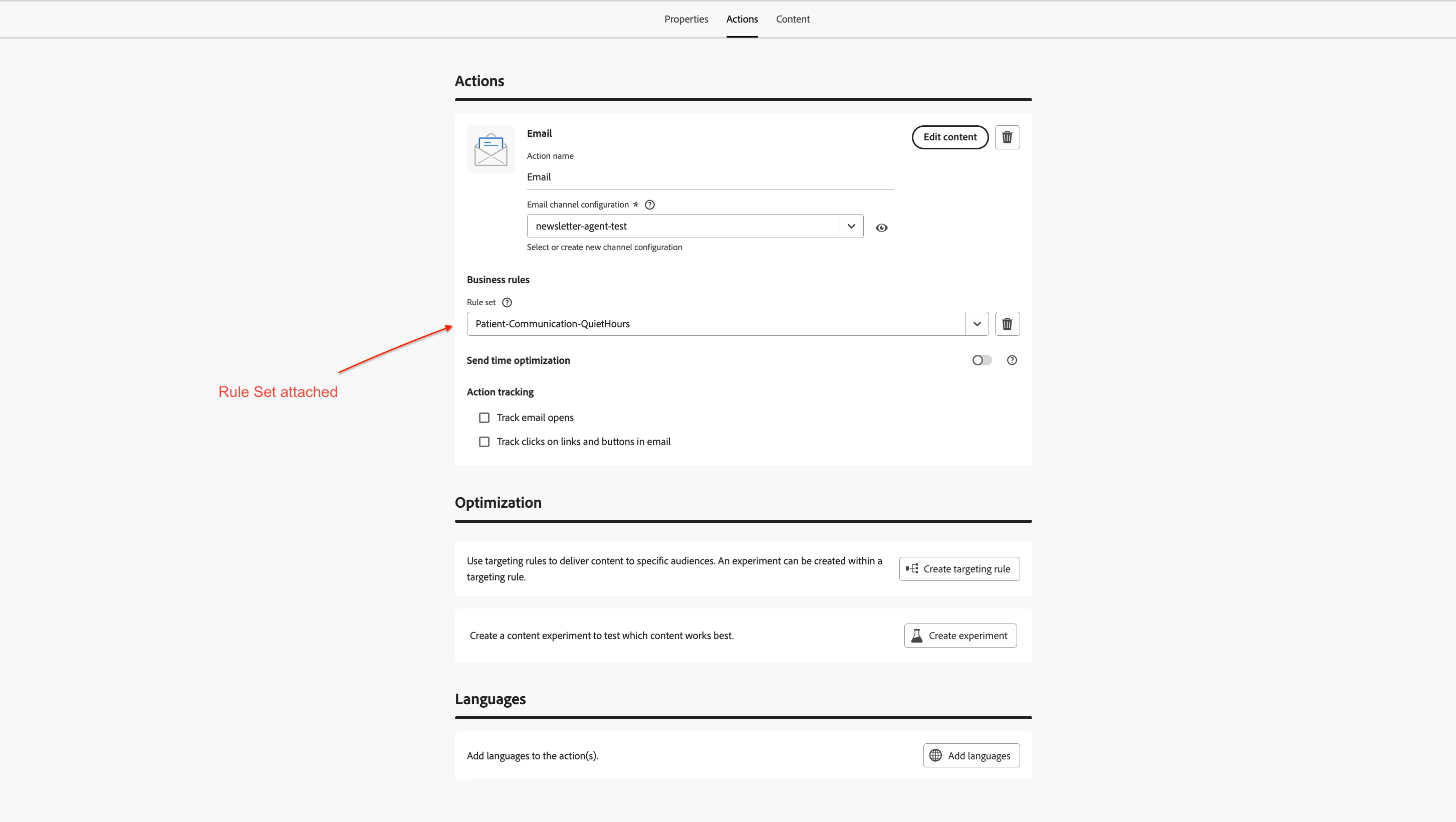
The result
With both rules active and attached:
-
The appointment reminder SMS that would have arrived at 11 PM is queued and delivered at 7 AM the next morning. The patient sees it over breakfast, confirms the appointment, and shows up.
-
The medication nudge email that would have fired at 5 AM is held until 7 AM. The patient checks their phone at a natural time and takes their medication.
-
Post-discharge follow-up emails triggered by overnight batch processing are queued until 7 AM. No more 3 AM wellness surveys.
-
On Christmas Day, all non-urgent patient communications are held and delivered on December 26. Patients are not interrupted during the holiday.
None of the three journey canvases were modified. One rule set handles timing across all of them.
B. Walkthrough: Building Quiet Hours for an e-commerce company — Recipient timezone, Queue and Discard
The healthcare example above uses a fixed timezone for a local hospital. This walkthrough covers a different scenario — a global e-commerce brand with customers across multiple time zones, where the recipient's local time zone is the right choice. It also shows why different journey types sometimes need different handling actions.
The scenario
A global e-commerce company selling fashion and lifestyle products to customers across North America, Europe, and Asia runs four automated journey types in AJO:
-
Flash sale promotions — push notifications with time-bound offers like "Midnight Flash: 50% off sneakers — ends at 6 AM" or "Today only: Free shipping on all orders"
-
Abandoned cart recovery — SMS and email nudges sent when a customer adds items to their cart but does not complete checkout
-
Loyalty and rewards updates — weekly email roundups of earned reward points, tier progress, and personalized product recommendations
-
Win-back campaigns — journey for "We miss you — here's 20% off" emails with a discount code for customers who have not purchased in 60 days
Their marketing team has a problem. Flash sale push notifications triggered by evening journeys fire at 11 PM and midnight. Abandoned cart SMS messages arrive at 2 AM after a customer browses late at night and leaves. Loyalty emails triggered by weekly batch processing land at 4 AM. Customers are unsubscribing from push and SMS channels because of overnight disruptions.
But the fix is not the same for every journey type. Flash sales have a short shelf life — a "Midnight Flash: 50% off sneakers — ends at 6 AM" push notification is worthless at 7 AM when the sale has already ended. Abandoned cart nudges sent 9 hours after the customer left are also stale — the customer has likely moved on or bought elsewhere. Loyalty updates and win-back emails, on the other hand, are just as relevant at 7 AM as they were at midnight.
The marketing team needs two rule sets with different handling actions.
What we will build
We will create two rule sets, each with quiet hours rule:
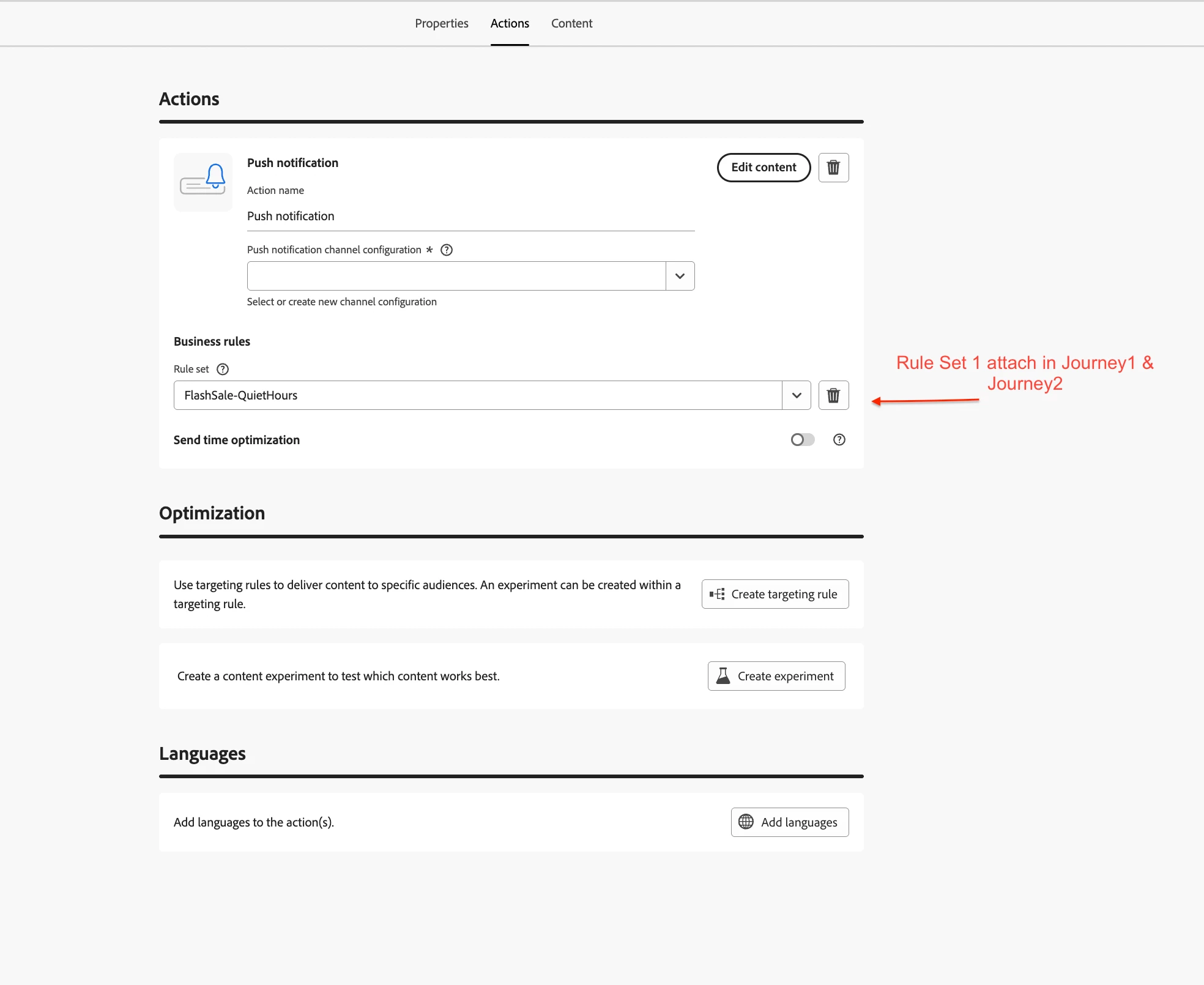
Rule Set 1 — FlashSale-QuietHours (applied to flash sale and abandoned cart journeys)
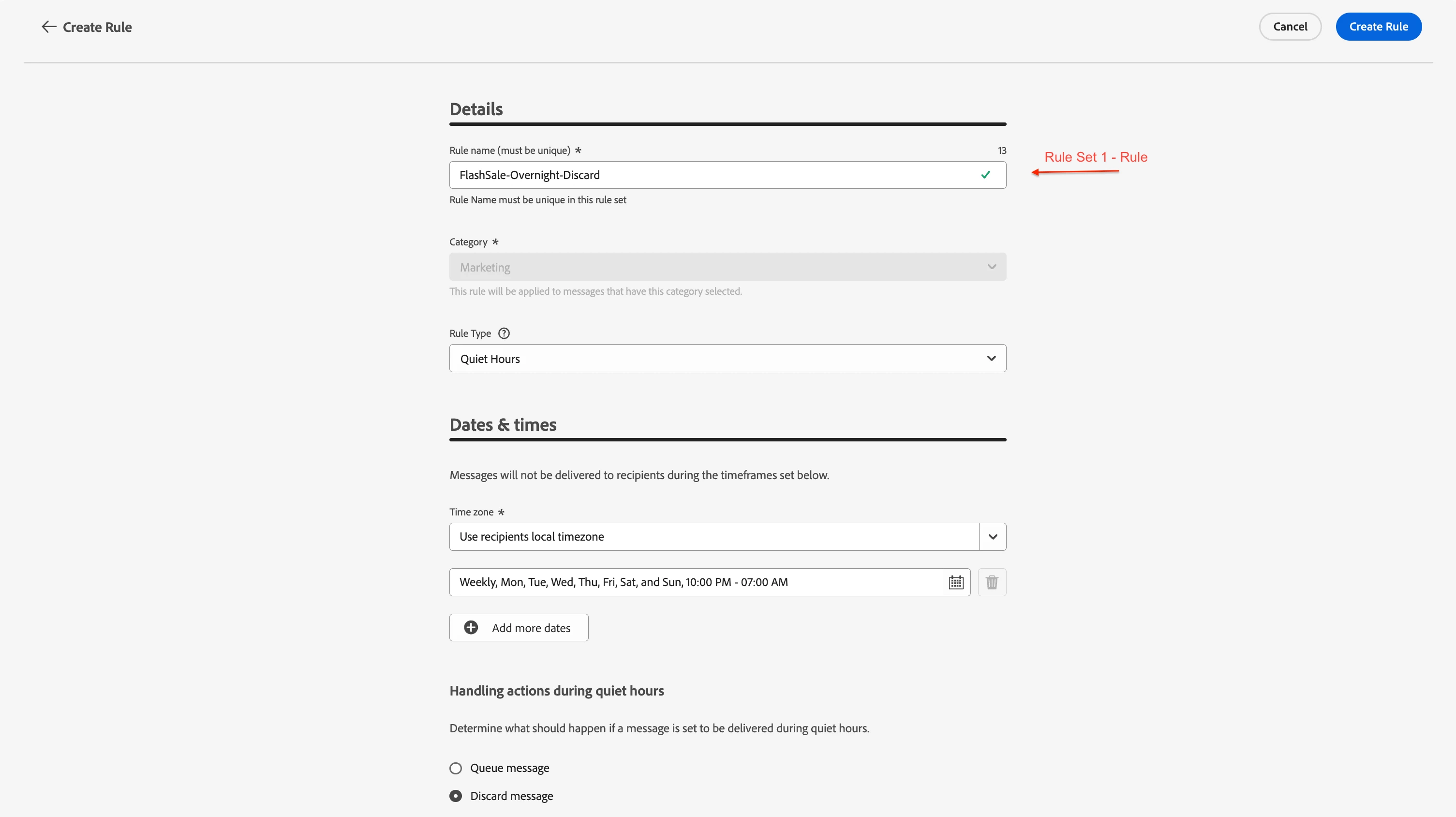
Rule — FlashSale-Overnight-Discard
-
Schedule: Weekly — Every day, 10:00 PM to 7:00 AM
-
Time zone: Recipient's local time zone
-
Handling: Discard Message
Rule Set 2 — Loyalty-QuietHours (applied to loyalty and win-back journeys)
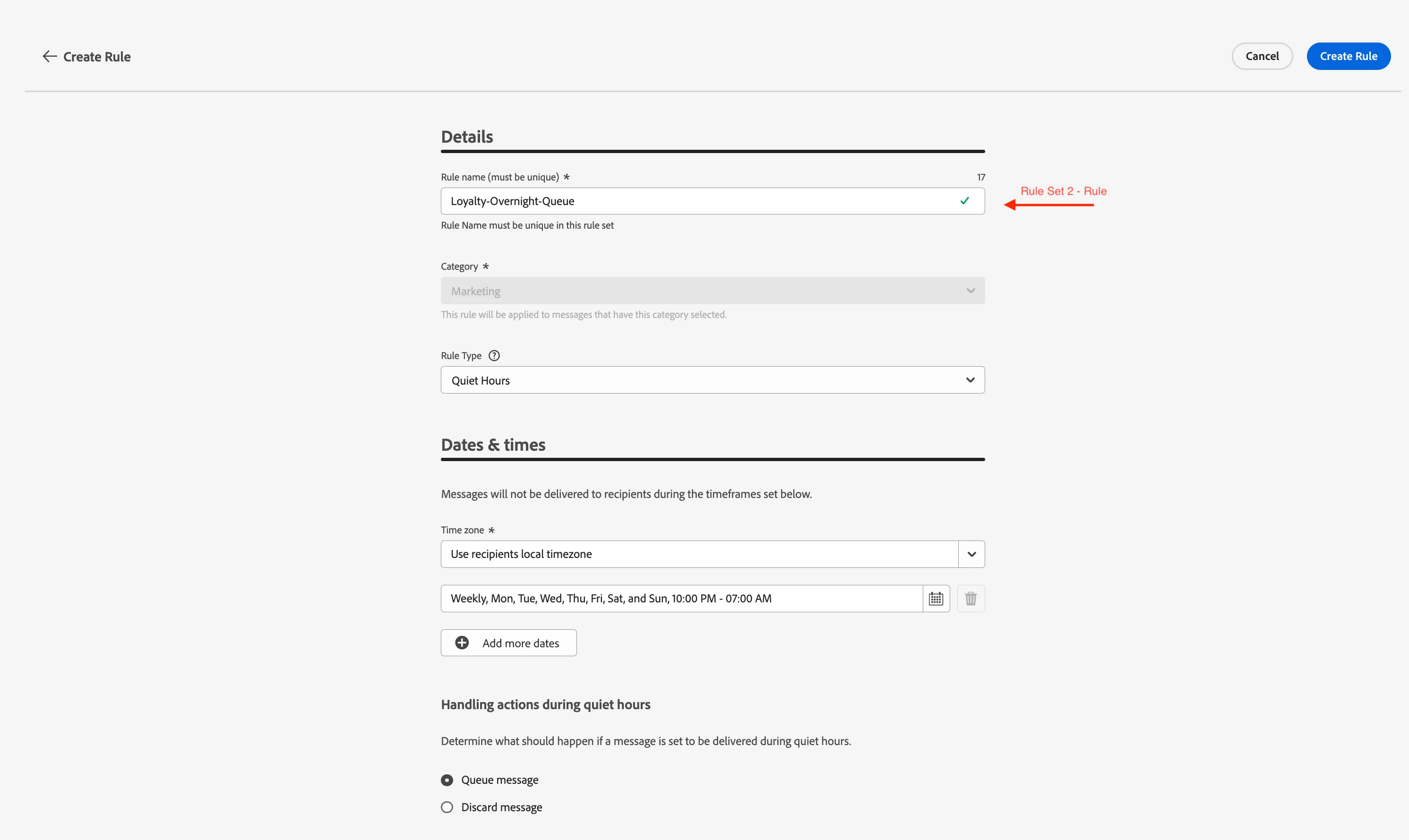
Rule — Loyalty-Overnight-Queue
-
Schedule: Weekly — Every day, 10:00 PM to 7:00 AM
-
Time zone: Recipient's local time zone
-
Handling: Queue Message
Both rule sets use the recipient's local time zone because the customer base is global. A fixed timezone would mean 10 PM in New York is 3 AM in London — defeating the purpose. With the recipient's local timezone, 10 PM means 10 PM for every customer regardless of where they are.
The overnight window is identical. The handling action is different — and that difference is the entire point.
We use Discard for flash sales because the offer will expire by the time the quiet window ends. Delivering a "50% off sneakers — ends at 6 AM" notification at 7 AM confuses the customer and erodes trust. The profile exits the journey, and the next relevant promotion fires when the customer is active.
We use Discard for abandoned cart nudges as well. A cart abandonment SMS that arrives 9 hours late has lost its moment — the customer has either forgotten the intent or purchased the item elsewhere. The platform can re-evaluate and trigger a fresh abandoned cart nudge if the items are still in the cart the next day.
We use Queue for loyalty and win-back content because those messages have no expiry. "You earned 500 reward points this week" is just as relevant at 7 AM as it was at midnight — the points are not going anywhere. A "20% off your next order" win-back email with a 7-day validity is equally effective whether it arrives at midnight or 7 AM.
The screenshots below show the two rule configurations — same overnight window, different handling actions.
Rule Set 1 — FlashSale-Overnight-Discard
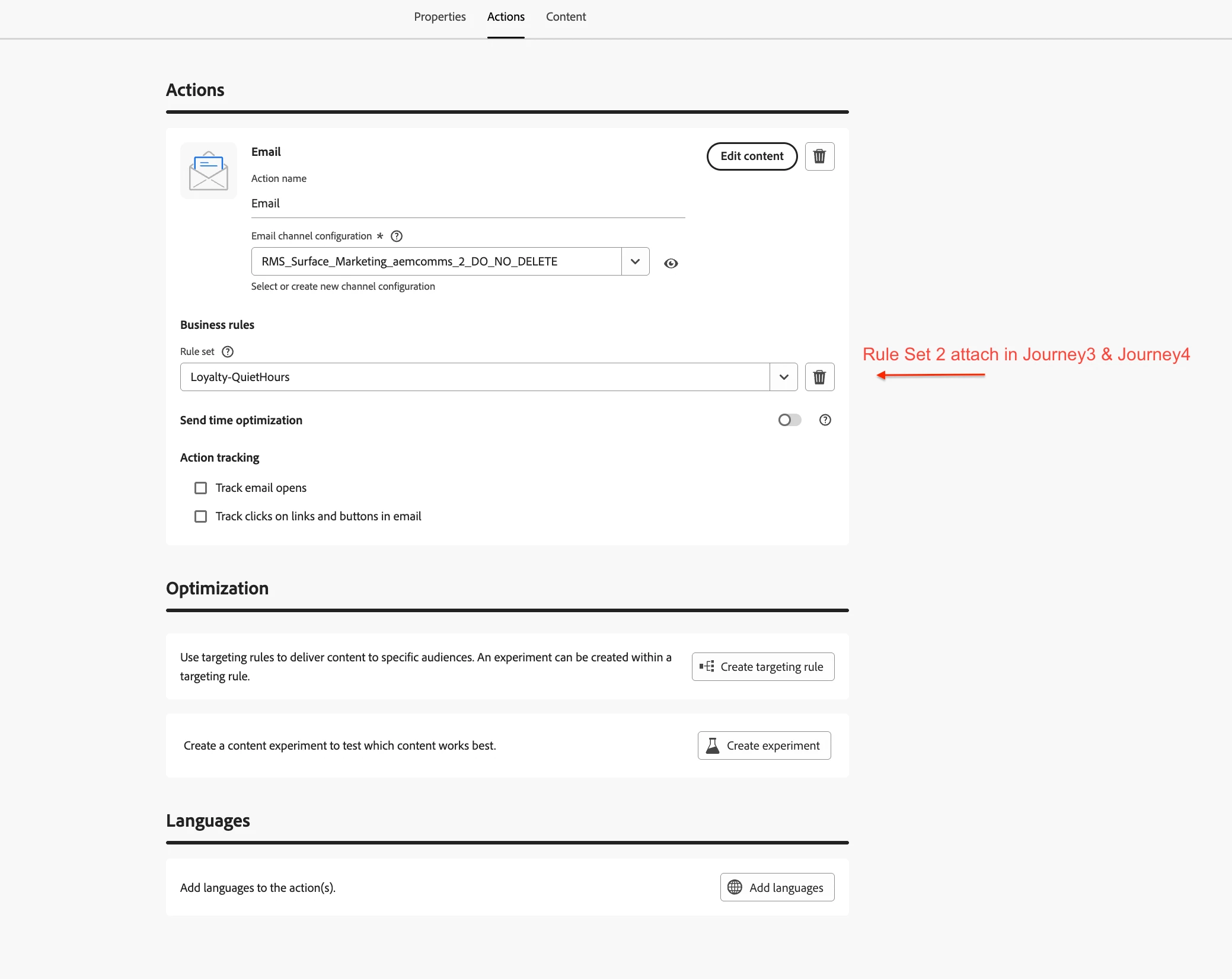
Rule Set 2 — Loyalty-Overnight-Queue
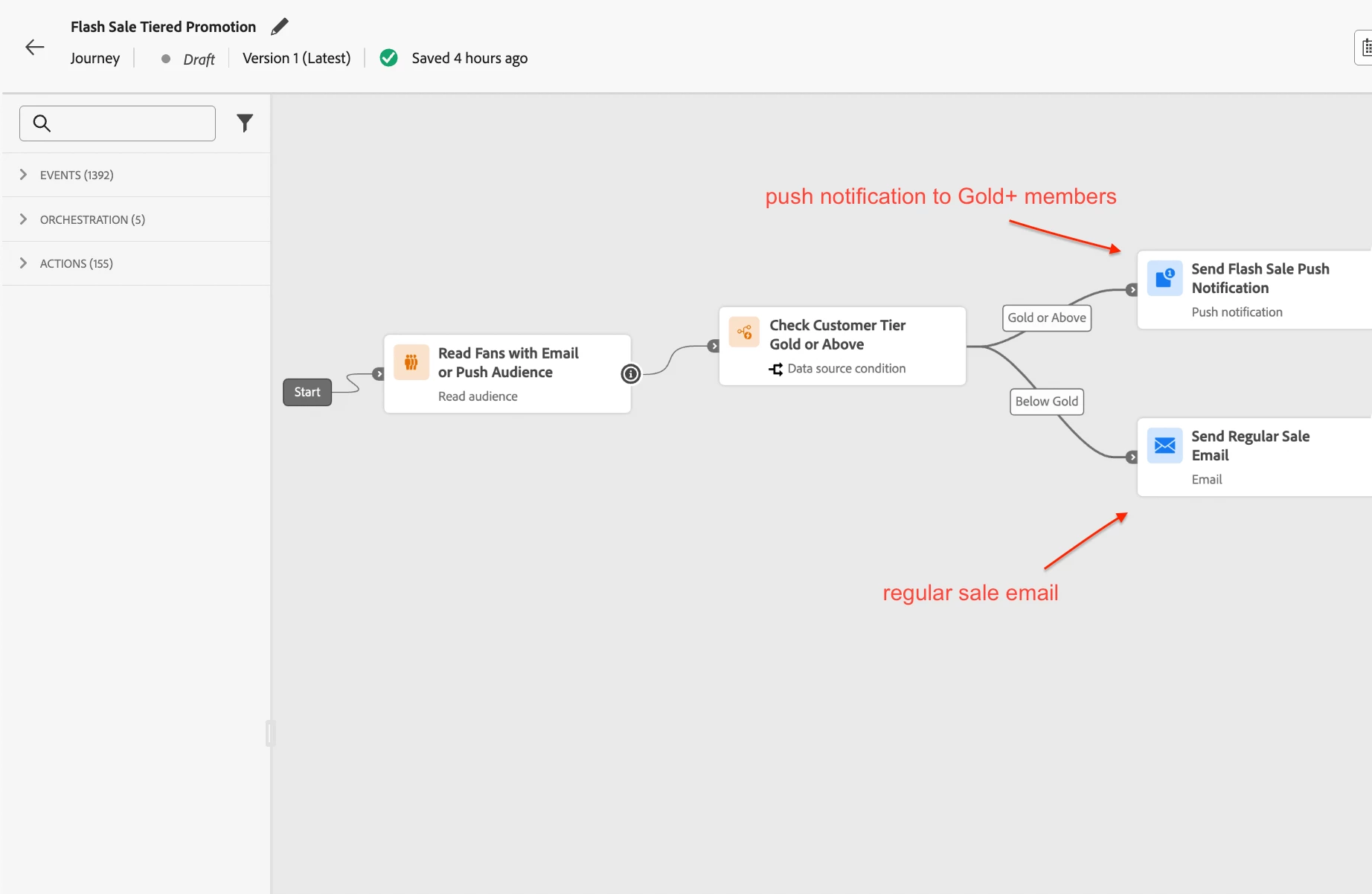
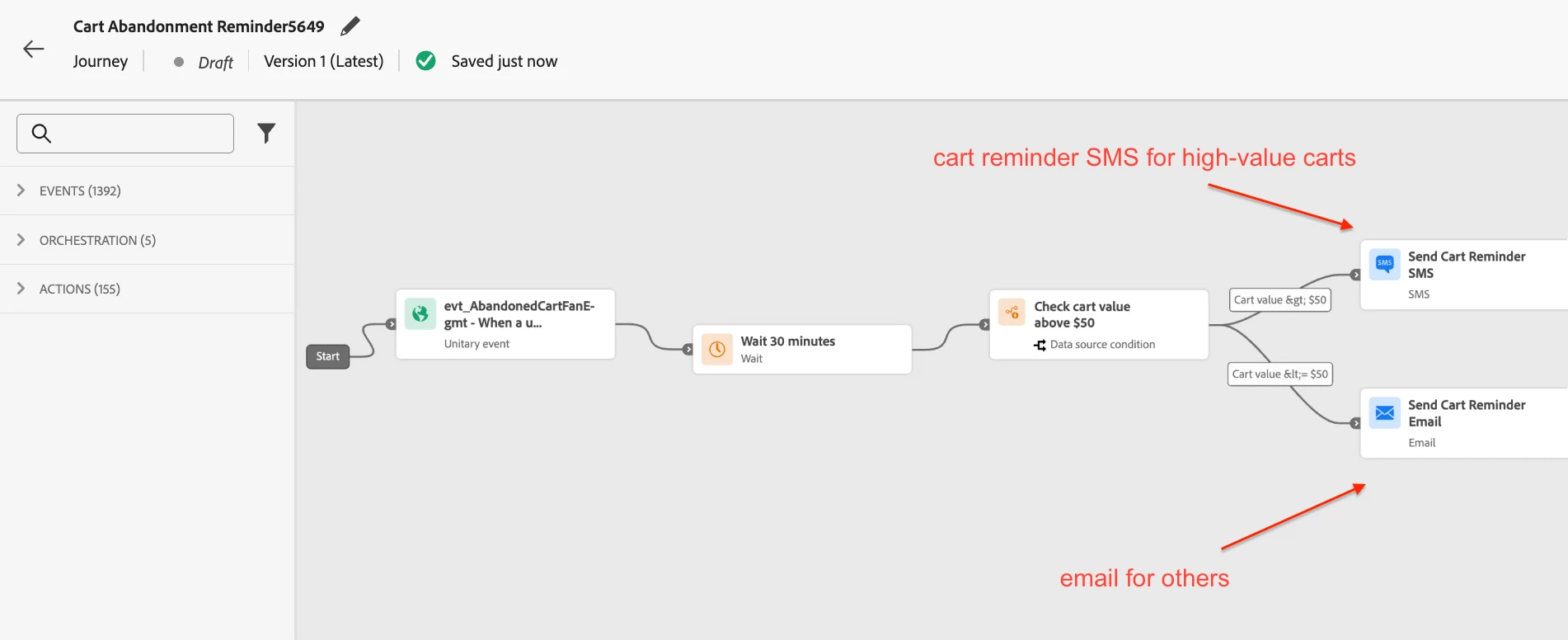
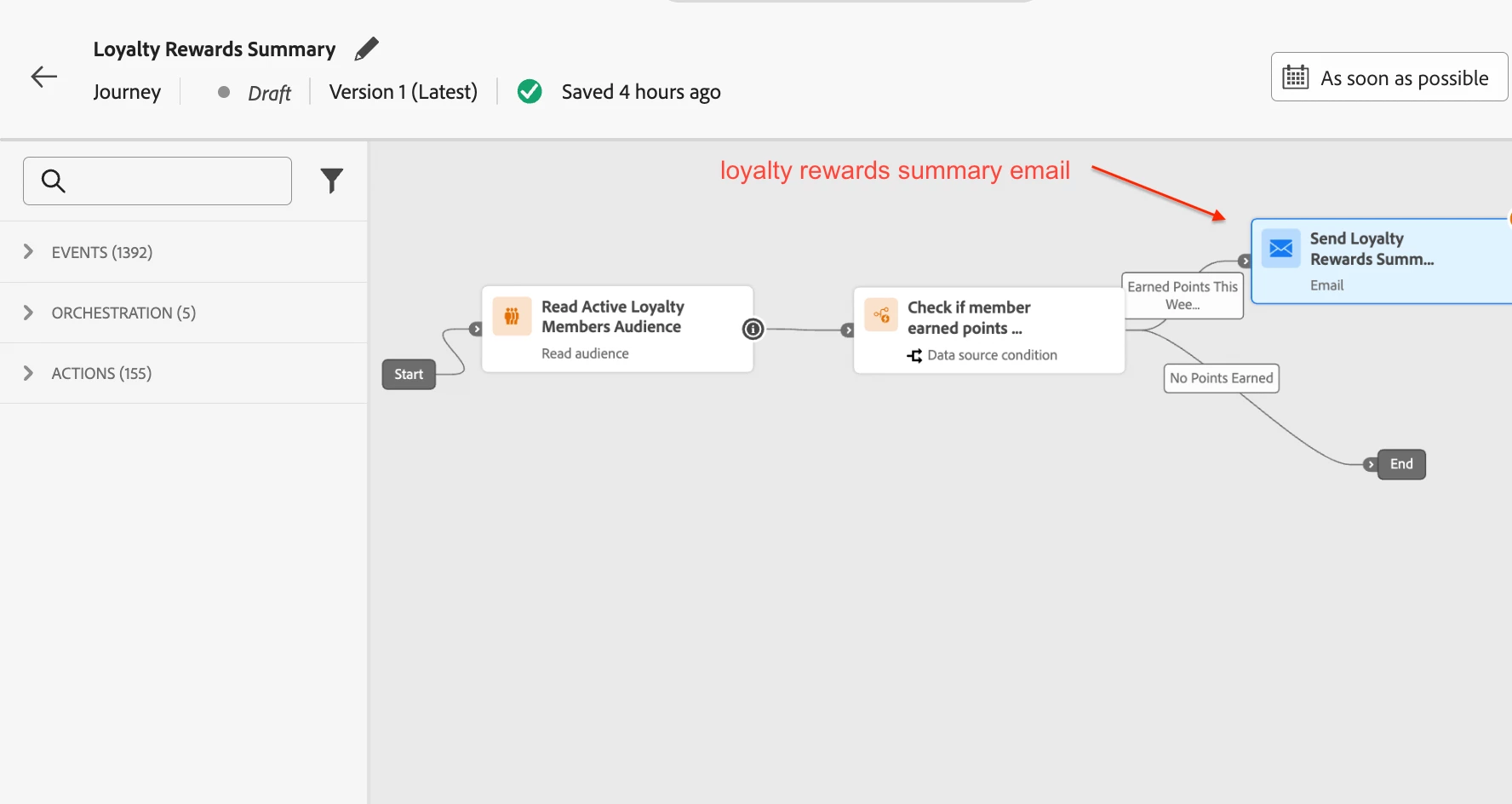
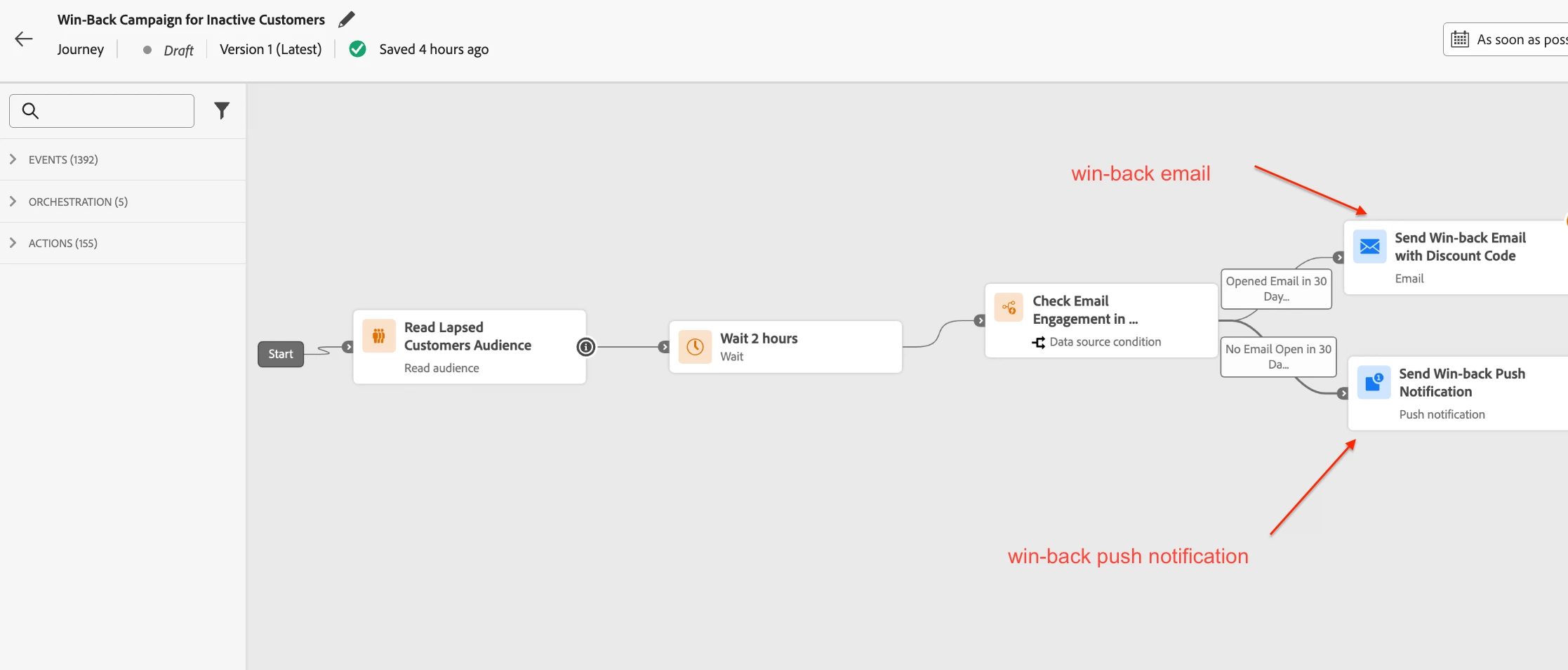
Here is how the four journeys look in the AJO UI. The first two use FlashSale-QuietHours (Discard), the last two use Loyalty-QuietHours (Queue).
Journey 1: Flash Sale Tiered Promotion
Journey 2: Cart Abandonment Reminder
Journey 3: Loyalty Rewards Summary
Journey 4: Win-Back Campaign for Inactive Customers
The images below show the rule sets attached to the respective action nodes.
The result
With both rule sets active and attached to their respective journeys:
-
A "Midnight Flash: 50% off sneakers — ends at 6 AM" push notification triggered at 11 PM is discarded. The customer sleeps undisturbed. The next flash sale fires the following day during active hours.
-
An abandoned cart SMS triggered at 2 AM after a late-night browsing session is discarded. The platform re-evaluates the next day and sends a fresh nudge if the items are still in the cart.
-
A "You earned 500 reward points this week" loyalty email triggered at midnight is queued and arrives at 7 AM. The customer reads it over coffee and browses the latest arrivals.
-
A "We miss you — here's 20% off your next order" win-back email triggered at 3 AM is queued and arrives at 7 AM. The discount code is still valid. The customer places an order.
No journey canvases were modified. The two rule sets handle timing across all four journey types, each with the handling action that matches the message's shelf life.
The decision framework
This pattern applies broadly to any industry where some messages are perishable, and others are durable. Event ticketing (last-chance tickets vs post-event surveys), ride-sharing (surge pricing alerts vs ride summary emails), and media (live stream starting now vs new season recommendations) all follow the same logic.
The question is always the same: will this message still make sense if it arrives 9 hours late? If yes, queue. If no, discard.
Quiet Hours compared to manual approaches
Before Quiet Hours existed, teams used three common workarounds to control message timing. Each solved part of the problem. None scaled well.
Condition nodes with time-of-day expressions. Teams added condition nodes inside each journey canvas — custom expressions that checked the current hour against the recipient's time zone before allowing a message to proceed. This works for a single journey. It does not scale across dozens of journeys running simultaneously. Each journey requires its own condition logic. Updates to the quiet window require editing every journey individually. Time zone handling must be coded manually in each expression. There is no centralized visibility into which journeys enforce timing rules and which do not.
Wait nodes as timing gates. Another common pattern is to place a wait node before the message action — calculating the delay needed to reach an acceptable delivery hour and holding the profile until that time. This is functionally similar to what Quiet Hours does with queue handling, but it requires the journey's author to build and maintain the delay logic manually. Wait node calculations become complex quickly when accounting for multiple time zones, varying quiet windows on weekdays versus weekends, and holiday exceptions. Each journey needs its own wait logic, and changing the delivery window means recalculating waits across every journey that uses the pattern.
Pausing entire journeys during off-hours. The bluntest approach. It stops all processing, not just message delivery. Profiles stop progressing through journey steps entirely. Scheduled actions, condition evaluations, and branching logic all halt. When the journey resumes, profiles may have moved past the window where the message was relevant.
Quiet Hours moves timing logic to the platform layer. One rule set, applied to many actions, managed in one place. When the window changes, every journey using that rule set picks up the change automatically — no canvas edits, no wait node recalculations, no manual pausing required.
Guardrails and current limitations
Several constraints are worth noting.
-
Supported channels — Email, SMS, Push, and WhatsApp. Other channel types are not currently supported.
-
Propagation delay — Updates to a quiet hours rule may take up to 12 hours to apply to channel actions already using that rule.
-
High-volume latency — In cases of high-volume communications, the system may take additional time to begin enforcing quiet hour suppressions.
-
Missing time zone data — When using recipient-based time zone mode, if a profile has no time zone value, quiet hours are not enforced for that profile. There is no fallback to a default time zone.
-
Queue duration limit — Messages queued for more than 7 days are automatically discarded.
-
Custom rule sets only — Quiet hours cannot be added to the global rule set.
These are documented constraints, not bugs. Teams should account for them during implementation planning.
Key takeaways
-
Quiet Hours introduces time-based message exclusion across Email, SMS, Push, and WhatsApp channels
-
Rules are configured through custom channel rule sets and applied to individual journey actions
-
Two handling modes — Queue (hold and deliver later) and Discard (suppress permanently) — serve different business requirements
-
Recipient-based time zone support personalizes quiet windows per profile
-
Queue and discard decisions should be made based on whether the message content has a shelf life
-
Combining quiet hours with frequency capping prevents message clustering at the end of quiet windows
-
The most common implementation gap when using recipient-based time zone mode is missing time zone data on customer profiles