Putting variable in Custom actions POST Body payload | Community
Skip to main content
Level 6
September 29, 2023
Solved

Putting variable in Custom actions POST Body payload

  • September 29, 2023
  • 1 reply
  • 1419 views

Hi all,


We are just getting onboarded into AJO, and we started building test journey to test a few things. One of the thing I am testing is to for AJO to read a segment, and send a POST Call to a slack integrated channel to display a simple message.


The Slack POST endpoint looks something like this: https://hooks.slack.com/services/xyz and accepts a BODY data:

{text: "abc"}


The test is to display "Abc" as a message in the slack channel, and this has been successful.


I am wondering if there's a way to add variable values (say, I want to add a profile attribute value, the ID - all readily configured in data sources) into the POST body?


The end output I am looking for is something like this: "text: "Account:" & @IDvariable & "received the message"

Output: Account 123 received the message.


Thanks!
This post is no longer active and is closed to new replies. Need help? Start a new post to ask your question.
Best answer by SatheeskannaK

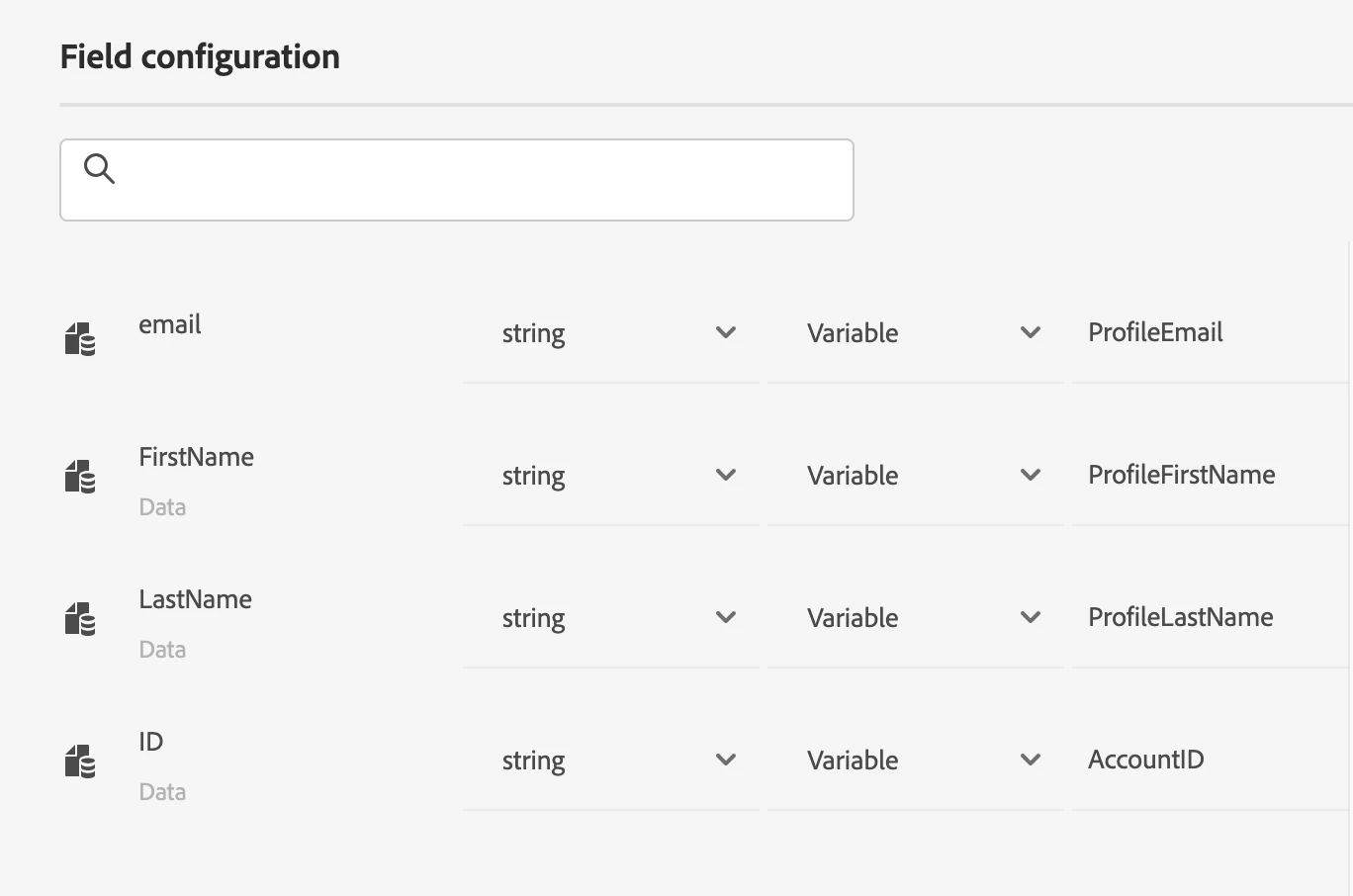
@akwankl, You should be able to include that as part of the payload (variable) that you defined in the custom action. Once you defined the AccountID variable use the custom action within the journey to map it to the ID attribute on the AJO. For example with this, I have included email, firstname, lastname, and ID as a variable. 

{
"email": "abc@test.com",
"Data": {
"FirstName": "Test",
"LastName": "AJO",
"ID":"1234"
}}


1 reply

SatheeskannaK
Community Advisor
SatheeskannaKCommunity AdvisorAccepted solution
Community Advisor
September 29, 2023

@akwankl, You should be able to include that as part of the payload (variable) that you defined in the custom action. Once you defined the AccountID variable use the custom action within the journey to map it to the ID attribute on the AJO. For example with this, I have included email, firstname, lastname, and ID as a variable. 

{
"email": "abc@test.com",
"Data": {
"FirstName": "Test",
"LastName": "AJO",
"ID":"1234"
}}


Thanks, Sathees
Level 2
June 10, 2025

Hi Sateesh Kumar,

I am trying to use custom action to post a third party api.

part of request payload we are trying to pass couple of profile attributes to that api.
when we try to map the variable with profile attributes, I am bot seeing all unified profile attributes.
Only limited attributes are appearing. what could be the cause?

Thanks

Srinivas

SatheeskannaK
Community Advisor
Community Advisor
June 10, 2025

@srinivasadevar1 Make sure to enable the attribute on the experience platform data source. Path to get there, Administration -> Configuration -> Data sources -> Experience platform -> Enable the necessary attribute(s) in the field group to be used in the journey.

Thanks, Sathees