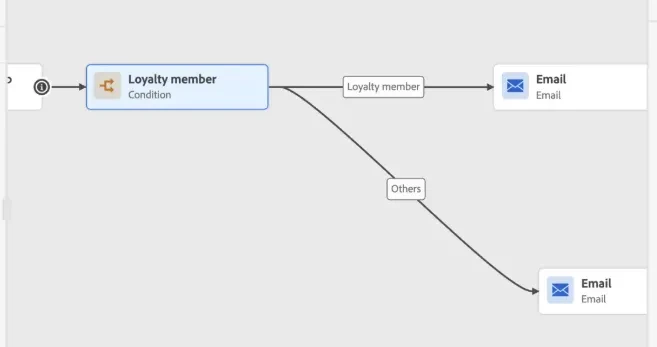
OCM : Enable Flexible, Non-Linear Canvas Path Routing Description
Improve the Adobe Orchestrated Campaign (OCM) orchestration canvas by allowing manual adjustment of connecting paths (up/down/left/right), similar to the AJO Journey canvas.
Why is this feature important to you Enterprise orchestration workflows can become highly complex and visually dense. A rigid, linear canvas makes it incredibly difficult to map, read, and present workflows to stakeholders. Visual flexibility directly impacts practitioner efficiency.
How would you like the feature to work Implement the drag-and-drop spline/routing logic currently used in Adobe Journey Optimizer, giving users the freedom to organize nodes and curve lines to optimize screen real estate.
Current Behaviour Unlike the AJO Journey canvas, the connecting paths between orchestration nodes are linear and rigid, preventing manual adjustment (up/down/left/right) to optimize screen space or visual flow