
Not seeing re-entrance option for daily/weekly scheduled read audience journey | Community
Skip to main content
WillGo3
Level 2
February 17, 2026
Question

Not seeing re-entrance option for daily/weekly scheduled read audience journey

  • February 17, 2026
  • 1 reply
  • 6 views

Hi guys, 

After reading similar questions, I don’t think this one has been asked before.

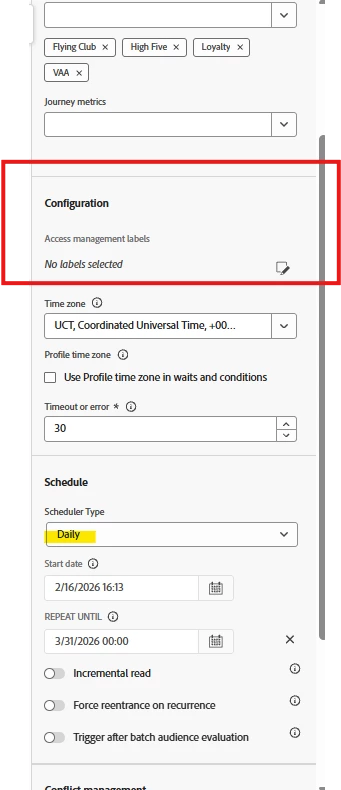
When I create a journey (in AJO) using a read audience as the entry point and set the schedule type to daily or weekly - the re-entrance options does not appear. 

My expectation (and as mentioned in this previous comment...

...is that when the schedule is not as soon as possible I should now be able to choose re-entry criteria:
 

It seems that before I choose the entry node (ie read audience) I can select the re-entrance criteria, but this disappears when I add in the read audience node, and will not save.

Is there a reason re-entrance is not showing even when my scheduler is not set to as soon as possible?

Thank you

Will

    1 reply

    Pulkit_Jain_
    Adobe Employee
    Adobe Employee
    February 17, 2026

    The Re‑entrance toggle never appears for journeys that start with Read Audience. This is expected behavior in AJO.

    Even if you choose a daily or weekly schedule, the UI hides re‑entrance because batch‑based Read Audience journeys manage re‑entry automatically using internal recurrence rules.

    WillGo3
    WillGo3Author
    Level 2
    February 17, 2026

    Thank you Pulkit.

    In my example I’ve created an audience of profiles who hit a data requirement within a last 3 weeks window. I want to use this for a read audience entry point in my journey, allowing people within the audience to enter the journey, which will run daily sending a daily email.

    I also want to suppress any profiles who have already received the email in the last 4 weeks, so they don’t re-enter the journey too soon. As I can’t change the re-entry criteria within the journey, should I manage this by updating the audience with something like an event exclusion? e.g. exclude if a journey version ID event exists such as ‘x’ in last 4 weeks?

    Would this work? Thank you

    arpan-garg
    Community Advisor
    Community Advisor
    February 17, 2026

    Hi ​@WillGo3 - You can use both the criteria customer who hit data requirement within a last 3 weeks window and has not received the email in the last 4 weeks to create an audience and use this audience in the read audience step. You can also think of adding a check before the action like email, sms to execute action only if email was not sent in last 4 weeks. Please note read audience read the data from the last profile snapshot so event exclusion might not work.


    Thanks,

    Arpan