

No More Silent Failures: AJO Now Captures What Went Wrong in Custom Actions
Modern customer journeys rarely stay inside one system. They depend on loyalty platforms, billing engines, CRM tools, fulfilment services, and partner APIs. When one of those integrations fails, the reason behind the failure matters just as much as the failure itself.
A temporary outage may need a retry. A duplicate request may need no action at all. A suspended account may require customer service intervention. But until now, custom actions in Adobe Journey Optimizer could detect that a call failed without giving journeys access to the structured error details many APIs already returned.
AJO 26.1 changes that with Error Response Payload Support for custom actions.
What's New: Error Response Payload Support
Custom actions have long supported success response mapping. When an API call succeeds, you can define the response structure, parse the body, and use those fields later in the journey.
Previously, error handling worked differently. If a custom action returned a 4xx or 5xx response, AJO recorded the failure status, but it did not surface the response body even when the endpoint returned useful error details.
That created a hard limit for journey design. A journey could tell that something went wrong, but not why.
With Error Response Payload Support, that changes. You can now define an error response structure for non-2xx responses, and AJO will capture those fields in the journey context under the errorPayload namespace.
To be clear, AJO does not invent or infer error details. It simply captures what the REST endpoint itself returns in the error response body. If your API already returns structured error information, you can now use it in the journey in the same way you use success response fields today.
Both success and error response fields are available in the journey context, giving you flexibility to use them across normal, error, and timeout paths.
A Practical Example
Consider a loyalty reward campaign. A journey identifies an eligible subscriber through an audience node and then calls a loyalty platform API to credit reward points.

Now imagine that the API returns a failure response like this:
{
  "errorCode": "ACCOUNT_FROZEN",
  "errorMessage": "Account is temporarily suspended",
  "retryEligible": false
}
That means the next condition node can make a meaningful decision:
errorPayload.errorCode == "ACCOUNT_FROZEN"→ route to a customer service notification patherrorPayload.errorCode == "ALREADY_CREDITED"→ end the journey silently for a duplicate requesterrorPayload.errorCode == "PLATFORM_UNAVAILABLE"→ wait and retry later
The journey is no longer reacting to failure in the abstract. It is responding to the actual reason the API gave.
What This Unlocks
This feature does more than improve technical observability. It improves journey quality, operational efficiency, and customer experience.
It helps teams react to the specific error, not just the fact that something failed. A validation issue, a duplicate request, and a service outage can now lead to different business outcomes instead of the same generic fallback path.
It helps teams design journeys around the full API contract, not just the happy path. Error responses are part of how modern APIs communicate state. AJO now lets you map and act on both success and failure responses, so integrations become more complete and more predictable.
It also helps teams build journeys that degrade more gracefully. When an integration fails, the customer experience should not collapse into a dead end. With structured error context, you can design better fallback paths — a retry, an alternative channel, or an internal escalation — based on the exact failure.
Getting Started
Setting this up takes a few minutes in the custom action configuration:
- Go to Administration > Configurations > Actions and try to create a custom action
- In the Response tab, you'll now see two sections: Success Response and Error Response
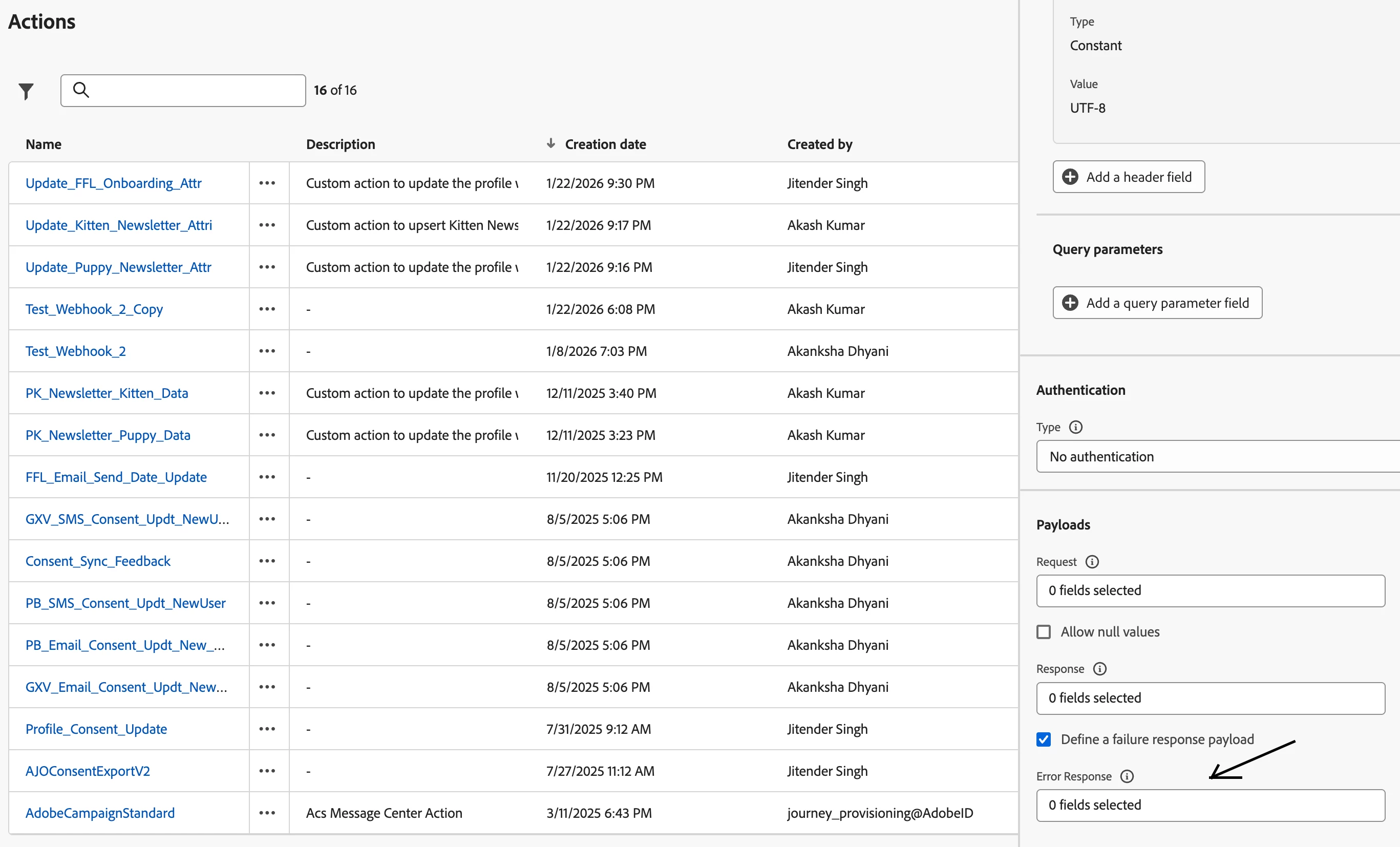
- Define your error response schema to match what your endpoint returns for non-2xx responses
- Publish a new journey version — the feature is ready to be used in your condition node.