Navigation of button in email based on attribute | Community
Skip to main content
Level 2
March 10, 2026
Solved

Navigation of button in email based on attribute

  • March 10, 2026
  • 2 replies
  • 21 views

I am trying to configure a button in email such that it can redirect to multiple pages based on value of a profile attribute. For that I am trying to write if else condition. But I am not able to save it. 

{%#if profile._firm.newslettername= "ABC"%}

link1

{%else if profile._firm.newslettername= "BCD"%}

link2

{%else%}

link3

{%/if%}

Best answer by Mohan_Dugganab

@sds Do you see an error at the time of saving ?

Expression as such works.

https://experienceleague.adobe.com/en/apps/journey-optimizer/ajo-personalization?lang=en#


Also, wouldn’t dynamic content be simpler in this case https://experienceleague.adobe.com/en/docs/journey-optimizer/using/content-management/dynamic/get-started-dynamic-content ?


Otherwise, you can have a html block on the following lines

<!--[if mso]><table cellpadding="0" cellspacing="0" border="0" width="400"><tr><td style="text-align: center;" ><v:roundrect xmlns:v="urn:schemas-microsoft-com:vml" xmlns:w="urn:schemas-microsoft-com:office:word" style="height:30pt; width:300pt; v-text-anchor:middle;" arcsize="10%" fillcolor="rgb(0, 93, 171)" strokeweight="0pt" strokecolor="rgb(0, 0, 238)"><v:stroke opacity="0" /><v:textbox inset="0,0,0,0"><center style="color:rgb(255, 255, 255); font-family:sans-serif; font-size:16px"><![endif]-->

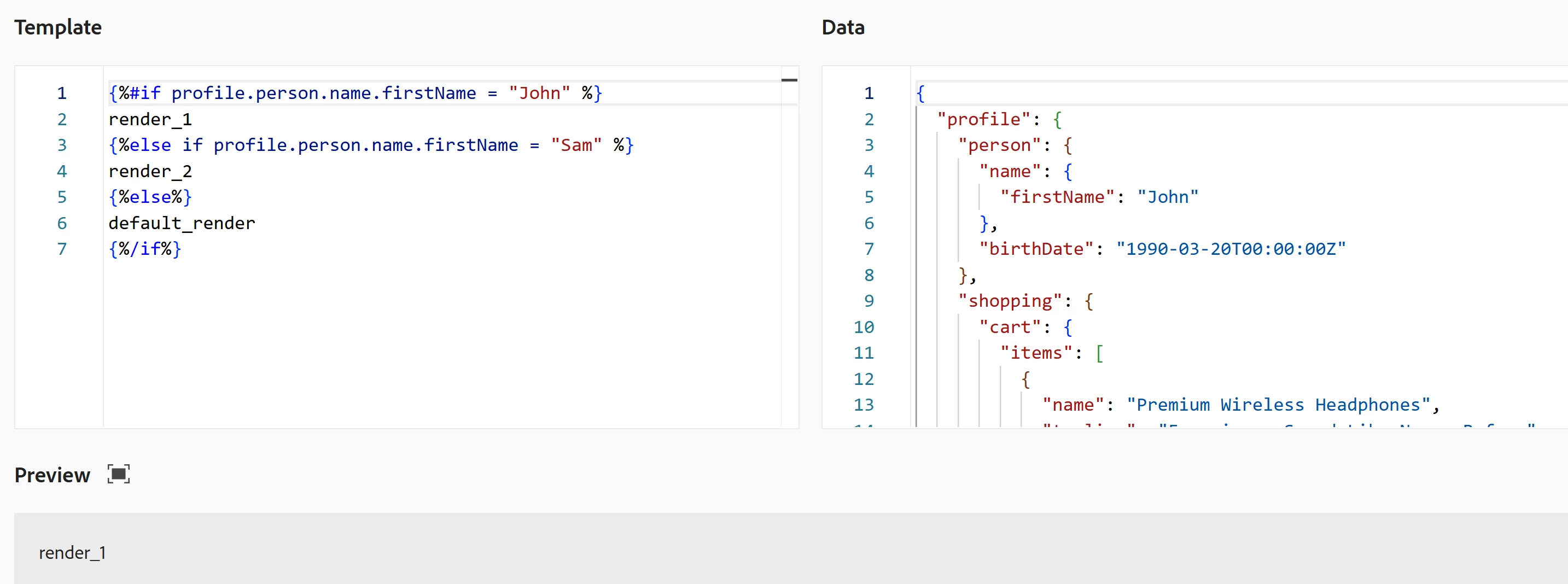
{%#if profile._firm.newslettername= "ABC" %}
<a href="link1" class="arc-link" style="text-decoration:none;" data-nl-type="externalLink"> link1 text</a>
{% else %}
<a href="link2" class="arc-link" style="text-decoration:none;" data-nl-type="externalLink">link2 text</a>
{%/if %}

<!--[if mso]></center></v:textbox></v:stroke></v:roundrect></td></tr></table><![endif]-->


2 replies

Pulkit_Jain_
Adobe Employee
Adobe Employee
March 10, 2026

@sds 

One of the evident issue is the missing comparison operator “==”. Updated condition below.

Apart from that, make sure the field path is correct (profile._firm.newslettername). You can confirm this via the AJO personalization browser.

{%#if profile._firm.newslettername == "ABC"%}
link1
{%else if profile._firm.newslettername == "BCD"%}
link2
{%else%}
link3
{%/if%}
Mohan_Dugganab
Adobe Employee
Mohan_DugganabAdobe EmployeeAccepted solution
Adobe Employee
March 10, 2026

@sds Do you see an error at the time of saving ?

Expression as such works.

https://experienceleague.adobe.com/en/apps/journey-optimizer/ajo-personalization?lang=en#


Also, wouldn’t dynamic content be simpler in this case https://experienceleague.adobe.com/en/docs/journey-optimizer/using/content-management/dynamic/get-started-dynamic-content ?


Otherwise, you can have a html block on the following lines

<!--[if mso]><table cellpadding="0" cellspacing="0" border="0" width="400"><tr><td style="text-align: center;" ><v:roundrect xmlns:v="urn:schemas-microsoft-com:vml" xmlns:w="urn:schemas-microsoft-com:office:word" style="height:30pt; width:300pt; v-text-anchor:middle;" arcsize="10%" fillcolor="rgb(0, 93, 171)" strokeweight="0pt" strokecolor="rgb(0, 0, 238)"><v:stroke opacity="0" /><v:textbox inset="0,0,0,0"><center style="color:rgb(255, 255, 255); font-family:sans-serif; font-size:16px"><![endif]-->

{%#if profile._firm.newslettername= "ABC" %}
<a href="link1" class="arc-link" style="text-decoration:none;" data-nl-type="externalLink"> link1 text</a>
{% else %}
<a href="link2" class="arc-link" style="text-decoration:none;" data-nl-type="externalLink">link2 text</a>
{%/if %}

<!--[if mso]></center></v:textbox></v:stroke></v:roundrect></td></tr></table><![endif]-->


sdsAuthor
Level 2
March 11, 2026

I learnt that we cannot write if else statement in URL field personalization. To achieve this, I used dynamic content and it works fine now.