Landing Page URL in other channels | Community
Skip to main content
dparraabad
Level 2
October 3, 2024
Solved

Landing Page URL in other channels

  • October 3, 2024
  • 1 reply
  • 1305 views

Hi everyone,


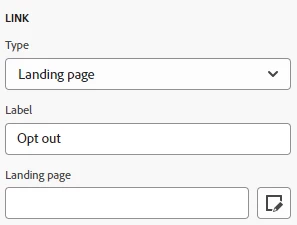
How can I use the URL of a Landing Page created in AJO as a Link for an Inapp or a Push? Currently it only works for Emails


Regards,

Diego P.

This post is no longer active and is closed to new replies. Need help? Start a new post to ask your question.
Best answer by Mohan_Dugganab

Hi SatheeskannaK,


Of course, currently it only works in Email, because when you set it up you set the link to be of type External and add some page parameters, but why wouldn't this apply to other channels?


Regards,

Diego P.


Landing pages need profile parameters for identification and are auto appended when you add a link of type "landing page" (in emails)

As this is not available in Push/in app - it won't work.


Can you share the use case details which necessitates landing page in Push/In app ?

1 reply

SatheeskannaK
Community Advisor
Community Advisor
October 3, 2024

@dparraabad You could try copy/paste the landing page URL within the push/in-app message and see if that works. When it won't work if you just use the landing page URL in a browser and it has to be used in an email. It will be the same for other channels too.

Thanks, Sathees
dparraabad
Level 2
October 3, 2024

Hi SatheeskannaK,


I copied the URL and tried Inapps and Push with no positive results. In the case of testing it in the browser, I also tried it but I get a 400 error.


Regards,

Diego P.

SatheeskannaK
Community Advisor
Community Advisor
October 3, 2024

Yes, the landing page won't work directly in the browser. If it's not working in the push/in-app then it will only work with the email channel at this point.

Thanks, Sathees