Journey Optimizer: Profile Capping hitting "Limit Reached" when attempting to route 1 record per segment for QA
Hi everyone,
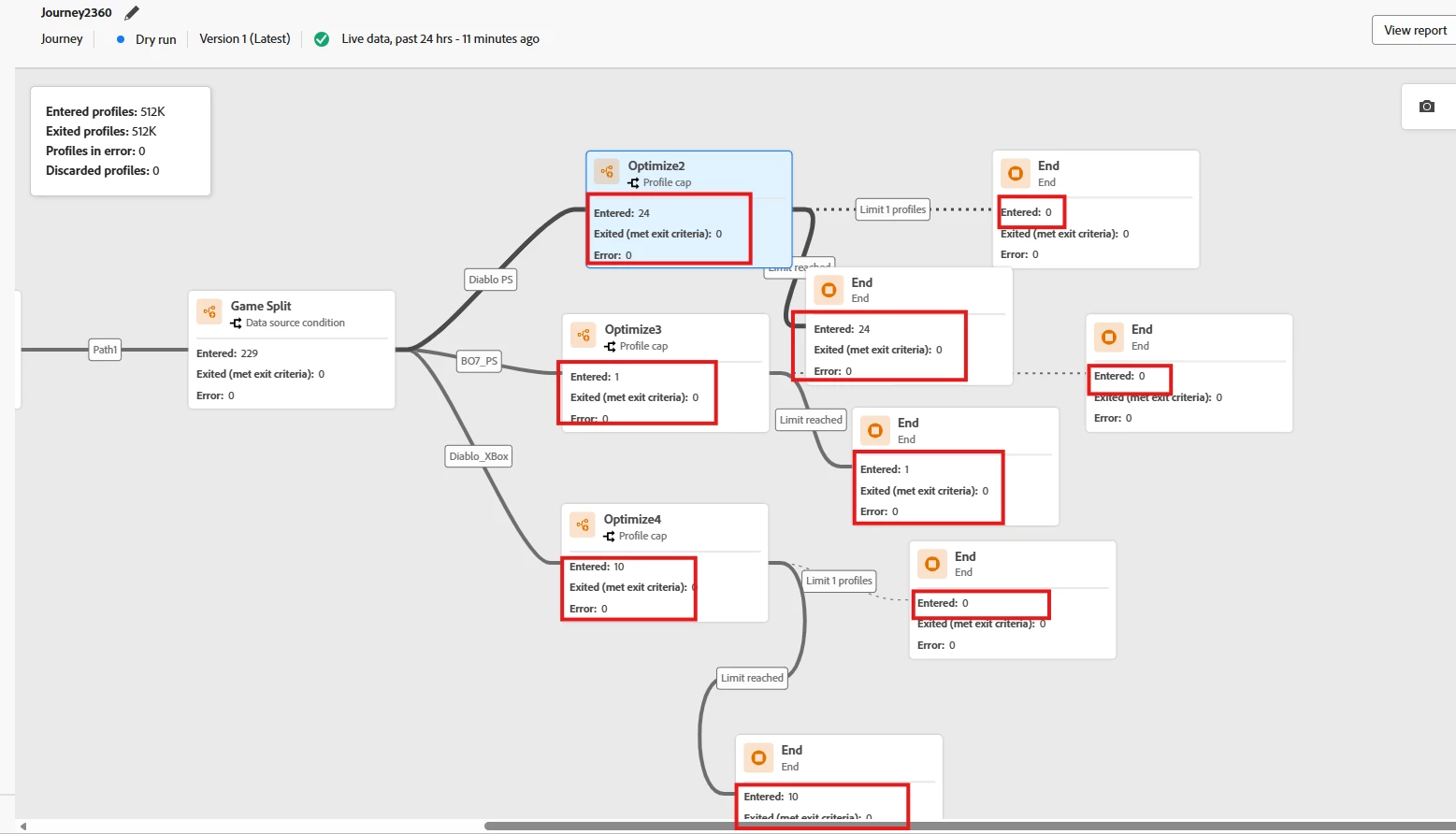
I am currently building a Journey in Adobe Journey Optimizer (AJO) to handle some fragment testing, and I am running into an issue with profile capping across multiple segments.
My Goal:
I need to send live versions of an email to a client for QA/proofing. Because the email pulls dynamic live data via a Fragment, standard proofing won't suffice—I need real records to trigger the journey. I am trying to pull exactly 1 record per segment to send out these test emails.
My Journey Setup:
-
Initial Split: The journey uses an Optimize/Decision activity to split profiles into separate paths based on their segments (I have 10 segments in total).
-
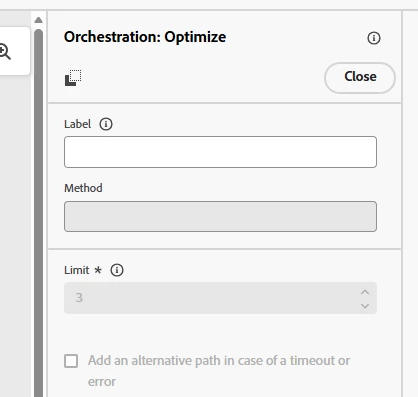
Profile Capping: On each segment's path, I have placed another activity using Profile Capping configured to limit the path to exactly 1 record (to capture a single QA sample for that segment).
-
Fallback: If the cap is met, profiles are routed to a "Limit Reached" bucket.
The Problem:
When I run this, only 3 out of the 10 segments successfully populate and pass 1 record through to the email activity. For the remaining 7 segments, all entering records immediately fall directly into the "Limit Reached" bucket, yielding 0 successful records for those segments.
My Questions:
-
Why would the profile cap trigger "Limit Reached" globally or across parallel paths before a single record is actually processed for those specific segments?
-
Is there a known race condition or a shared counter behavior when using multiple capping activities in parallel paths within the same Journey?
-
Is there a better best-practice approach for isolating exactly 1 live record per segment for client QA when dealing with dynamic fragment data?
Any insights or troubleshooting steps would be greatly appreciated!
Thanks in advance.
Example: