Issue while creating AJO Content Template through Postman API | Community
Skip to main content
February 11, 2025
Solved

Issue while creating AJO Content Template through Postman API

  • February 11, 2025
  • 1 reply
  • 1007 views

Hi, 


I am trying to create a content template in AJO using Postman API following this documentation. When I run the POST request in Postman, I get the following response - 
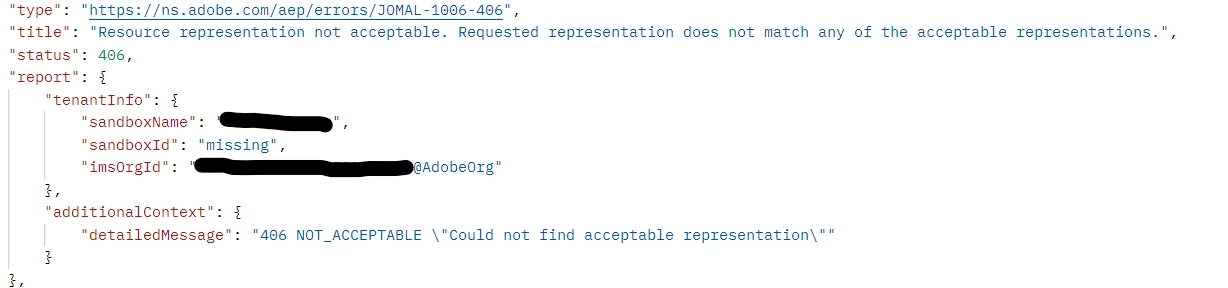


The response suggests that the 'sandboxId' is missing as one of the header parameters. However, I wasn't able to find references on where I can retrieve the 'sandboxId' from, to be able to run this POST request successfully.


- Has anybody faced this issue previously?

- How were you able to retrieve the sandboxId to be able to run this request successfully?

- Any other changes that I should incorporate to the request based on the error response?


Thanks!
Shashank
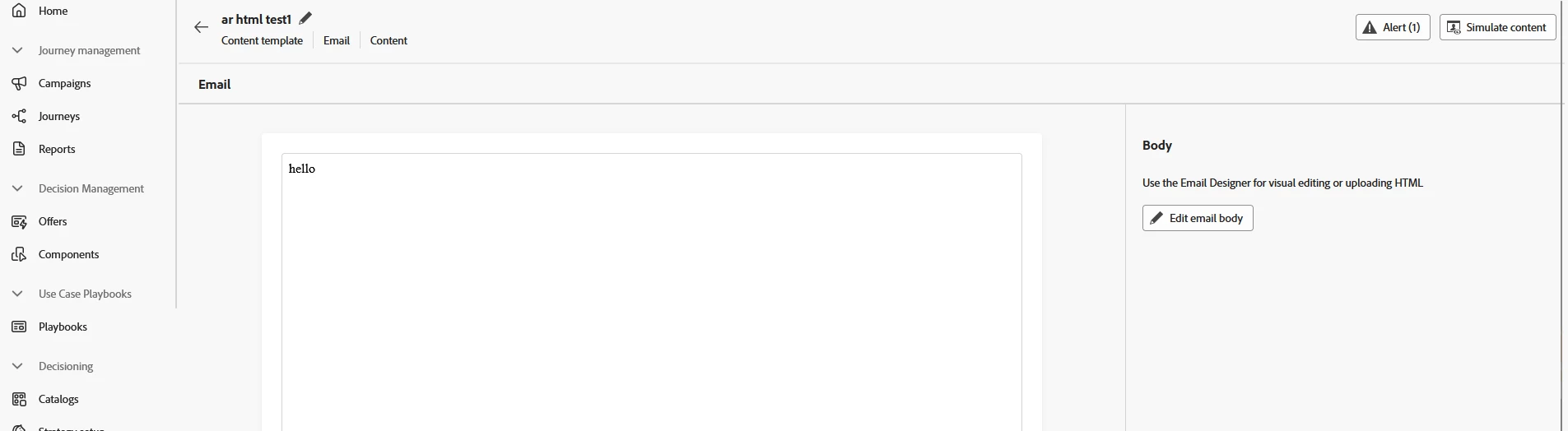
Best answer by DavidKangni

@shashank_shukla 

code below works for me 


curl --location 'https://platform.adobe.io/ajo/content/templates' \ --header 'x-api-key: <string>' \ --header 'x-gw-ims-org-id: <string>' \ --header 'x-sandbox-name: <string>' \ --header 'Content-Type: application/vnd.adobe.ajo.template.v1+json' \ --header 'Accept: application/json' \ --header 'Authorization: Bearer <access_token>' \ --data '{ "name": "ar html test1", "description": "jhgkjhk", "templateType": "html", "channels": [ "email" ], "source": { "origin": "ajo", "metadata": {} }, "template": { "html": "<html>hello</html>", "editorContext": {} } }'

1 reply

DavidKangni
Community Advisor
Community Advisor
February 11, 2025

Hi @shashank_shukla 


AEP/AJO API calls use sandbox name not sandbox id. I will recommend to check instead header for application/content as 406 is more an API error related to the media you're loading.


Another way to debug is to use a get Template API to check if you are able to hit the endpoint. 

Thanks,

David

David Kangni
February 14, 2025

Thanks, @davidkangni ! I triggered a GET request and was successfully able to hit the endpoint. However, the error with the POST request persists.

Here is the cURL for the request I am triggering, if that provides more insight into the issue - 

curl --location 'https://platform.adobe.io/ajo/content/templates' \
--header 'Authorization: Bearer {redacted}' \
--header 'x-api-key: {redacted}' \
--header 'x-gw-ims-org-id: {redacted}@AdobeOrg' \
--header 'x-sandbox-name: {redacted}' \
--header 'Content-Type: application/json' \
--data '{

"name":"ar html test1",
"description":"jhgkjhk",
"templateType":"html",

"channels":[
"email"
],
"source":{
"origin":"ajo",
"metadata": { }
},
"template":{
"html":"<html>hello</html>",
"editorContext":{ }
}
}'


If you have a working API for creating the content template, could you please share so I can give that a try as well?


Thanks,
Shashank

DavidKangni
Community Advisor
DavidKangniCommunity AdvisorAccepted solution
Community Advisor
February 14, 2025

@shashank_shukla 

code below works for me 


curl --location 'https://platform.adobe.io/ajo/content/templates' \ --header 'x-api-key: <string>' \ --header 'x-gw-ims-org-id: <string>' \ --header 'x-sandbox-name: <string>' \ --header 'Content-Type: application/vnd.adobe.ajo.template.v1+json' \ --header 'Accept: application/json' \ --header 'Authorization: Bearer <access_token>' \ --data '{ "name": "ar html test1", "description": "jhgkjhk", "templateType": "html", "channels": [ "email" ], "source": { "origin": "ajo", "metadata": {} }, "template": { "html": "<html>hello</html>", "editorContext": {} } }'
David Kangni