Inquiry Regarding Reversibility and Data Management in AJO Connection | Community
Skip to main content
Level 2
September 20, 2023
Solved

Inquiry Regarding Reversibility and Data Management in AJO Connection

  • September 20, 2023
  • 1 reply
  • 882 views

Hi,


I want to establish connection between Marketo and Adobe Journey Optimizer. I followed the instructions as mentioned in the below document.

https://experienceleague.adobe.com/docs/marketo/using/product-docs/adobe-experience-cloud-integrations/set-up-adobe-organization-mapping.html?lang=en 

I received the below pop-up information.
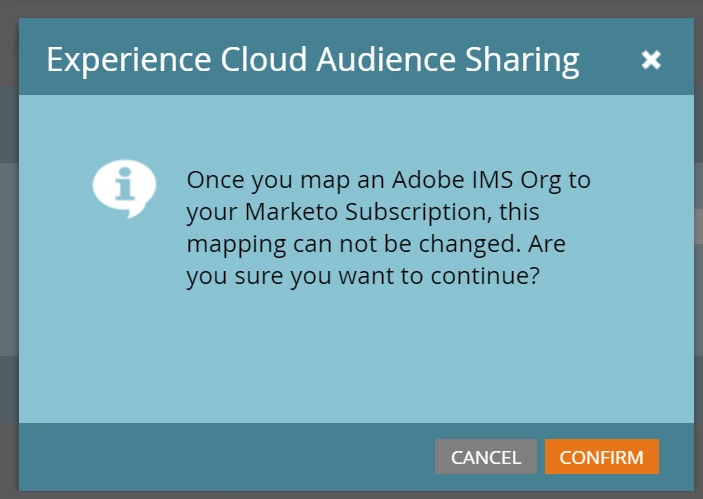
My inquiry is as follows:

  • Can we reverse this process, meaning, is it possible to disconnect the connection when required or necessary?
  • Upon disconnection, what happens to the data? Is it automatically removed, or do we need to manually remove it from AJO? This is crucial because loading numerous records or profiles in the sandbox environment may impact the licensing cost and platform performance.

Thanks in advance. @davidkangni @satheeskannak need your suggestions

This post is no longer active and is closed to new replies. Need help? Start a new post to ask your question.
Best answer by Anuhya-Y

I believe you can do ORG mapping only once, which can’t be changed from Marketo end.

However, from AEP end after establishing the Marketo account connection, it can be deleted.

Delete source connection account https://experienceleague.adobe.com/docs/experience-platform/sources/ui-tutorials/delete-accounts.html?lang=en#delete-accounts-using-the-ui

For some reason you would like to keep the connection alive but would like to delete few dataflows to stop the data from Marketo, this can be possible.

Delete data flows https://experienceleague.adobe.com/docs/experience-platform/sources/ui-tutorials/delete.html?lang=en

To delete data from dataset/profile store follow below links. If you have Data Hygiene feature license , schedule delete is possiblehttps://experienceleague.adobe.com/docs/platform-learn/tutorials/data-hygiene/delete-datasets.html?lang=en

For manual/on demand delete https://experienceleague.adobe.com/docs/experience-platform/catalog/datasets/user-guide.html?lang=en#delete

1 reply

Anuhya-Y
Community Advisor
Anuhya-YCommunity AdvisorAccepted solution
Community Advisor
September 20, 2023

I believe you can do ORG mapping only once, which can’t be changed from Marketo end.

However, from AEP end after establishing the Marketo account connection, it can be deleted.

Delete source connection account https://experienceleague.adobe.com/docs/experience-platform/sources/ui-tutorials/delete-accounts.html?lang=en#delete-accounts-using-the-ui

For some reason you would like to keep the connection alive but would like to delete few dataflows to stop the data from Marketo, this can be possible.

Delete data flows https://experienceleague.adobe.com/docs/experience-platform/sources/ui-tutorials/delete.html?lang=en

To delete data from dataset/profile store follow below links. If you have Data Hygiene feature license , schedule delete is possiblehttps://experienceleague.adobe.com/docs/platform-learn/tutorials/data-hygiene/delete-datasets.html?lang=en

For manual/on demand delete https://experienceleague.adobe.com/docs/experience-platform/catalog/datasets/user-guide.html?lang=en#delete

Level 2
September 21, 2023

Thanks for the information @anuhya-y. I manually deleted several profiles by removing their corresponding datasets and it worked.