Solved
In Campaign Report "clicks" are not getting reflected
Hello Journey Optimizer Community, In Campaign Report "clicks" are not getting reflected, kindly help me how to troubleshoot this.
Hello Journey Optimizer Community, In Campaign Report "clicks" are not getting reflected, kindly help me how to troubleshoot this.
@akramh - did you make sure when creating the email campaign that "track clicks" was turned on?
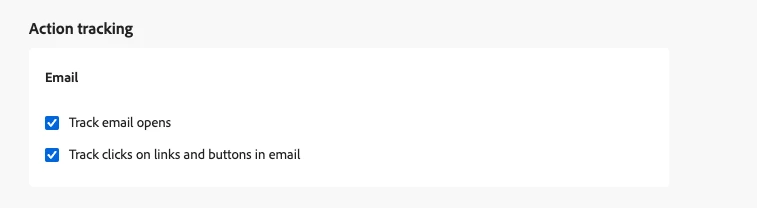
Additionally, you can confirm if links or buttons are set for tracking when authoring the content and selecting the links panel:
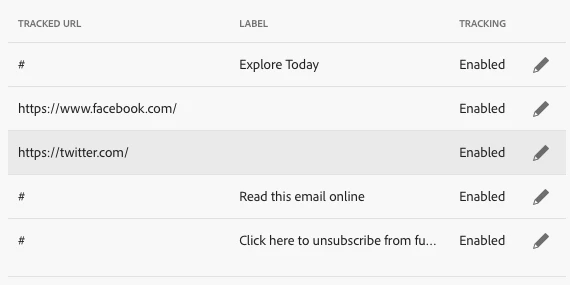
If both are set correctly, and you are just missing values in reporting, then a support ticket is the best course of action.
Enter your E-mail address. We'll send you an e-mail with instructions to reset your password.