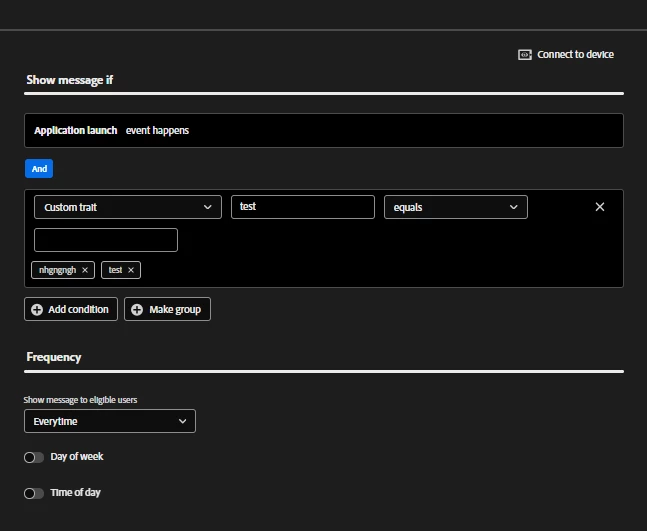
AJO allows customization for the display of in-app messages using the Custom Trait feature. Unlike a Trigger that identifies the specific event that launches the message (i.e., an event such as launching the app, or a button click), a Trait works as a ‘filter’ or condition that must be satisfied before the message gets displayed.
The Custom Trait captures specific context data or information that may be relevant to the in-app message.
Trigger (The “When”): The event that launches the check (e.g., “User opens the app”).
Custom Trait (The “If”): The condition or specific variable check (e.g., “If the user’s loyalty level is Gold”).
A Key Component of a Custom Trait
A Custom Trait is defined by the following Key-Value pair.
Key: The specific data element or name of the XDM field (e.g., cart_value or loyalty_level) that you want to check.
Value: The condition or specific criterion (e.g., greater than 100 or equals “Platinum”) that the Key must satisfy.