How to track multiple email open from a single adobe Journey optimizer | Community
Skip to main content
Level 2
March 2, 2026
Solved

How to track multiple email open from a single adobe Journey optimizer

  • March 2, 2026
  • 1 reply
  • 39 views

Hi Community - 


I am working on an USe case - from where I have to send 5 consecutive email over the 5 weeks and at the end - we need to send another email - which based on the all the 5 emails have opened any Point  of time .


Looking for a help how we can track the all the email open in the journey and trigger the 6th email based on that . 


Would be great - if you can provide any documentation or any lay out 

 

Best answer by SatheeskannaK

@SouravPa3 

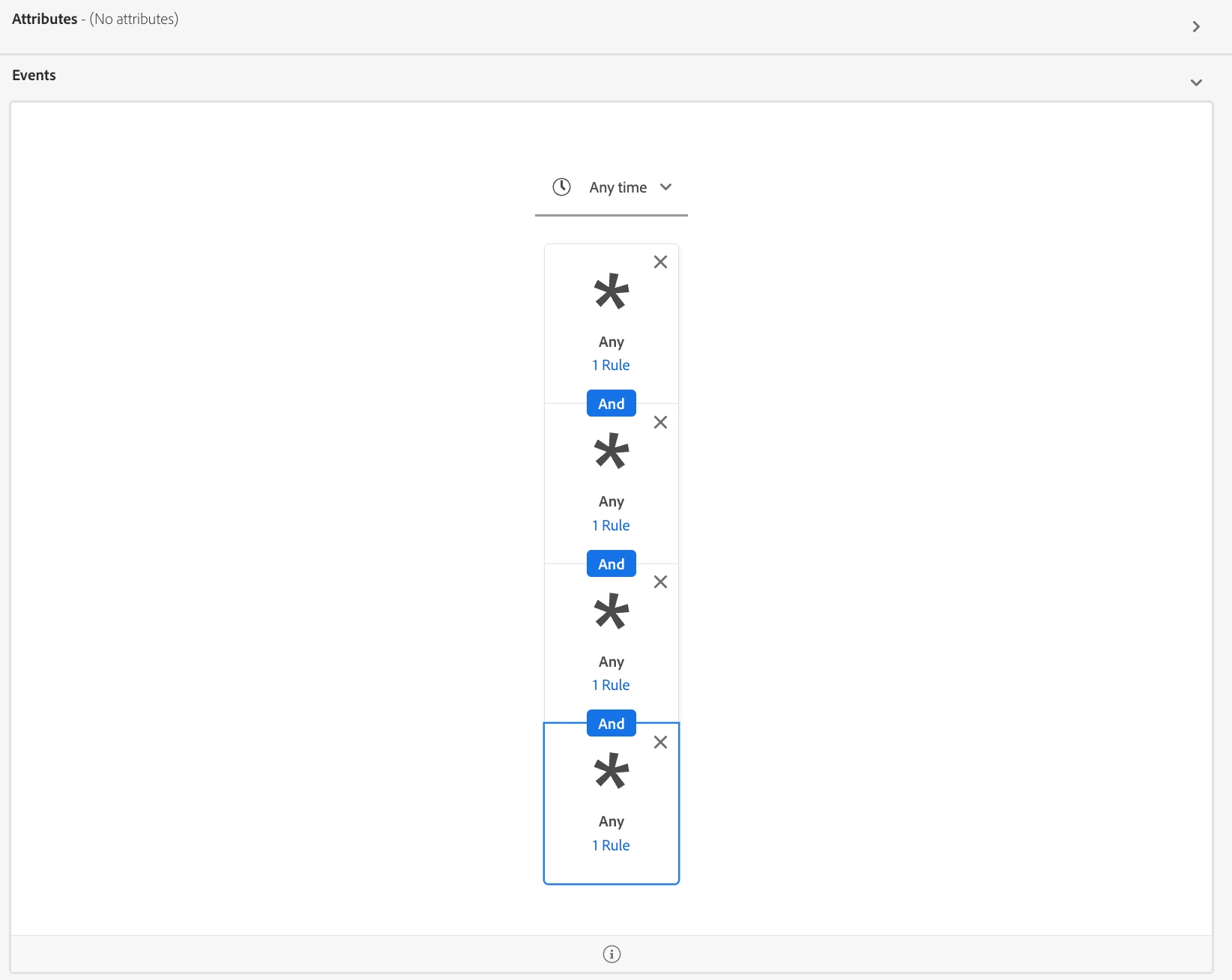
Yes, this is achievable using an audience. You can stack the audience rules as shown in the example screenshot to include the Journey version ID, the message open event (Path: XDM ExperienceEvent -> Experience -> Customer Journey Management -> Message Interaction -> Interaction Type -> Message opened), and the action UIDs for all five emails. The attached document provides further details on specifying these different message action UIDs, along with the journey version ID and the message opened event.


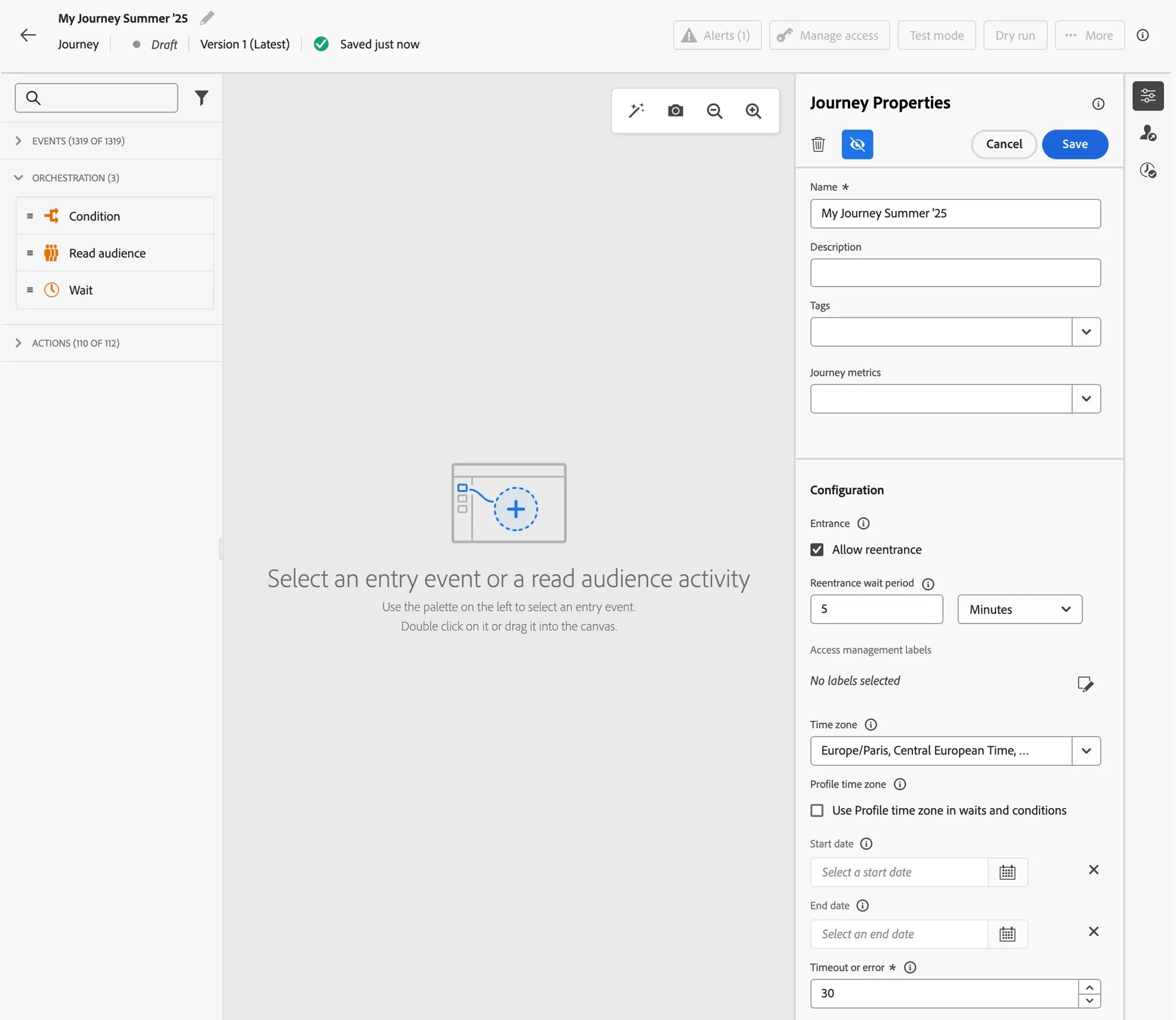
You can get the journey version id and message action UID by going to journey properties → click on the eye icon → Copy technical details.

Take a look at this screenshot,

https://experienceleague.adobe.com/en/docs/journey-optimizer/using/orchestrate-journeys/create-journey/journey-properties


1 reply

SatheeskannaK
Community Advisor
SatheeskannaKCommunity AdvisorAccepted solution
Community Advisor
March 2, 2026

@SouravPa3 

Yes, this is achievable using an audience. You can stack the audience rules as shown in the example screenshot to include the Journey version ID, the message open event (Path: XDM ExperienceEvent -> Experience -> Customer Journey Management -> Message Interaction -> Interaction Type -> Message opened), and the action UIDs for all five emails. The attached document provides further details on specifying these different message action UIDs, along with the journey version ID and the message opened event.


You can get the journey version id and message action UID by going to journey properties → click on the eye icon → Copy technical details.

Take a look at this screenshot,

https://experienceleague.adobe.com/en/docs/journey-optimizer/using/orchestrate-journeys/create-journey/journey-properties


Thanks, Sathees
SouravPa3Author
Level 2
March 3, 2026

Thank you Sateesh - for your kind guidance  -  will this audience will capture any point of time email open activity ? 

This should be in Batch right ? 

SatheeskannaK
Community Advisor
Community Advisor
March 9, 2026

@SouravPa3 Yes, it will capture email open activity any time (depends on the ttl and max. of 90days) and it will be an batch audience. But, we need to keep a few things in mind:

Thanks, Sathees