
How to comment a helper function or javascript code in email templates in AJO | Community
Skip to main content
arpan-garg
Community Advisor
Community Advisor
January 24, 2024
Solved

How to comment a helper function or javascript code in email templates in AJO

  • January 24, 2024
  • 2 replies
  • 1560 views

Hi,


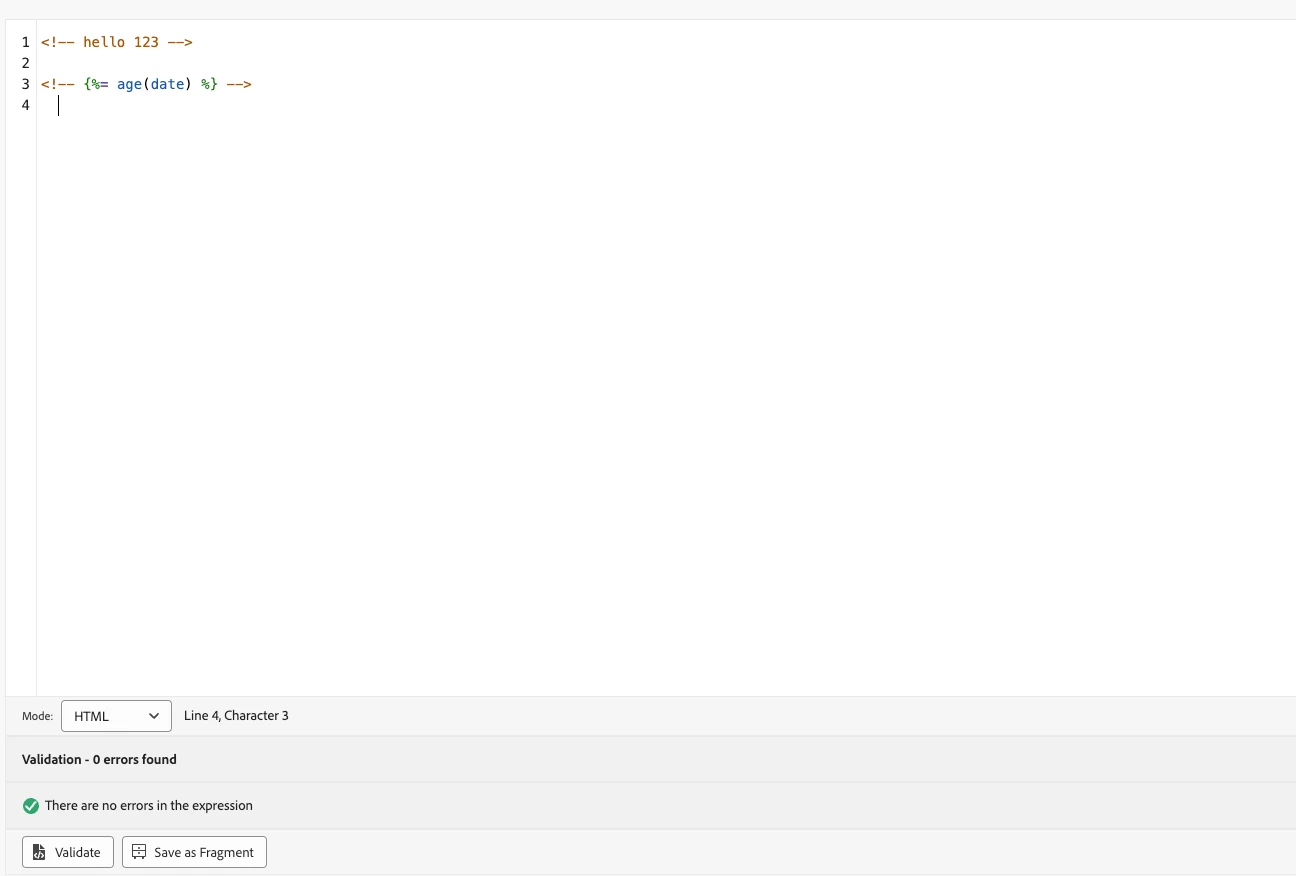
I am trying to create an email template for sending out campaigns in AJO. I wrote some html code and tried to comment it using <!-- hello --> and it is working fine.

However when in the same html code i added a helper function <!-- {%= age(date) %} --> the comments are not working properly.


Does anyone have an idea on how we can add a comment around helper functions .Attaching screenshot for reference 
 

Thanks


This post is no longer active and is closed to new replies. Need help? Start a new post to ask your question.
Best answer by arpan-garg

Hi @_manoj_kumar_ 


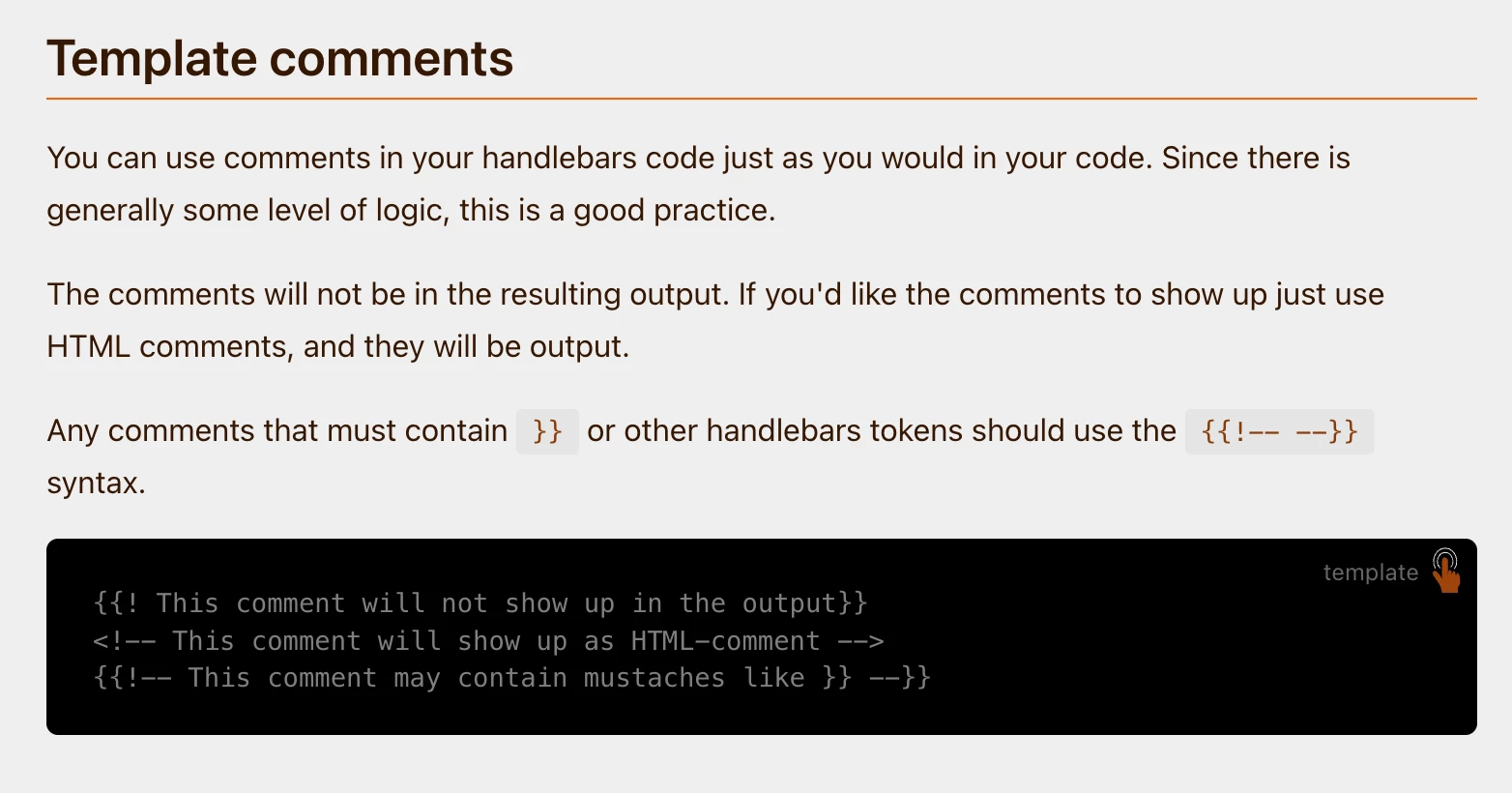
I was able to achieve this , i checked the handlebar documentation.

Using {{!-- This comment may contain mustaches like }} --}} its possible.

2 replies

Manoj_Kumar
Community Advisor
Community Advisor
January 25, 2024

Hello @arpan-garg 


<!-- helper function --> is the correct. It is just that the syntax highlighting is not working in the UI.


The helper function is a  server-side code and will be available in the email but will not be visible to the email recipient because it is commented out by a client-side syntax/code.

Manoj  | https://themartech.pro
arpan-garg
Community Advisor
arpan-gargCommunity AdvisorAuthorAccepted solution
Community Advisor
January 26, 2024

Hi @_manoj_kumar_ 


I was able to achieve this , i checked the handlebar documentation.

Using {{!-- This comment may contain mustaches like }} --}} its possible.

Mohan_Dugganab
Adobe Employee
Adobe Employee
January 26, 2024

You can use it as follows

{{!-- {%= toHexString(158) %} --}}