
Help with the configuration of In-app Web Channel in AJO | Community
Skip to main content
dparraabad
Level 2
August 28, 2024
Solved

Help with the configuration of In-app Web Channel in AJO

  • August 28, 2024
  • 2 replies
  • 921 views

Hi,


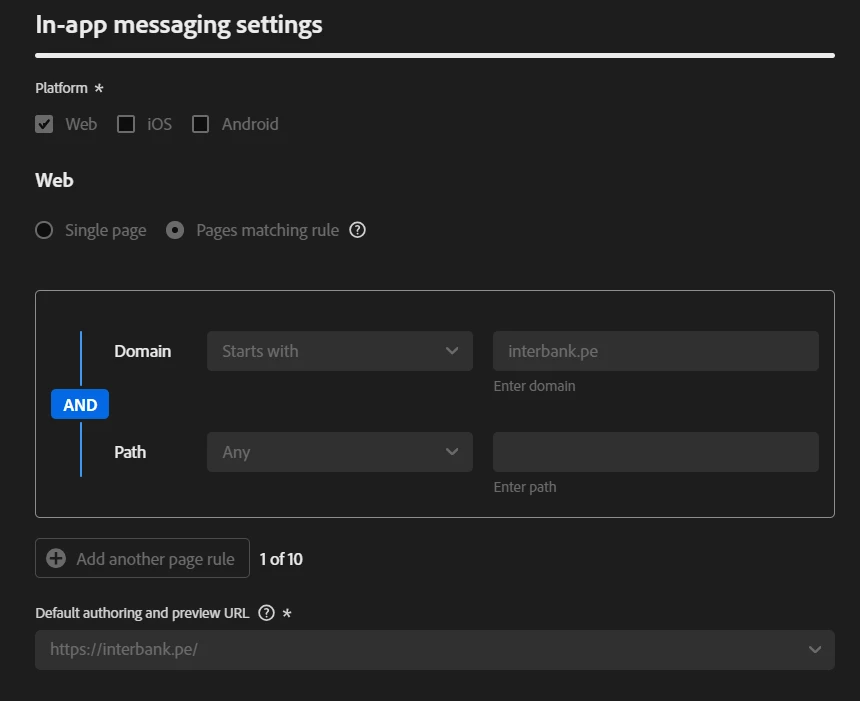
Does anyone know how to configure the In-app Web channel for a specific web page? Currently I have it configured for the URL https://interbank.pe and all its corresponding path. But when I try to place the In-app on the URL https://interbank.pe/tarjetas/tarjetas-credito but it is not printing, I don't know if maybe in the channel configuration would be missing something?


Regards,

Diego P.

This post is no longer active and is closed to new replies. Need help? Start a new post to ask your question.
Best answer by gujamaga

Web In-App Messaging is an Adobe Journey Optimizer feature, which uses the Web SDK to deliver the personalized content.


Please validate the below URL to Configure Web In-app Messaging support in WebSDK.

https://experienceleague.adobe.com/en/docs/experience-platform/web-sdk/personalization/ajo/web-in-app-messaging

2 replies

Manoj_Kumar
Community Advisor
Community Advisor
August 29, 2024

Hello @dparraabad  The default authoring page is https://interbank.pe/ and while creating the web campaign you would be able to edit https://interbank.pe/ only.


the matching rule logic is to apply the same behavior to all the pages matching the same criteria.


You can read more about this here: https://experienceleague.adobe.com/en/docs/journey-optimizer/using/web/configure-web-channel/web-configuration#web-configuration

Manoj  | https://themartech.pro
gujamagaAdobe EmployeeAccepted solution
Adobe Employee
August 30, 2024

Web In-App Messaging is an Adobe Journey Optimizer feature, which uses the Web SDK to deliver the personalized content.


Please validate the below URL to Configure Web In-app Messaging support in WebSDK.

https://experienceleague.adobe.com/en/docs/experience-platform/web-sdk/personalization/ajo/web-in-app-messaging