

From Idea to Personalized Message: How Lipi AI Helps You Write Smarter AJO Templates
Personalization often starts with a simple customer moment, but turning that idea into working template logic can take time. You may need the right field path, helper, condition, date format, and fallback behavior.
AI Assistant for Personalization Expressions helps reduce that friction by turning plain-language intent into AJO personalization template logic you can review, preview, and apply.
Instead of starting with syntax, you can start with the outcome you want for the customer:
Use the customer's renewal date, add one year, and format it as MM/dd/yy. If the renewal date is missing, do not show the date.
AI Assistant for Personalization Expressions helps translate that request into template logic you can review, validate, and use in AJO.
What AI Assistant for Personalization Expressions Helps With
AI Assistant for Personalization Expressions is available from the AJO personalization editor through AI Assistant. It helps when you know the customer experience you want, but need help writing, understanding, or fixing the template logic.
- Generate new personalization expressions from plain-language prompts.
- Explain existing template code in human-readable language.
- Fix broken conditions, helpers, formatting, and fallback logic.
- Use available AJO resources such as profile fields, context data, segments, datasets, integrations, fragments, offers, helpers, functions, and operators when they are exposed in your environment.
How To Use AI Assistant for Personalization Expressions In The Personalization Editor
1. Generate a new expression
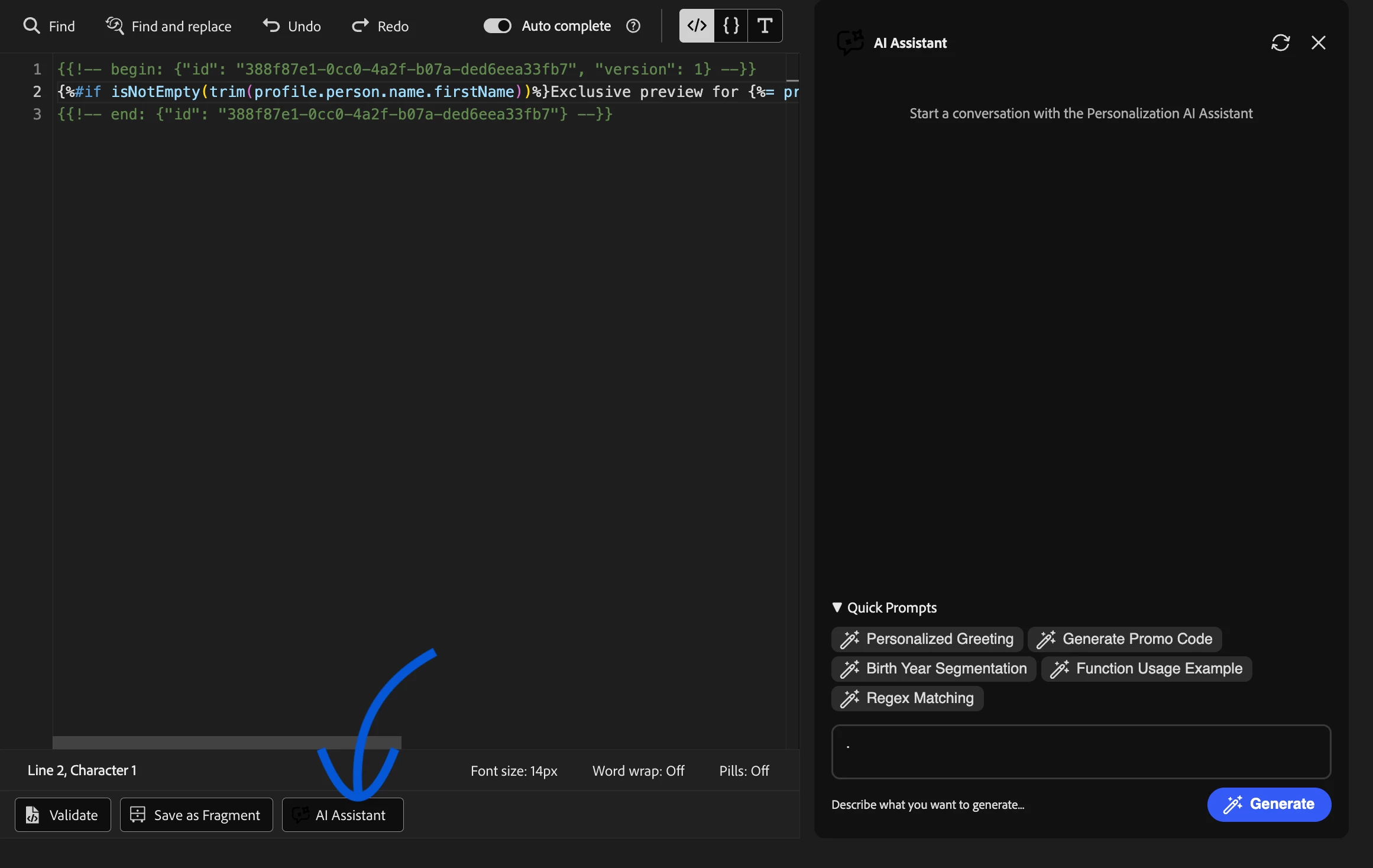
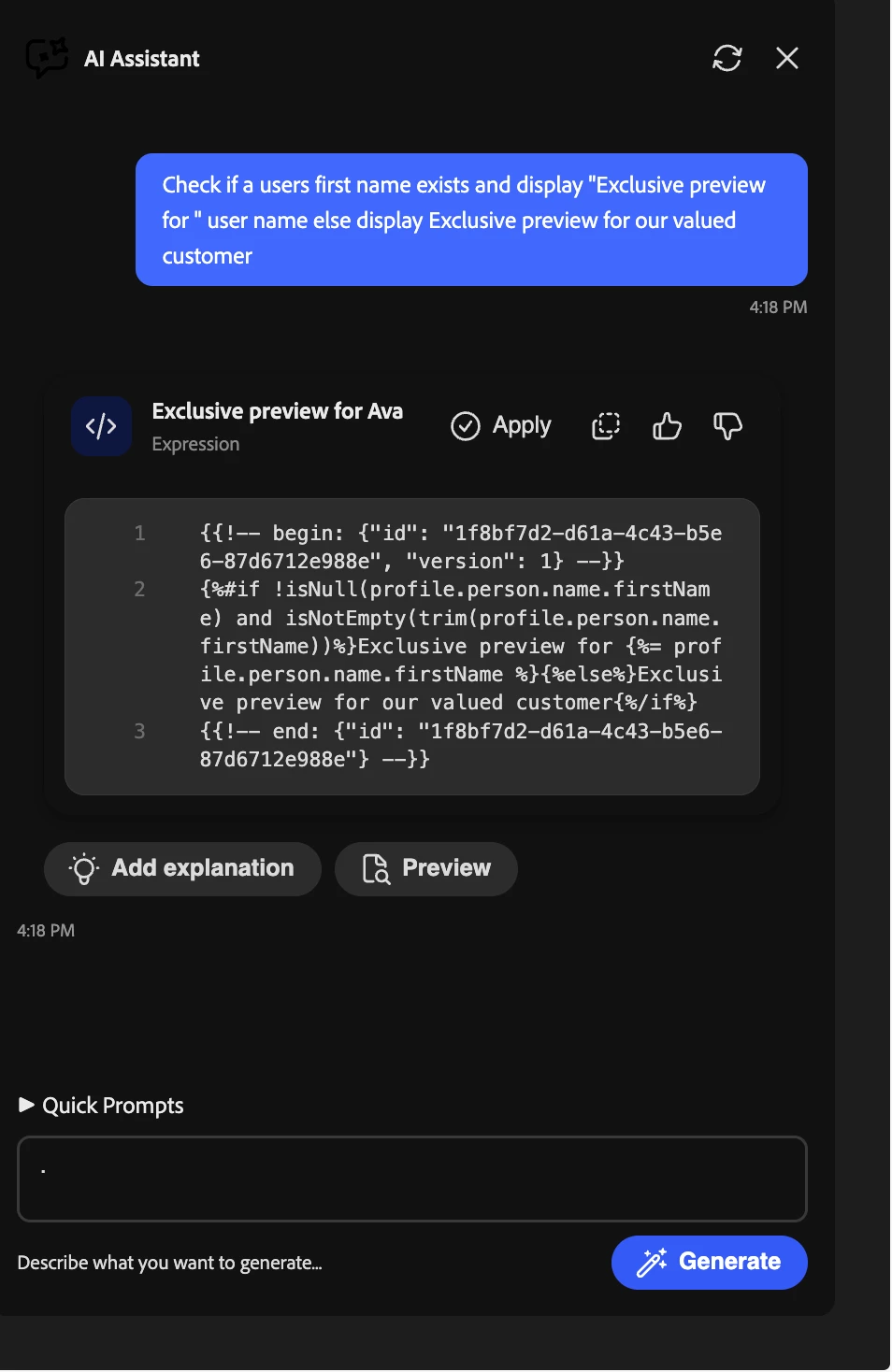
Open AI Assistant from the personalization editor and describe what you want. You can start from a quick prompt or type your own instruction.
2. Explain or fix selected code
If you already have template code, select only the block you want help with and choose Edit with AI Assistant.
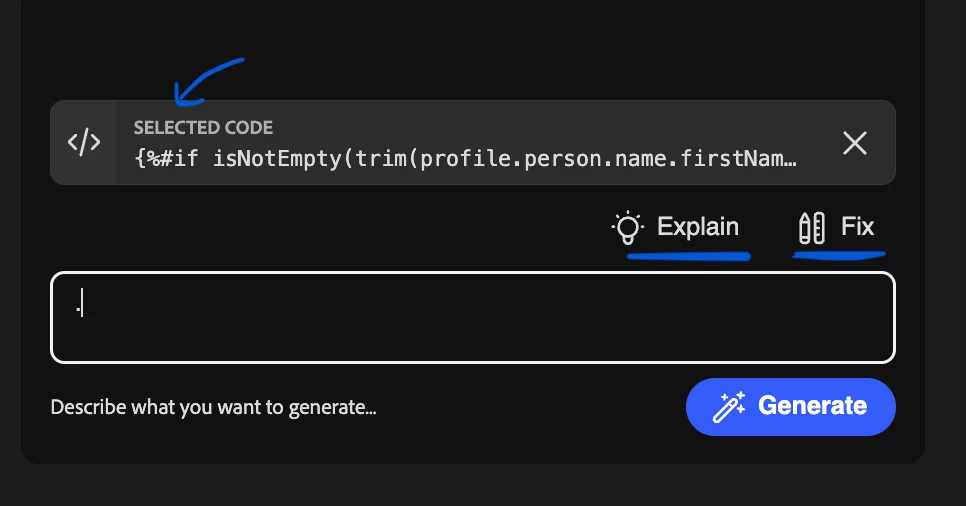
- Explain: get a plain-language explanation of what the selected code does and what output to expect.
- Fix: repair syntax errors, helper usage, formatting issues, or common mistakes in the selected code.
A Simple Example
Ask AI Assistant for Personalization Expressions:
Check if profile.person.name.firstName exists. If yes, display "Exclusive preview for [first name]". If not, display "Exclusive preview for our valued customer".
AI Assistant for Personalization Expressions can generate:
{%#if isNotEmpty(profile.person.name.firstName) %}Exclusive preview for {{profile.person.name.firstName}}{%else%}Exclusive preview for our valued customer{%/if%}How To Ask AI Assistant for Personalization Expressions Better
Prompt formula:
Use [data path or resource]. If [condition], show [output A]. Otherwise show [output B]. If the data is missing, show [fallback].
Instead of: Make this dynamic.
Try: Use profile.person.name.firstName. If it exists, show "Hi [first name]". If it is empty, show "Hi there". Return only the AI Assistant for Personalization Expressions template.
Instead of: Fix this offer logic.
Try: Loop through the customer's offers. If offerType is TRIAL and country is US, show offer A. Otherwise show fallback offer B. Keep the output as JSON with content_id and param1.
Do's And Don'ts
| Do
| Don't
|
When AI Assistant for Personalization Expressions May Not Help
AI Assistant for Personalization Expressions may not generate a usable template if the field is not in the active schema, the fragment is not published, the dataset is not lookup-enabled, the prompt is too vague, or the request is outside template personalization.
In those cases, the next step is usually to check the AJO setup or rewrite the prompt with clearer data, logic, output, and fallback details.
Final takeaway: Next time you write a personalization rule, do not start with syntax. Start with the customer moment, then ask AI Assistant for Personalization Expressions to translate it into template logic.