Expression Fragment Customization | Community
Skip to main content
Level 2
September 12, 2024
Solved

Expression Fragment Customization

  • September 12, 2024
  • 2 replies
  • 1015 views

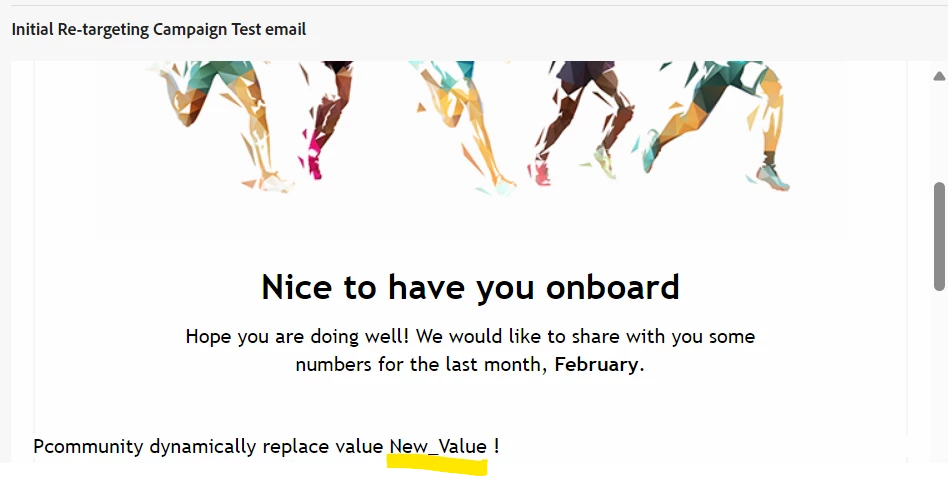
I have an expression fragment syntax "{{#inline "var_1"}}Value_1{{/inline}}" which I want to customize in the email content with the following

"{{fragment id='ajo:1f0cd758-e1d5-4034-ba12-d69375018103' mode='inline' var_1='New_Value'}}{{var_1}}". I want the default value "Value_1" to be replaced with "New_Value"; which is not working and giving me the default value "Value_1" instead. Also, popping up a message:

"Your message includes contextual data which won't be rendered in Preview & Test features. You can execute the campaign using API to run E2E test with contextual data".


Please help. Thanks in advance

This post is no longer active and is closed to new replies. Need help? Start a new post to ask your question.
Best answer by Anuhya-Y

@dboro  Try below code


Expression fragment


Email personalization with fragment


Simulate email content


2 replies

Anuhya-Y
Community Advisor
Anuhya-YCommunity AdvisorAccepted solution
Community Advisor
September 12, 2024

@dboro  Try below code


Expression fragment


Email personalization with fragment


Simulate email content


DBoroAuthor
Level 2
September 13, 2024

Thanks for your help. It's working now 🙂

Mohan_Dugganab
Adobe Employee
Adobe Employee
September 12, 2024