Exclude customers | Community
Skip to main content
October 23, 2024
Solved

Exclude customers

  • October 23, 2024
  • 3 replies
  • 1118 views

Is there a way  to create an audience excluding contacts who entered a journey? For some context, I want to send a manual campaign to my customers but I don´t want to send it to customer´s who received any automatic email today

This post is no longer active and is closed to new replies. Need help? Start a new post to ask your question.
Best answer by Mohan_Dugganab

You can create a batch segment leveraging the attributes from message feedback event schema and accordingly suppress it, within the journey. Assumption is, profiles had the message node processed in journey.


However, you need to wait for the daily batch segmentation job to be run before you can use the segment in the journey.


https://experienceleague.adobe.com/en/docs/journey-optimizer/using/audiences-profiles-identities/audiences/about-audiences

3 replies

SatheeskannaK
Community Advisor
Community Advisor
October 23, 2024

@brandonda6 You can have an audience created using (AJO Message Feedback Event Schema) the messages received from a journey and exclude that in the campaign audience you're setting up.

path:

_experience.customerJourneyManagement.messageDeliveryfeedback.feedbackStatus
_experience.customerJourneyManagement.messageExecution.messageExecutionID

Thanks, Sathees
DavidKangni
Community Advisor
Community Advisor
October 24, 2024

@brandonda6 @satheeskannak 

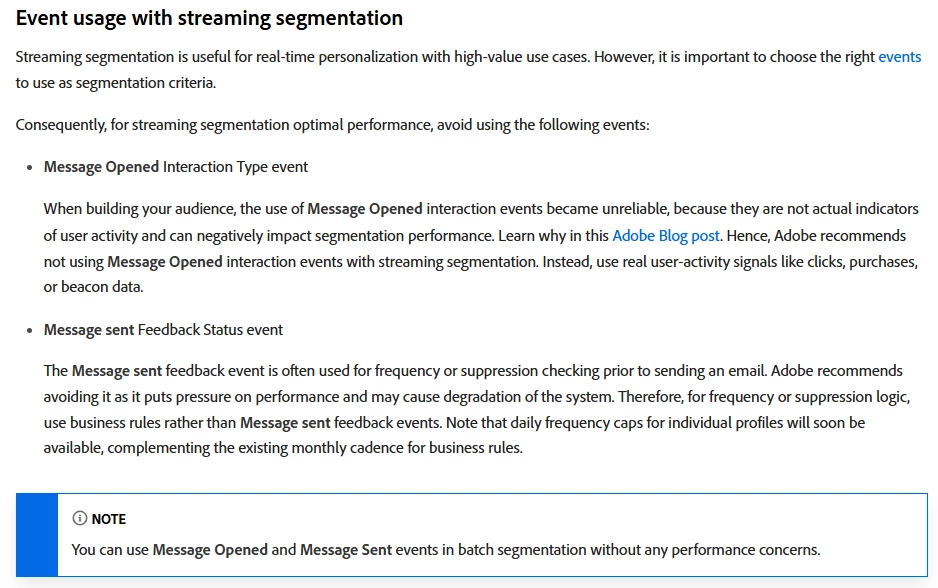
Starting November 1st, streaming segmentation will no longer support the use of send and feedback events from tracking and feedback datasets. Information on why this practice has been discouraged in the past can be found here. This change will apply to all customer sandboxes and organizations at that time.


I will recommend to implement daily cap business rule and use this rule for journeys/campaigns you want to have the exclusion.


Thanks,

David

David Kangni
SatheeskannaK
Community Advisor
Community Advisor
October 24, 2024

@davidkangni I get that feedback dataset will no longer supported with streaming segmentation only. But still, you can use batch audiences using feedback dataset if that's a desired option as opposed to putting on daily cap business rules depending on the requirement.

Thanks, Sathees
DavidKangni
Community Advisor
Community Advisor
October 24, 2024

yes you can create the audience but as it will be evaluated daily, the profiles may receive multiple emails before the evaluation while the business rules will exclude in real time.

There is also a Limited Availability feature 

Rule sets (Limited Availability)
You can now create granular frequency capping rules, and apply them to your messages or journeys through rule sets. This new capability lets you control how often your audiences receive a message by setting cross-channel rules, that automatically exclude over-solicited profiles from messages and actions.

It also allows you to limit the number of journeys per day, week, or month, as well as control the number of concurrent journeys running simultaneously.

Rule sets are available in Limited Availability to a select group of customers. Please note that these features will be gradually rolled out to more users in the future. Reach out to your account team if interested in being added to the waitlist for this feature.


Thanks,

David

David Kangni
Mohan_Dugganab
Adobe Employee
Mohan_DugganabAdobe EmployeeAccepted solution
Adobe Employee
October 24, 2024

You can create a batch segment leveraging the attributes from message feedback event schema and accordingly suppress it, within the journey. Assumption is, profiles had the message node processed in journey.


However, you need to wait for the daily batch segmentation job to be run before you can use the segment in the journey.


https://experienceleague.adobe.com/en/docs/journey-optimizer/using/audiences-profiles-identities/audiences/about-audiences