Error Image when adding AEM Asset to Content Template | Community
Skip to main content
January 21, 2026
Solved

Error Image when adding AEM Asset to Content Template

  • January 21, 2026
  • 3 replies
  • 76 views

When I try and add an asset to a content template in AJO I get this red warning symbol. When browsing for the images we can see them but as soon as you choose it, it then fails.


This is a new AJO instance and we cannot get it to work with any AEM Cloud assets. We also have Assets Essentials which works but don’t want to use that as all of our assets are in AEM.
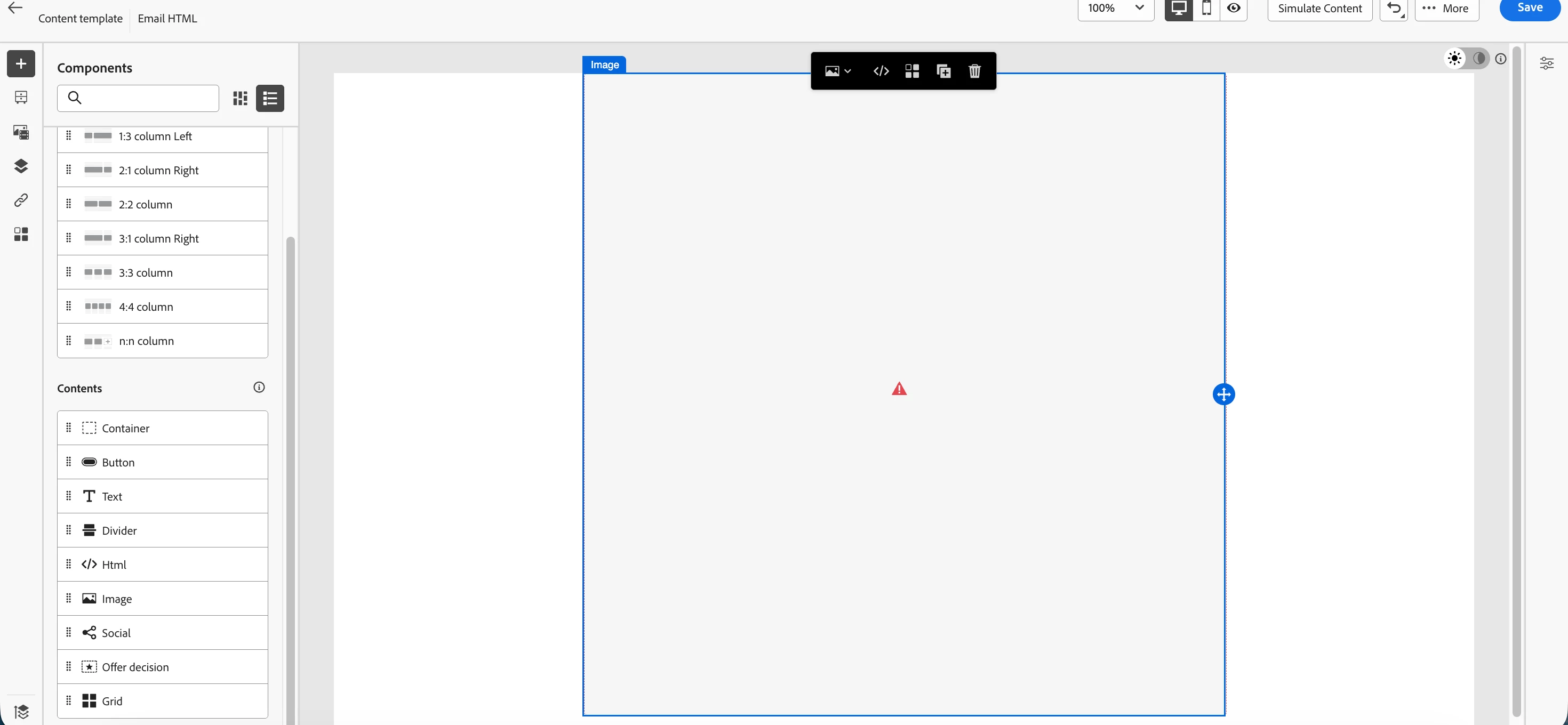


Steps to replicate

  1. Add image block
  2. Browse asset
  3. Browse through AEM DAM (can see assets)
  4. Add asset
  5. Error


I assume this is a permission issue somewhere but cannot find the root cause.

    Best answer by Mayank_Gandhi

    @RobinPa4 

    In AJO, when you pick an image from AEM Assets via the Asset Selector and you immediately see a red error icon in the template, it nearly always comes from one of these:

    1. Integration / entitlement not fully set up (new AJO tenant, AEM CS not wired correctly, or wrong repo selected)
    2. Permissions – the user can browse but not actually use or write assets from that repo
    3. AEM-side issues – asset missing required renditions / metadata, or repository / index / CORS problems on the AEM environment
    4. Wrong repository type – AJO can only use AEM Assets as a Cloud Service / Assets Essentials, not AEM 6.5 / AMS directly Use Assets in Journey Optimizer.

    You mentioned:

    • New AJO instance
    • Assets Essentials works
    • AEM Cloud Assets don’t (you see them in the picker but selection fails with a red warning)

    That matches a wiring/permissions issue between AJO and your AEM Assets CS repository, not a generic editor bug.

    3 replies

    Disha_Goyal6
    Community Advisor
    Community Advisor
    January 21, 2026

    Hi ​@RobinPa4, I got the same issue while adding the assets form AEM. Now, I have used Marketo images link in adobe optimizer emails.

    SatheeskannaK
    Community Advisor
    Community Advisor
    January 22, 2026

    @RobinPa4 

    You need to have AEM DAM access to use any AEM assets in AJO.

    https://experienceleague.adobe.com/en/docs/experience-manager-cloud-service/content/assets/overview


    Thanks, Sathees
    Mayank_Gandhi
    Adobe Employee
    Mayank_GandhiAdobe EmployeeAccepted solution
    Adobe Employee
    January 29, 2026

    @RobinPa4 

    In AJO, when you pick an image from AEM Assets via the Asset Selector and you immediately see a red error icon in the template, it nearly always comes from one of these:

    1. Integration / entitlement not fully set up (new AJO tenant, AEM CS not wired correctly, or wrong repo selected)
    2. Permissions – the user can browse but not actually use or write assets from that repo
    3. AEM-side issues – asset missing required renditions / metadata, or repository / index / CORS problems on the AEM environment
    4. Wrong repository type – AJO can only use AEM Assets as a Cloud Service / Assets Essentials, not AEM 6.5 / AMS directly Use Assets in Journey Optimizer.

    You mentioned:

    • New AJO instance
    • Assets Essentials works
    • AEM Cloud Assets don’t (you see them in the picker but selection fails with a red warning)

    That matches a wiring/permissions issue between AJO and your AEM Assets CS repository, not a generic editor bug.

    RobinPa4Author
    January 29, 2026

    Thanks ​@Mayank_Gandhi 

    We eventually got to the bottom of it.


    Originally we were chasing permissions but it ended up being the Allowlist set on the AEM DAM. Once we added the AJO IPs to the allow list, things started working