Level 2
Jul 1, 2022 10:49 AM UTC
Solved

Each Helper function Not showing Items from the Cart

Hi,


We are following this documentation Link and using the Each Helper function to show the items of cart in email content for an Event we had created, and fetching the Productlistitems array from analytics schema and adding the contextual values from that array, but while triggering the journey we are receiving blank email. Does anybody knows why?


We are using the same code  as present on the website


This post is no longer active and is closed to new replies. Need help? Start a new post to ask your question.
Manoj_Kumar
Manoj_KumarAccepted solution
Community Advisor
Jul 4, 2022 11:29 PM UTC

Hello @navalksi 

You can't use the timeseries data in the email. Check if the data is available in the dataset and the correct path for that data.

Manoj  | https://themartech.pro

5 replies

SatheeskannaK
Adobe Champion, Community Advisor, UG Leader
Jul 1, 2022 11:53 AM UTC

Hi @navalks,


For each productlistitems you have given product as alias. When you display each product details within each loop it will like below,


{{#each context.journey.events.event_ID.productListItems as |product|}}
<table>
<tbody>
<tr>
<td><b>{{product.name}}</b></td>
<td><b>{{product.quantity}}</b></td>
<td><b>${{product.priceTotal}}</b></td>
</tr>
</tbody>
</table>
{{/each}}

Thanks!

Translate
Thanks, Sathees
Manoj_Kumar
Community Advisor
Community Advisor
Jul 2, 2022 3:55 AM UTC

Hello @navalksi 


Looks like the documentation you are referring to is not updated and it does not work like that.
Your code should look like this.

{{#each context.journey.events.835380668.productListItems as |product|}}
<table>
<tbody>
<tr>
<td><b>{{product._experience.analytics.customerDimensions.eVars.eVar52}}</b></td>
<td><b>{{product._experience.analytics.customerDimensions.eVars.eVar56}}</b></td>
<td><b>${{product._experience.analytics.customerDimensions.eVars.eVar54}}</b></td>
</tr>
</tbody>
</table>
{{/each}}

Also, You need to check the path of the variables. I don't _experience.analytics.customerDimesntion.eVars.eVar52 is a right path. Generally, product list items contain an array of items related to the product data.


Translate
Manoj  | https://themartech.pro
navalksiAuthor
Level 2
Jul 4, 2022 10:57 AM UTC

Hi @_manoj_kumar_ @satheeskannak  Thanks for your response, If i am using the alias with the path then editor is showing the below error and unable to find the paths


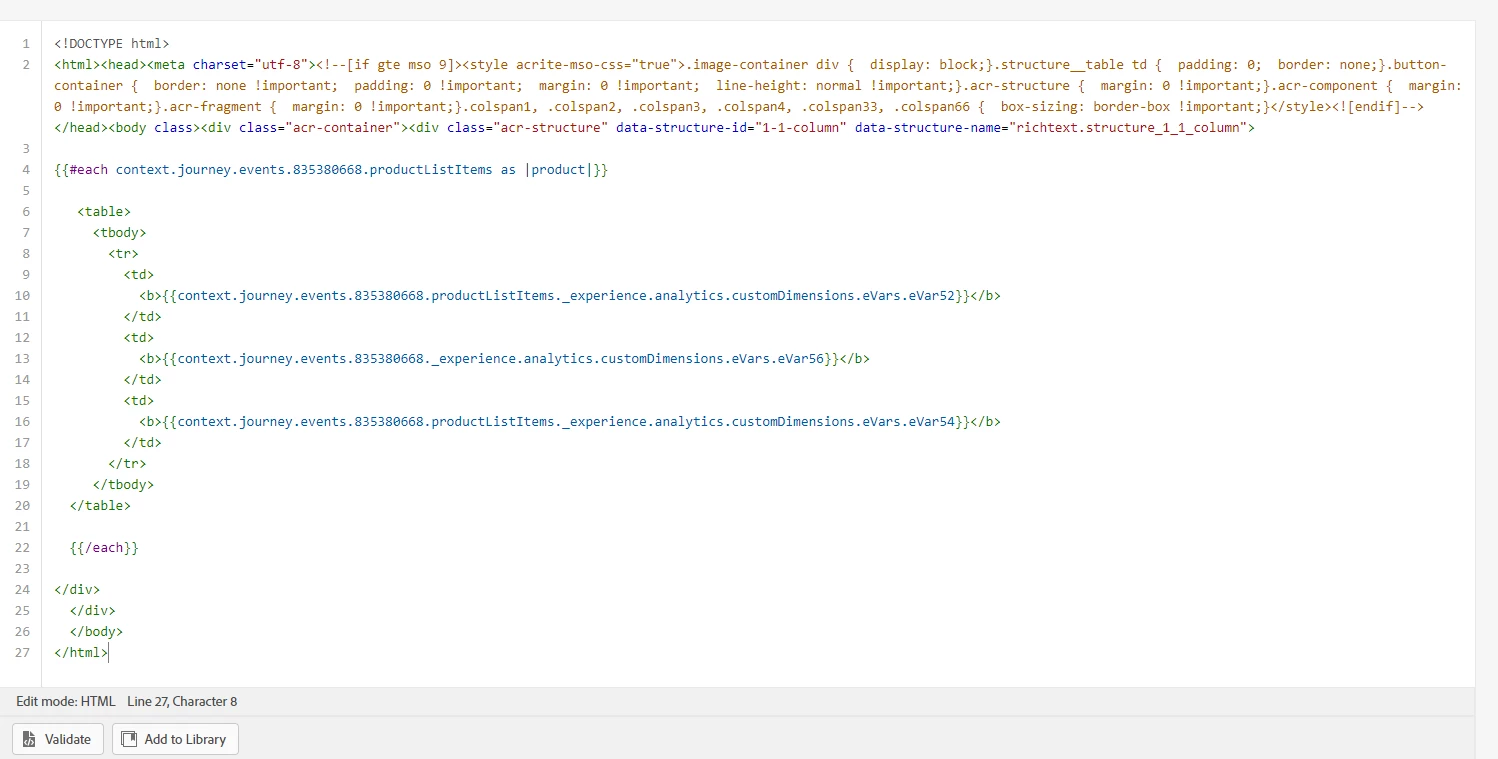
But if i am using the correct path and not using the alias then the validation runs correctly


But even after the validation done sucessfully, the content is showing blank in the email

Translate
Manoj_Kumar
Community Advisor
Manoj_KumarCommunity AdvisorAccepted solution
Community Advisor
Jul 4, 2022 11:29 PM UTC

Hello @navalksi 

You can't use the timeseries data in the email. Check if the data is available in the dataset and the correct path for that data.

Translate
Manoj  | https://themartech.pro
Jul 18, 2022 1:04 PM UTC

The time series data in the email cannot be used. The dataset should contain the data and its path should be checked.

Translate