Determine Active AJO Users | Community
Skip to main content
Level 3
February 27, 2026
Question

Determine Active AJO Users

  • February 27, 2026
  • 2 replies
  • 9 views

Hi,


How can we determine which users with permissions to access our AJO instance have logged on within the last 30 days?


Thanks,

Skyler

    2 replies

    SatheeskannaK
    Community Advisor
    Community Advisor
    February 27, 2026

    @SkylerQu2 

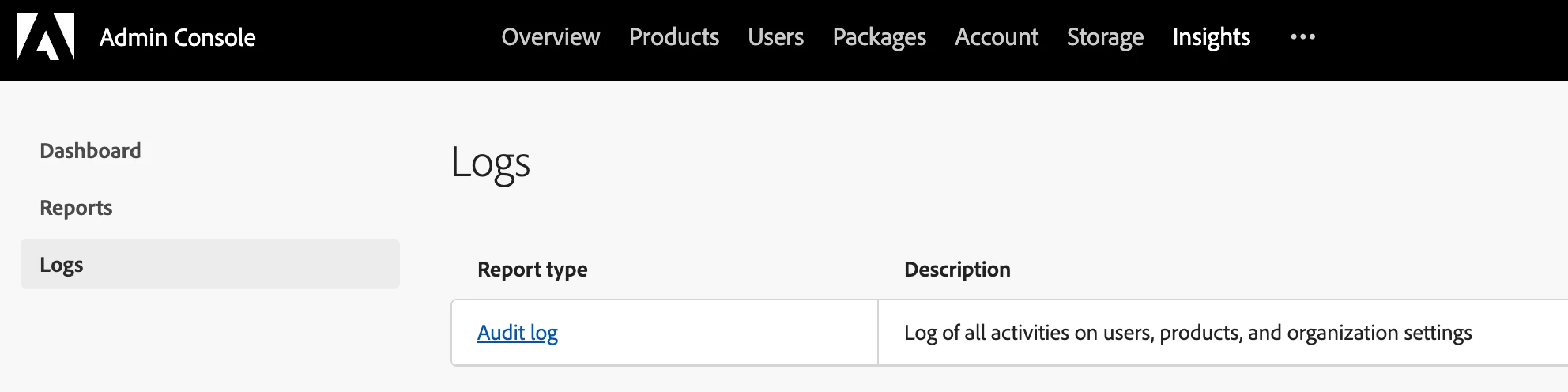
    To obtain the access audit logs, navigate to the admin console, select "Insights," and then choose "Logs." From this section, you have the option to export the data as a CSV file.


    Thanks, Sathees
    derisherrera
    Level 1
    February 27, 2026

    If you're specifically looking for login activity (who has signed in within the last 30 days), the most reliable place to check is the Admin Console Audit Log at the Experience Cloud level, which tracks user sign-ins across solutions.
     

    The Audit Log within Adobe Journey Optimizer captures resource-level actions (create/update/delete/activate journeys, campaigns, etc.), but it does not record plain login events.
     

    So for login-only reporting, the Admin Console logs would be the appropriate source.

    Leaving this here in case it’s helpful:
    https://experienceleague.adobe.com/en/docs/journey-optimizer/using/privacy/audit-logs